How Does Virima’s ServiceNow CMDB Sync Work? A Step-by-Step Guide

Managing a CMDB in ServiceNow requires accurate, discovery-driven data. Not manual input. ITSM incident management and CMDB integration close the gap between knowing an incident occurred and knowing what it affects.
Virima automatically links every configuration item (CI) to its incident ticket. From the moment a ticket opens, responders see the affected asset, its service dependencies, recent change history, and blast radius. No manual investigation needed first.
This guide explains how the Virima CMDB ServiceNow sync works. It covers what ViVID service mapping provides during active incidents. And how the connection supports ITIL v4 compliance.
Why Most Teams Skip CI Linkage in Practice
Connecting incident management to the CMDB is a core ITIL v4 requirement. It is also one of the most skipped steps in real ITSM work. Three problems drive that.
First, manual CI linkage is tedious. When responders must search the CMDB and attach a CI to a ticket during an active incident, most skip it. Or they do it after resolution as a checkbox. Too late to help.
Second, CMDB data is often stale. When the record does not reflect the current environment, responders distrust it. A CMDB with outdated specifications or wrong ownership is worse than no CMDB at all. It sends teams in the wrong direction.
Third, the value is not obvious until a high-severity incident hits. Research links formal incident procedures, including CI linkage, to better ITSM performance. Without a P1 event forcing the issue, most organizations deprioritize the integration for months.
Virima addresses all three barriers. CI linkage is automatic and built into the incident creation workflow. CMDB data comes from high-frequency IT discovery cycles, not manual input. And the value shows up on the first major incident.
See how Virima builds the foundation for faster, more accurate incident response:
How Virima Links Incidents to CMDB Configuration Items
Every incident in Virima carries a direct link to the CMDB configuration item. Virima builds this into the incident creation workflow. No manual lookup required.
When a new incident opens, Virima identifies the affected CI from the incident source. The source could be a monitoring alert, user submission, email, or manual entry. The CI record attaches automatically. The responder gets immediate access to:
- Full CI description and classification
- Hardware or software specifications
- Configuration attributes from the last discovery cycle
- CI ownership and assigned support group
- Change history (recent changes to the CI)
- ViVID service map position
- Related CIs and dependencies
This context lives inside the incident ticket. Not in a separate CMDB interface. Responders see the full picture from the moment the ticket opens.
When a CMDB in ServiceNow connects to incident management, every ticket should carry the affected CI classification. That includes configuration attributes, ownership, recent change history, and dependency map position. This context removes the first 15-20 minutes of a major outage bridge call. The time typically spent answering questions the CMDB should have already answered.
Can Incidents be Created Automatically From External Monitoring Tools?
Yes. Virima auto-creates incidents from external monitoring and event management systems.
Monitoring tool integration
When a monitoring tool detects a threshold breach, it sends the alert to Virima. Virima creates the incident record and identifies the affected CI from the alert data. It links the CI to the incident. It routes the incident to the correct support group based on SLA rules. No manual steps needed.
By the time a responder opens the incident, Virima has identified the CI. It has attached service topology context and started the SLA clock. The responder starts investigating right away. No 15-20 minutes spent reconstructing what is affected.
Email and self-service portal intake
Virima accepts incidents from email and from the self-service portal. Email intake creates a record from inbound support emails. Portal intake is user-submitted with guided CI selection.
Both paths attach CI context to the ticket. Monitoring-sourced incidents arrive with the CI pre-identified. Portal submissions guide the user to select the affected CI directly.
The CMDB Staleness Problem: Why Incident Context is Only as Good as Discovery Freshness
CI linkage is only useful when the CI data is accurate. This is where many CMDB implementations fail. Teams populate the data once during setup. Discovery runs infrequently. Within months, the records no longer reflect the actual environment.
A CMDB with wrong specifications, wrong ownership, or outdated configuration attributes misleads responders. It does not help them.
How Virima keeps CI data current
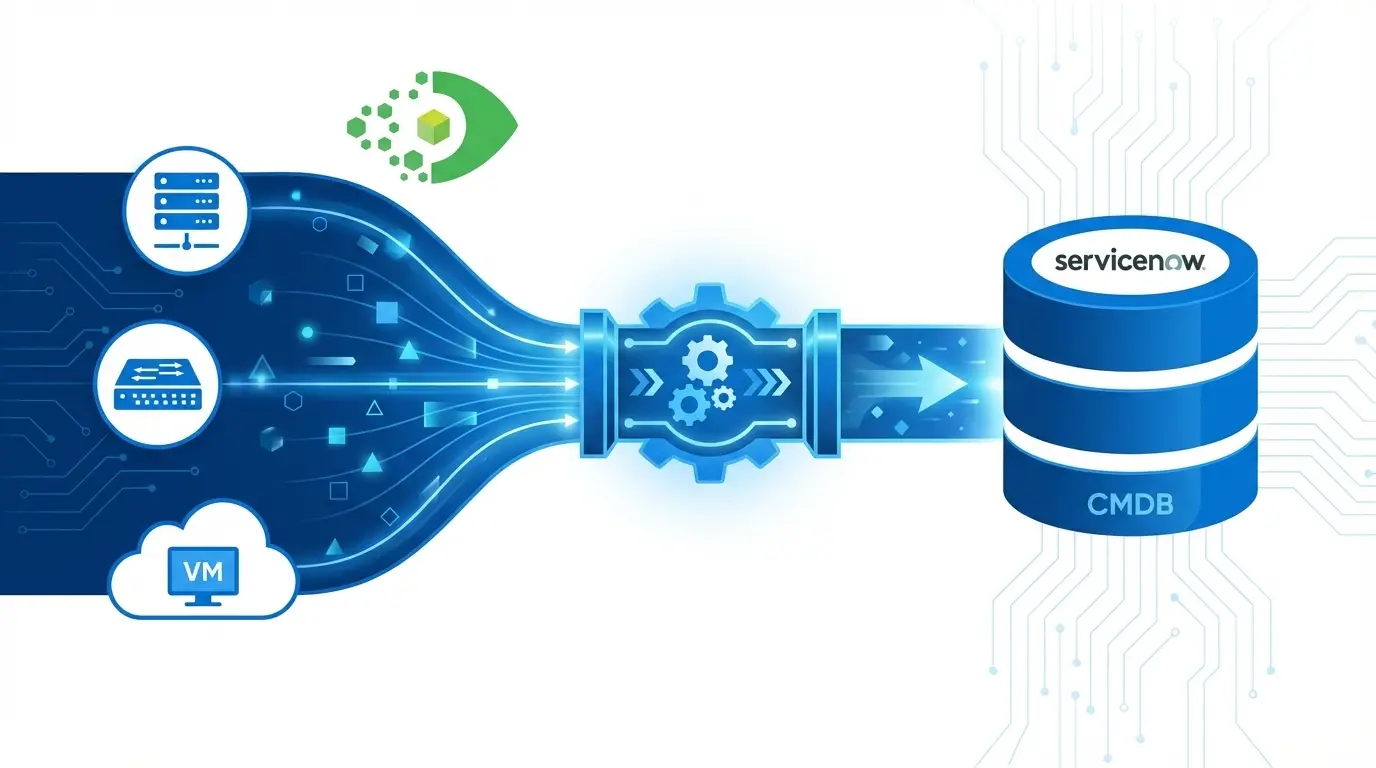
Virima fixes this at the source. High-frequency IT discovery cycles populate and refresh CMDB records. Not manual data entry or one-time imports.
The CI context on each incident ticket reflects what discovery last captured. That includes hardware state, installed software, configuration attributes, and network relationships.
This approach grounds the CI record in what the asset looks like today. Not what someone last entered manually.
For incident teams, this matters on every major incident. When the CI record shows the correct owner, server configuration, and service relationships, responders trust it. They act on it.
When they distrust the CMDB, they ignore it. That costs 20-60 minutes of a high-severity incident. They reconstruct context that should have been there already.
CMDB data in ServiceNow and similar platforms becomes stale when records depend on manual updates or infrequent discovery runs. During an incident, responders see wrong ownership, outdated attributes, and stale service relationships. Discovery-sourced records, refreshed by high-frequency cycles, give incident teams CI context they can act on immediately.
As teams adopt agentic IT workflows, this accuracy requirement becomes a hard dependency. AI agents acting on incident data need the same CI context human responders rely on. And they need to trust it before taking any action.
How ViVID™ Service Maps Support Incident Resolution
ViVID service mapping gives responders visual dependency maps of all IT services. It shows which CIs support which services and how services relate to each other. During an active incident, ViVID provides three critical views.
Blast radius. Which services and CIs depend on the affected CI? A ViVID overlay shows every downstream dependency at risk. Immediately, without manual investigation.
Dependency chain. Which upstream CIs does the affected CI depend on? If the root cause is an upstream failure, ViVID makes that visible in seconds. A database the application relies on, rather than the application itself.
Restoration sequence. For major incidents requiring staged recovery, the ViVID dependency chain shows which CIs to restore first. Responders follow the map rather than guessing.
ViVID service maps update with each discovery cycle. The service relationships responders see reflect the current environment.
Service mapping during incident resolution shows three things without manual investigation. Blast radius: downstream services at risk. Dependency chain: upstream CIs that may be the true root cause. Restoration sequence: which CIs to recover first. Discovery-sourced maps, updated each cycle, reflect the current environment. Not topology documented months ago.
How Virima Reduces MTTR With CMDB Context During Major Incidents
Reducing mean time to resolution (MTTR) starts with eliminating manual data reconstruction. That reconstruction extends every high-severity incident bridge call.
Without CMDB context, responders spend 20-60 minutes answering basic questions. What is affected, who owns it, what changed recently, what else will break. With Virima CMDB context, those answers are in the incident ticket from the first minute:
- Affected CI: identified automatically at incident creation
- Change history: last changes to the CI visible without switching tools
- Service impact: ViVID shows the full blast radius immediately
- Ownership: CI owner and support group in the CI record
- Dependencies: upstream and downstream CIs visible on the ViVID dependency view
Stakeholder communication speeds up too. Virima’s dependency map lets the incident manager notify affected business units proactively. Based on ViVID data. Rather than reactively as downstream outages surface one at a time.
CMDB-connected incident management cuts MTTR by removing manual data reconstruction. Without CI context, responders spend 20-60 minutes on a major bridge call answering basic questions. With CMDB context in the ticket at creation, diagnostic work begins at minute one.
Is Virima’s Incident Management ITIL v4 Compliant?
Yes. Virima incident management aligns with ITIL v4 across the full incident lifecycle. That includes detection, logging, classification, diagnosis, resolution, and closure.
ITIL 4 defines a configuration item (CI) as “any component that needs to be managed to deliver an IT service.” Virima enforces this definition. It requires CI linkage on every incident record.
Key ITIL v4 elements in Virima:
- Mandatory CI linkage on every incident record
- Impact and urgency matrix driving priority calculation
- SLA assignment based on incident priority
- Escalation workflows: functional and hierarchical, triggered on SLA breach
- Major incident procedures: distinct P1/P2 routing, bridge coordination, and stakeholder notification
- Closure with documented resolution and CI state update
Virima also includes a workflow generator for custom incident routing. Teams build and activate routing rules by CI class, incident category, priority, or any combination. No coding required.
From Incidents to Problem Management: the CI-Level Connection
Virima supports the move from incident management to problem management through CI-level incident history.
Every CI record in Virima tracks all incidents linked to it over time. How many occurred, when, and how each was resolved. When a CI shows recurring incidents, the data is immediately visible. For example: this CI has had seven incidents in 90 days, five with the same resolution category.
Problem managers use this data to open formal problem records. They reference the contributing incidents and the affected CI. The CMDB change history for that CI is accessible from both the incident and problem records. It helps identify the underlying cause: a configuration change, a software update, or a capacity constraint.
CMDB-backed incident history enables problem management by surfacing CI-level incident patterns. When every incident links to a CI, problem managers can query that CI’s history. Frequency, resolution categories, change events. And open a problem record with evidence of the cause. This CI-anchored trail connects incident frequency, change history, and configuration state into a single root cause analysis path.
What ITSM platforms does Virima integrate with?
Virima integrates with the major ITSM platforms used across enterprise IT. It does not replace these tools. It enriches incidents with CMDB and ViVID™ service map context that makes them more actionable. Specific capabilities vary by platform and deployment.
| ITSM Platform | What Virima adds |
| ServiceNow | CMDB data and ViVID service map context enrich ServiceNow incident records |
| Jira Service Management | CI context and CMDB data passed to Jira Service Management workflows |
| Ivanti | CI-backed incident enrichment for Ivanti ITSM |
| HaloITSM | Incident and service desk workflows enriched with CMDB context |
| Xurrent | CI context for Xurrent incident environments |
| Hornbill | CMDB and service-map context for Hornbill Service Manager |
| TeamDynamix (under development) | CMDB-backed incident enrichment for TeamDynamix ITSM users |
Organizations without a dedicated ITSM platform can use Virima’s complete, self-contained incident management capability. It is built on ITIL v4 principles. You can also build a CMDB with Virima first, then introduce ITSM platform integrations.
CI linkage is the foundation of faster incident response
Connecting ITSM incident management to the CMDB in ServiceNow changes what responders can do the moment a ticket opens. They start working immediately. They do not spend the first 20-60 minutes reconstructing context that should have been there already.
When every incident ticket carries its CI, every CI carries its service map context. Every major incident gives responders an accurate picture of what is affected. The outcome is shorter incidents, faster root cause analysis, and a complete audit trail from detection to resolution.
That is what Virima provides. Automatically, as a built-in capability, not as a configuration project.
Get runtime truth with a multi-source CMDB. Schedule a Virima demo.
Frequently Asked Questions
What is CI linkage in ITSM incident management?
CI linkage connects an incident ticket to the specific configuration item (CI) in the CMDB it involves. When automatic, every incident ticket carries the affected asset’s specifications, ownership, service topology, change history, and dependencies. Responders get accurate context from minute one. No manual CMDB lookups needed during active resolution.
Why does CMDB data become unreliable during major incidents?
CMDB records become unreliable when they depend on manual updates or infrequent discovery runs. Over time, ownership changes, software updates, and configuration edits go unrecorded. Discovery-sourced records, refreshed by high-frequency cycles, reduce this drift. They give incident teams CI context they can trust.
How does ITIL v4 require CMDB to support incident management?
ITIL 4 defines incident management across six stages: detection, logging, classification, diagnosis, resolution, and closure. CI linkage is foundational. It gives responders the configuration data needed for accurate classification, faster diagnosis, and complete closure documentation. Without it, root cause analysis requires manual work across multiple systems.
Can CMDB-connected incidents feed directly into problem management?
Yes. When every incident links to a CI, problem managers can query CI-level incident history. Frequency, resolution categories, change events. Without manual correlation. A CI with recurring incidents and a shared resolution category is a problem record candidate. The CMDB change history tied to that CI supports root cause analysis.
Does Virima replace our existing ITSM tool?
Virima does not replace existing ITSM platforms. For organizations running ServiceNow, Jira Service Management, Ivanti, HaloITSM, Xurrent, Hornbill, or TeamDynamix, Virima enriches those platforms. It adds discovery-sourced CMDB data and ViVID service map context. A standalone option is also available.
Is Virima’s discovery agent-based or agentless?
Both. Virima discovers infrastructure across hybrid environments. It uses agentless discovery, agent-based discovery, and API integrations. The CMDB and CI context attached to each incident reflect on-premises systems, cloud platforms, and distributed infrastructure. Teams choose the method that fits each part of their environment.