How Customizable Should a Business Platform Be?

Platform customization decides whether an upgrade takes a weekend or a quarter. Each custom field, script, and workflow adds one more item to retest at every release. Skipped upgrades leave security patches uninstalled and widen the gap to the vendor’s current version. Too little customization carries a cost too, because teams build spreadsheets around the gaps the platform cannot fill. That tension is why IT leaders keep asking how customizable should a business platform be. Platform customization is the practice of configuring, extending, or modifying software to fit a business process without breaking the next upgrade.
Why customization is a buying criterion
Buyers often treat customization as a checklist item. They ask whether the platform can be changed, and the vendor answers yes. That answer skips the more useful question about what each change costs to keep alive. The real evaluation criterion is platform customization vs configuration: whether the platform solves your need with a setting, or forces you into code that someone has to maintain.
Every customization creates a maintenance commitment. Someone must test it at each upgrade, document it, and explain it to new staff. When the builder leaves the company, that commitment becomes a risk. That cost adds up: a 2025 Pegasystems survey of 500+ IT leaders found inefficient legacy systems cost the average enterprise over $370 million a year, a bill heavy customization quietly feeds (Pegasystems research).
Platforms differ in how they carry that commitment. Some keep your changes separate from the vendor’s core code. Others let changes touch the core directly, which turns every upgrade into a negotiation.
How customizable should a business platform be?
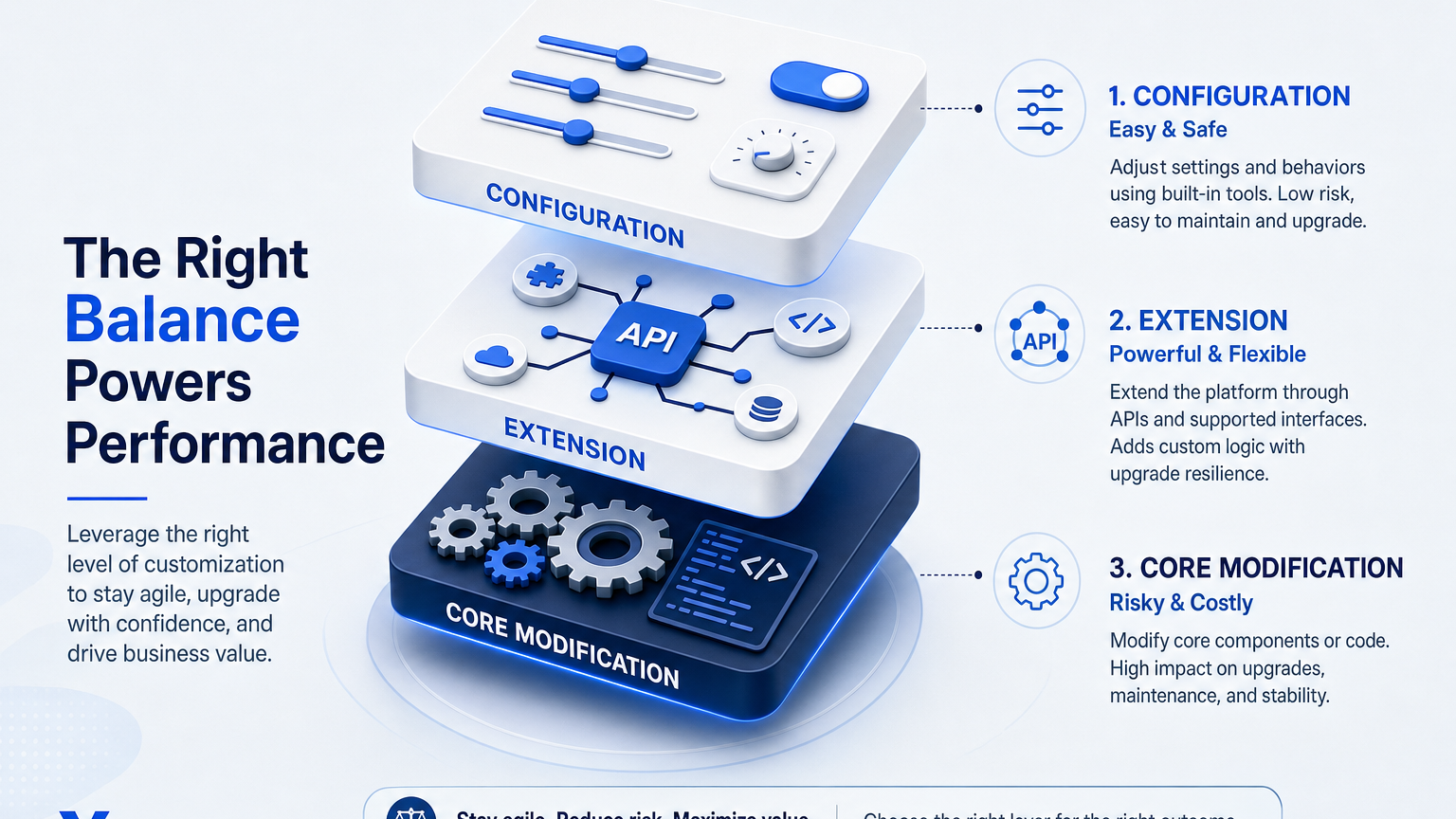
A business platform should be customizable through configuration first, extension second, and core code changes only by exception. Configuration covers fields, roles, and workflows without code. Extensions add logic through supported interfaces. Core changes break upgrades, so each one needs a named owner and an approval.
The three layers of customization
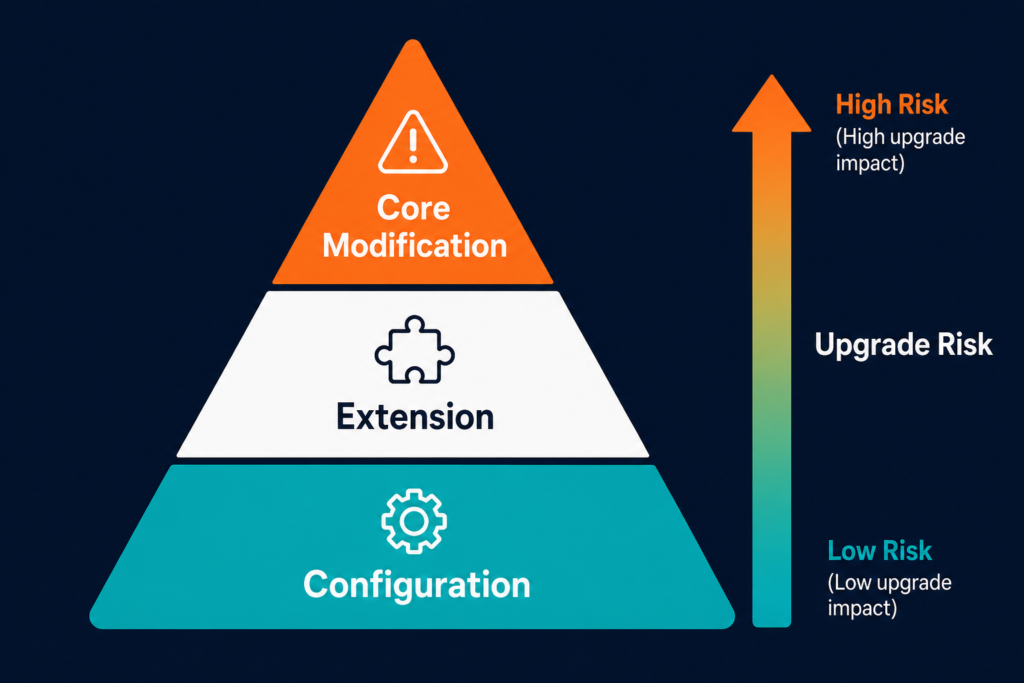
Not all changes carry the same risk. Sorting requests into three layers makes the conversation with stakeholders easier.
Layer 1: configuration
Configuration uses settings the vendor built for you. Examples include adding a field, renaming a status, or adjusting a role permission. These changes survive upgrades because the vendor designed the platform to carry them forward.
Most business needs fit within this layer. A team that exhausts configuration before asking for anything else avoids most customization debt.
Layer 2: extension
Extension adds behavior through documented interfaces such as APIs, webhooks, and scripting hooks. The logic lives outside the core product. When the vendor upgrades, your extension talks to a stable contract.
Extensions cost more than configuration because someone writes and maintains code. They stay upgrade-safe when the interface is versioned and documented.
Layer 3: core modification
Core modification edits the platform’s own tables, code, or data model. It offers unlimited flexibility on the first day. It also guarantees that every future upgrade requires manual merging.
Teams choose this layer when a deadline is close and nobody checks the long-term cost. A short approval step before any core change prevents most of the pain.
What over-customization costs
The costs of heavy customization appear slowly, which is why teams underestimate them. They show up in four places.
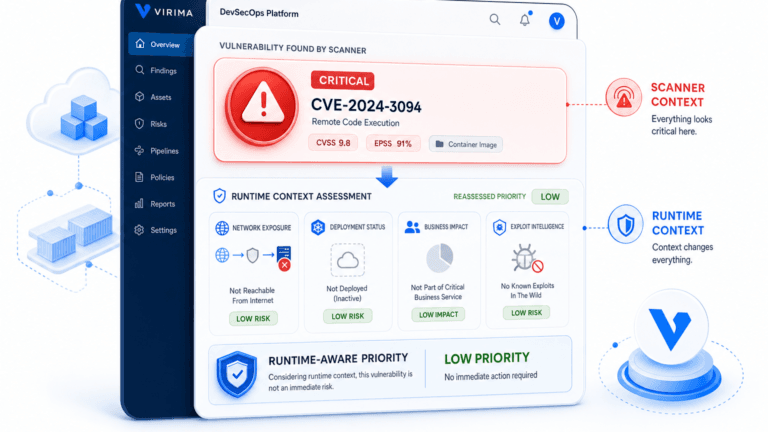
Upgrades get delayed because testing the customizations takes too long. Skipped releases mean missed security patches and missing features. Over time the gap widens until a major version jump becomes a migration project. A 2025 HFS Research survey found sprawling custom code drives customization technical debt at 76 percent of large enterprises. Only about a third of that code gets reused when systems are modernized (HFS Research).
Knowledge also concentrates in a handful of people who understand the custom pieces. When they are absent, changes stall and incident response slows.
Data quality also suffers as teams add custom fields with overlapping meaning. Two fields then hold slightly different versions of one fact, and reports disagree. See Multi-Source CMDB Reconciliation: Why Last-Scan-Wins Destroys Data Quality for how to clean these up.
Vendor lock-in grows with every divergence from standard behavior. Customization quietly becomes the switching cost.
The National Institute of Standards and Technology’s security-focused configuration management guide frames the goal as managing and monitoring configurations to keep security adequate and risk low. The system still has to support the business while meeting that goal, and platform customization follows the same discipline.
The policy checklist later in this article turns these four costs into a repeatable audit instead of a one-time cleanup.
What under-customization costs
The opposite failure is real too. A platform that cannot adapt pushes work into spreadsheets, email threads, and side tools. Teams build shadow systems when the official one does not fit.
Rigid platforms also force people to describe their business in the vendor’s vocabulary. Service names, ownership structures, and approval paths get flattened, and reports end up answering questions nobody asked.
Workaround volume is the signal to watch. When staff keeps a parallel spreadsheet to fill gaps in the platform, that process needs more flexibility.
What are the risks of customizing a business platform too much?
Heavy customization delays upgrades, concentrates knowledge in a few people, creates overlapping data fields, and raises switching costs. Each change needs ongoing testing and documentation. Over time the maintenance burden can exceed the value of the original change, and the platform becomes harder to leave.
A practical test for each customization request
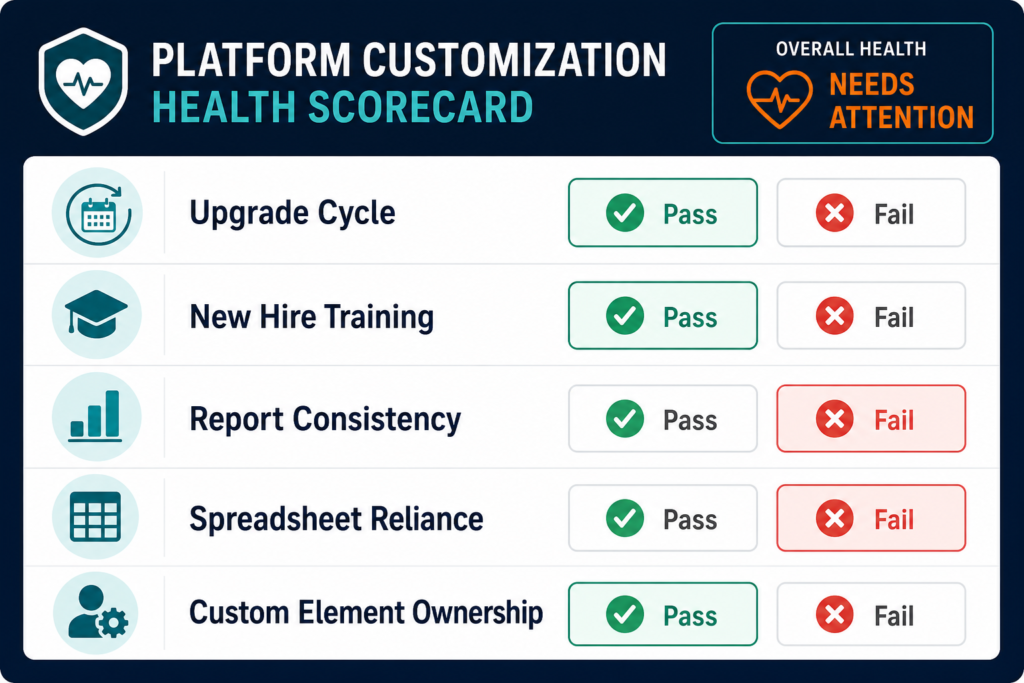
Evaluating each request against five questions works better than debating customization in general. A request that fails two or more should return to the requester for rework.
- Can configuration solve this without writing any code?
- Does a supported interface exist for the logic we need?
- Who owns this change after the builder moves on?
- What breaks if the vendor changes the underlying feature?
- Does this change serve one team or the whole organization?
Write the answers into the request record. The record becomes your audit trail and your upgrade checklist. See blog post on building an IT change request template for a reusable version of this form.
Where customization matters most: data models
Workflow tweaks are quick to reverse, while data model changes carry history with them. Once records accumulate under a structure, changing the structure means migrating every record.
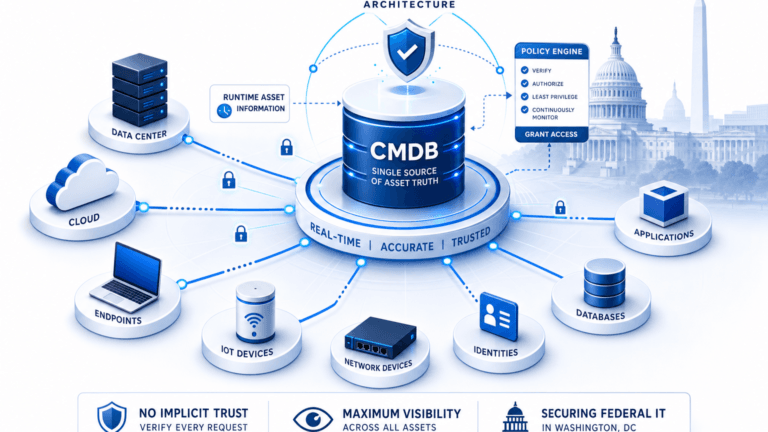
CMDB customization carries higher stakes than workflow tweaks, because a configuration management database depends on the consistency of its records. Adding a custom attribute to one asset class is simple. Keeping fifteen teams from inventing fifteen versions of it is hard.
A sound approach starts with a shared reference model. Teams add attributes only when a named owner agrees to maintain them. A CMDB fed by discovery data needs fewer invented fields, because discovered attributes already populate each record.
How to set a customization policy
A customization policy keeps decisions consistent when people change roles. Keep it short enough that people will read it.
- Define the default as configuration first and extension second.
- Require named approvers for any core change, with written evidence of need.
- Assign an owner to every custom element, and review unowned ones for removal.
- Audit every custom field, script, and workflow once a year.
- Retire any custom element that nobody has used since the last audit.
- Run the full custom inventory in a staging copy before each upgrade.
The yearly audit gives you an accurate count of what exists. That count is the starting point for every later decision about what to keep.
Signs your platform is at the right level
You can check where you stand with a few observable signals.
- Upgrades install within one planned cycle instead of several.
- New hires learn the platform from documentation instead of one expert.
- Reports from different teams agree on basic counts.
- Few spreadsheets exist to compensate for platform gaps.
- Every custom element has a named owner.
If most of these hold, your customization level suits your business. If several fail, look first at data model changes and unowned scripts.
Customization in service mapping
Service views are a common source of customization sprawl. Each team wants a map in its own vocabulary and boundaries. Those hand-built diagrams then drift out of date. Service maps show which applications and sites support a business function, so stale maps mislead change reviews. The fix starts with a clear division of ownership.
A better pattern separates the definition from the drawing. Humans define which applications and sites make up a service, and the platform builds the dependency map from that input. Service mapping in ViVID™ works this way, with customer-provided service definitions driving map generation.
Business teams can still add their own labels, owners, and review dates to a service definition. Those additions stay in configuration, so they survive upgrades. A team that wants a different view can filter the same map instead of drawing a second one. Fewer duplicate diagrams means fewer places for an outdated dependency to hide.
Choosing a platform with customization in mind
General claims of flexibility reveal little during evaluation, so ask vendors specific questions. The answers show whether the vendor designs for your long-term maintenance or only for the first demo.
- Which changes survive upgrades without retesting?
- Which interfaces are versioned and documented?
- How does the platform separate customizations from core code?
- What does a typical upgrade require from customers with heavy changes?
- Can we speak with a customer of similar customization depth?
Ask for a reference upgrade path too. A vendor with many customers on current versions has usually solved the upgrade problem; one whose customers sit several releases behind has not. Request a written upgrade history and compare it against your own change volume before you sign.
Ask each vendor how a service definition change reaches the map after an upgrade. A clear answer shows that the vendor separates your data from its code.
Integration is customization you can govern
Many custom builds exist only to move data between systems. Teams script a one-off connection, and it breaks when either side changes. The script then becomes one more item that someone must test, document, and own.
Supported connectors remove much of that work. Review the maintained integrations list before approving a custom build for ServiceNow, Jira, Ivanti, or similar tools. Fewer bespoke connections means fewer things to retest at each upgrade.
Before approving any new connection, record which system owns each field and which direction the data flows. That record shortens the retest after an upgrade and exposes duplicate connections that can be retired. See blog post on reducing custom ITSM integration sprawl for more on retiring one-off scripts.
Make customization work for your data
How customizable should a business platform be, in the end? Enough to keep it adaptable, not so much that it becomes fragile. Start with configuration, extend through supported interfaces, and treat core changes as exceptions that need an owner and a reason. Teams that follow this order spend less time on upgrades and more time on the platform’s real work.
Frequently Asked Questions
What is the difference between configuration and customization?
Configuration uses settings the vendor built in, such as fields, roles, and statuses. Customization usually means code, scripts, or structural changes beyond those settings. Configuration survives upgrades by design, while customization often needs retesting at every release.
How do you reduce customization debt on an existing platform?
Start with an inventory of every custom field, script, and workflow. Assign owners, retire items with little or no usage, and replace custom connectors with supported ones. Then test upgrades in a staging copy to confirm what still breaks.
How many custom fields is too many?
No fixed number applies to every organization. A better measure is ownership and usage. A custom field without an owner, or one that stays mostly empty, adds upgrade and reporting cost without adding value.
How does Virima let teams adapt service maps to their business?
Teams provide the service definitions, listing which applications and websites make up each service. ViVID™ then builds the dependency map from that input. Customization happens in the definition, so teams avoid manual diagrams.
Does Virima reduce the need for custom CMDB fields?
Virima populates CMDB records from scheduled discovery, so many attributes arrive already captured. Teams then add only the fields they can name an owner for. This keeps the data model smaller and easier to maintain through upgrades.