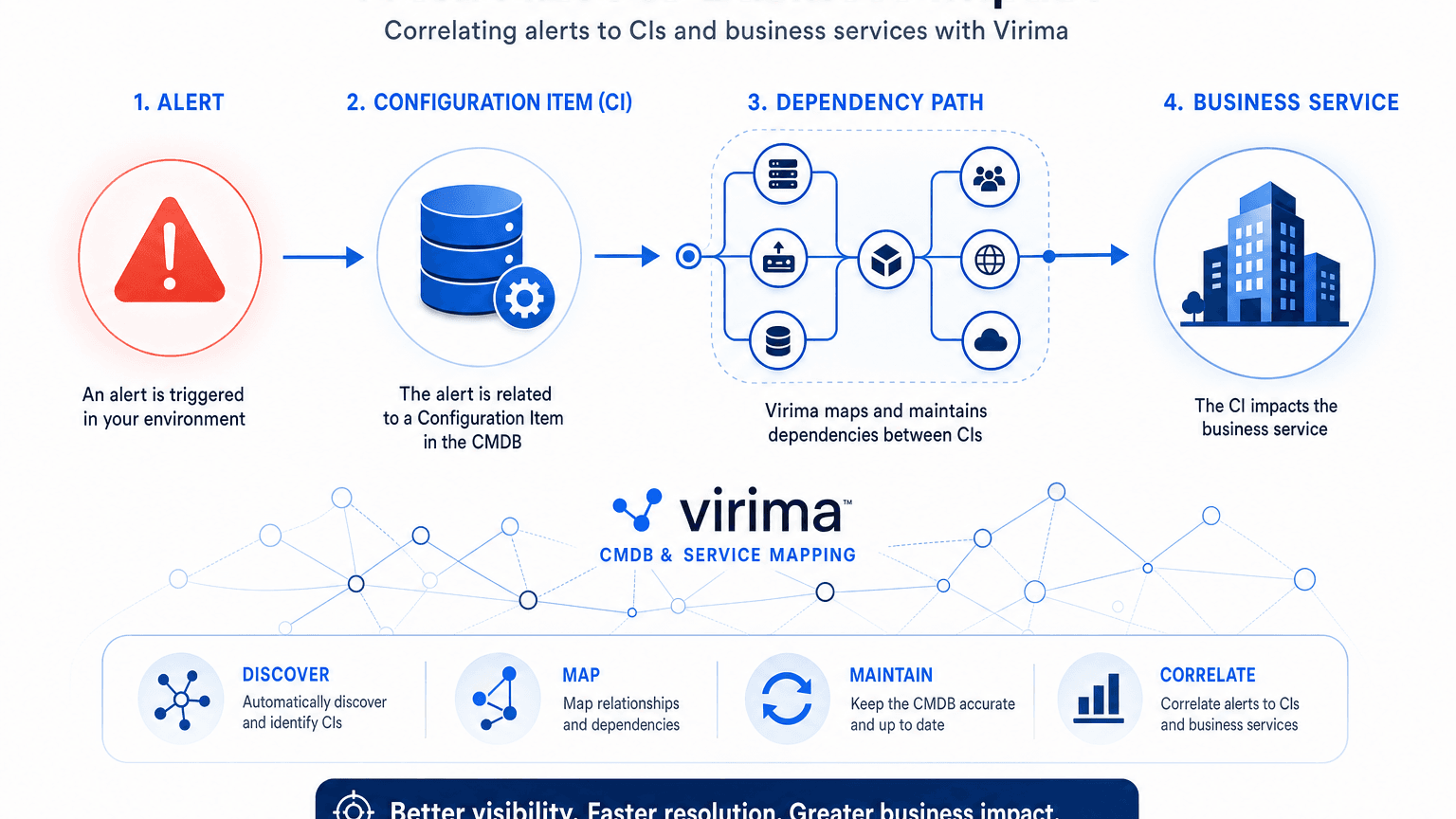
How to Correlate Alerts to CI and Business Service

To correlate alerts to the CI and business service that actually matters, bind every alert to an authoritative configuration item identity from discovery, then walk the dependency graph from that CI up to the named business service, owner, and blast radius before you page people or open a major incident.
Most stacks already raise volume. What they lack is a trusted join key between the noisy signal and the service the business cares about. Without that join, operators sort by severity labels and hostnames while the real impact sits one hop away on a shared database, load balancer, or cloud resource the ticket never named.
This guide walks through the practical method: identity, topology, ownership, and workflow handoff. It also shows where Virima supplies the discovery-sourced CMDB and ViVID™ service maps that make alert-to-service correlation durable across hybrid estates.
How do I correlate alerts to the CI and business service that actually matters?
Why host-only alerts fail triage
An alert that only says “CPU high on host X” answers a monitoring question. It does not answer the operations question: which customer-facing service degrades if this host keeps failing, who owns that service, and what else shares the same path.
Common failure modes:
- Hostname drift: tickets still list last week’s name after a rebuild or cloud replace.
- Shared infrastructure: one storage array or database underpins several services; host severity hides multi-service impact.
- Tool silos: monitoring, ITSM, and CMDB use different IDs, so correlation dies at the ticket form.
- Stale relationships: manual maps go dark after the last change window, so the “service” field is guesswork.
Atlassian’s incident management metrics guide treats response time as the span from alert through restoration of a working product or service. That clock only moves faster when the first human touch already knows the service at risk, not only the device that beeped.
Virima’s ITOM path starts earlier than the ticket: automated discovery populates CIs, and multi-source reconciliation stabilizes identity. Service maps then attach those CIs to business services your team defined, so correlation has something trustworthy to land on.
Agent-based vs. agentless discovery: which is best for your business?
The correlation method in four joins
Use this sequence as the standing method whenever you need to correlate alerts to CI and business service impact. This is CI to business service mapping in practice: four joins, not a lookup table.
| Step | Join | What you need | Output for the responder |
|---|---|---|---|
| 1 | Alert → CI | Stable unique ID (serial, instance ID, agent ID, cloud resource ID), not only DNS name | Exact CI record in CMDB |
| 2 | CI → relationships | Installed-on, runs-on, depends-on, exchanges-data-with edges | Upstream/downstream neighbors |
| 3 | Graph → business service | Service definitions your team owns (manual, spreadsheet, or EA feed) | Named service(s) in scope |
| 4 | Service → action | Owner, criticality, change freeze, open changes | Who to page, what to freeze, what to say to the business |
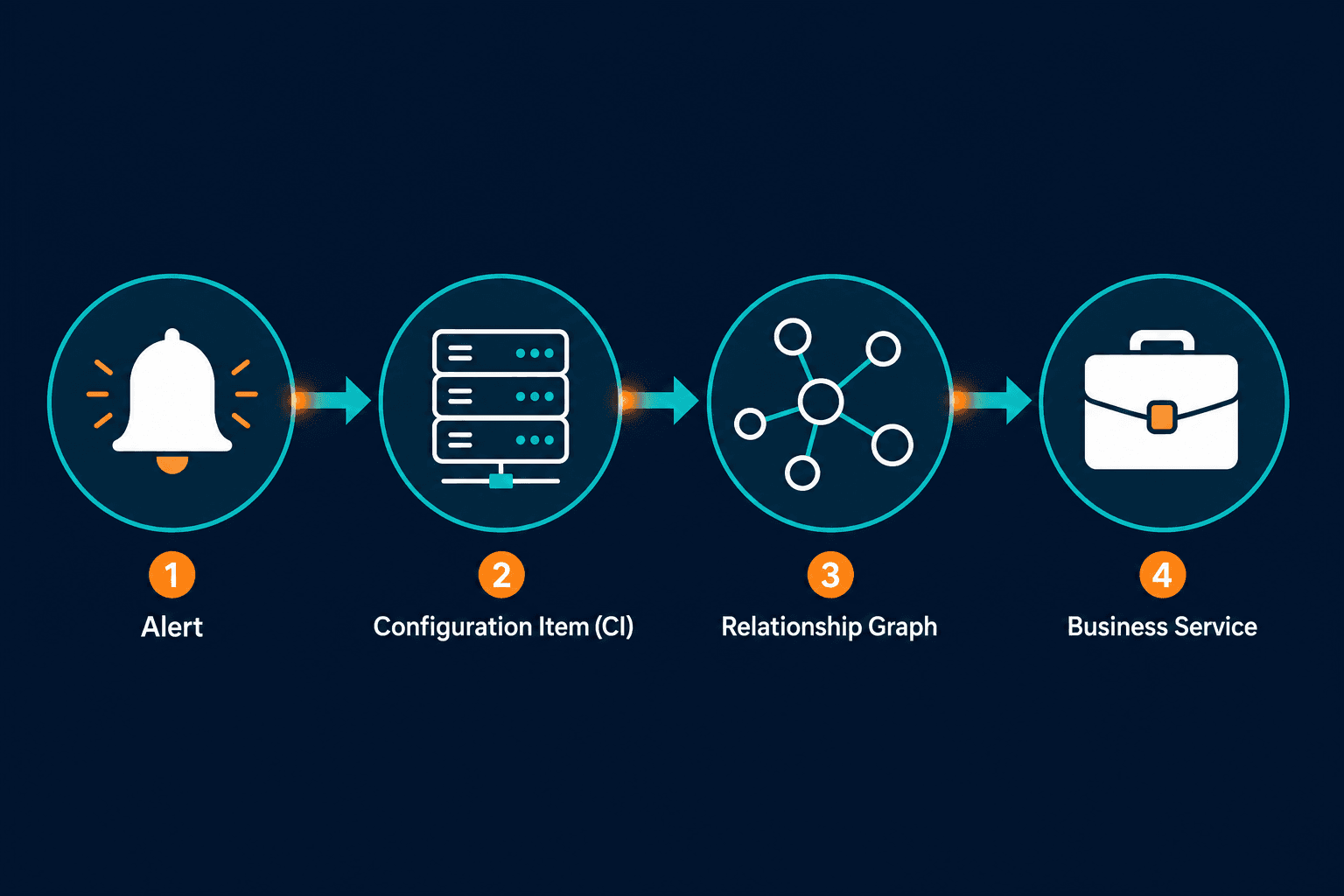
Step 1, identity. Prefer immutable identifiers — cloud instance IDs, hardware serials, discovery fingerprints — over display names, since those survive renames. Virima discovery (agent, agentless, and cloud API paths across AWS and Azure) writes those identifiers into CI records so monitoring payloads can match on more than a friendly hostname.
Step 2, topology. A lone CI is rarely the story. Dependency edges show whether the alert sits on a leaf node or on a shared tier. Virima CI relationship mapping and change impact views surface those paths without rebuilding the graph in a spreadsheet during the bridge call.
Step 3, business service. Service composition is a deliberate definition: which apps and sites make up “Checkout” or “Claims Intake.” Virima does not invent that list for you; you supply definitions manually, via import, or via an EA feed such as Lean IX. Once definitions exist, ViVID™ builds and refreshes the infrastructure dependency map so the alert can climb from CI to service without a tribal-knowledge walk.
Step 4, action context. Ownership, criticality, and related open changes turn a technical event into an operational decision. That is the difference between “page the Linux team” and “protect revenue path R2, loop service owner, hold unrelated changes on the shared database tier.”
When those four joins are missing, teams default to severity inflation and multi-team bridges. When they are present, the first update can name the service and the probable blast radius.
What “authoritative CI” means for alert payloads
Correlation quality tracks CMDB quality. If the CI is a spreadsheet row last touched at audit time, the alert still lands on fiction.
Authoritative CI signals for operations:
- Discovery-sourced fields for hardware, OS, installed software, and cloud metadata
- Reconciliation rules for when two tools’ records conflict on the same asset
- Lifecycle state so decommissioned gear stops absorbing pages
- Relationship freshness after moves, adds, and cloud scale events (high-frequency discovery cycles, not a once-a-year CMDB project)
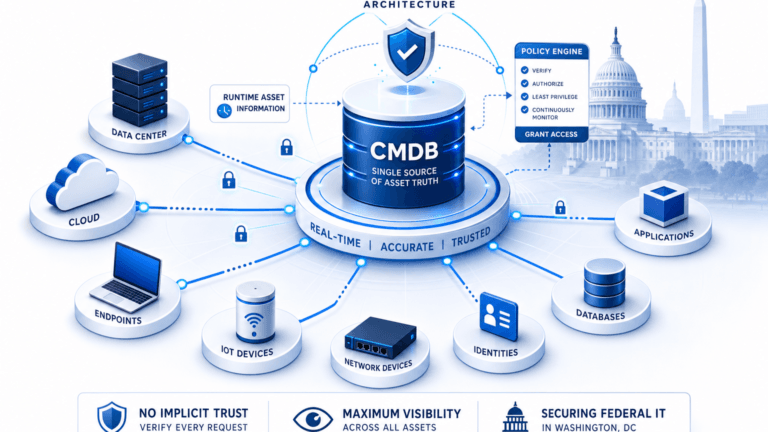
Virima CMDB health scoring and multi-source reconciliation exist for this reason: alert tooling should point at one governed record — the foundation of CMDB alert correlation — not three competing inventories. ITOM dashboards and infrastructure health views then sit on the same CI set the incident process will trust.
Multi-Source CMDB Reconciliation: Why Last-Scan-Wins Destroys Data Quality
If your monitoring platform already supports CMDB or CMDB-like enrichment fields, map them to Virima CI IDs and service keys rather than free-text host labels. Integrations with platforms such as ServiceNow, Jira, Ivanti, HaloITSM, Xurrent, Hornbill, and TeamDynamix are coordinated through a single hub so ticket fields can carry the same CI and service context: all integrations.
How service maps turn a CI alert into business impact
A service map is the shortest path from “this node is sick” to “these outcomes are at risk.”
Worked pattern (illustrative):
- Monitoring fires on database host
db-ord-04(high I/O wait). - CMDB resolves the host to CI
CI-104892with cloud ID and cluster membership. - Relationships show
db-ord-04supports schemaorders_primary, which supports app tierorder-api, which is a component of business service Online Ordering. - The same cluster also supports Partner EDI through a secondary schema on the same instance.
- Owners and criticality flags surface both services; open change records show a storage migration on the same array earlier that day.
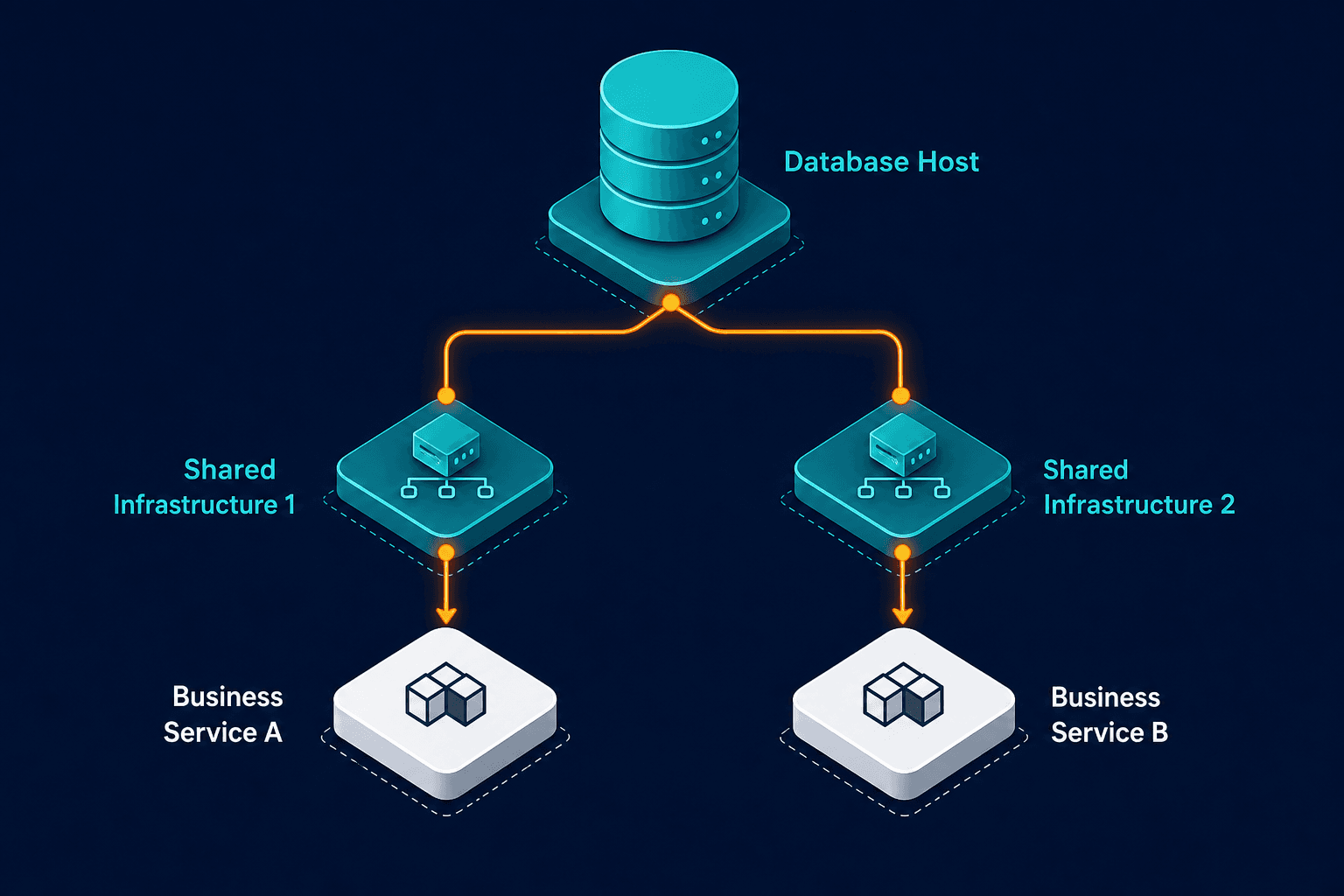
Without steps 2-4, the bridge debates “is the app slow or is it the network?” With the map, the first message can state multi-service exposure and freeze unrelated writes on the shared tier.
ViVID™ impact path tracing is built for that climb: from failing CI toward affected business services once service definitions are in place. That is the product bridge between raw alerts and the service the executive channel will ask about first.
For the deeper product frame behind discovery-backed truth (what exists, how it connects, what changed, what breaks, who owns it), start here: Trusted Runtime Truth.
Practical checklist: wire correlation into the operating model
Use this as a stand-alone runbook section for NOC and SRE leads.
Data plane
- ☐ Every monitored target has a CMDB CI with at least one immutable ID
- ☐ Discovery covers on-prem, VMware, and cloud estates on a defined high-frequency schedule
- ☐ Duplicate CIs are merged under documented reconciliation rules
- ☐ Decommissioned CIs cannot remain “in service” in the alert path
Service plane
- ☐ Top revenue and regulatory services have explicit component lists
- ☐ Service maps rebuild from current CI relationships after definition updates
- ☐ Each service has an owner, backup owner, and criticality tier
Alert plane
- ☐ Enrichment fields carry CI ID and primary business service key
- ☐ Shared-tier CIs can fan out to multiple services in the ticket
- ☐ Runbooks open on service impact, not only host playbooks
Process plane
- ☐ Major-incident criteria reference business service criticality, not only alert severity
- ☐ CAB and change freeze logic can read the same dependency graph
- ☐ Post-incident reviews measure time-to-service-identification, not only time-to-ack
Virima’s alert and incident correlation capability sits on that stack: link the signal to the CI, then to affected services, so triage starts with context instead of archaeology. Pair it with change risk views when the same graph informs whether a planned change collides with an active incident path.
Metrics that prove correlation is working
Track a short set that operations leadership already understands.
| Metric | What good looks like | What it exposes |
|---|---|---|
| Time to name primary business service | Minutes after first alert, not end of bridge | Map and enrichment quality |
| % alerts with valid CI match | High match rate on production classes | Discovery coverage and ID hygiene |
| Multi-service fan-out accuracy | Shared tiers correctly list all services | Relationship completeness |
| Unnecessary bridge invites | Down over successive quarters | Noise vs. true cross-team impact |
| MTTR components | Faster diagnose/fix once service is known | See Atlassian MTTR framing above |
If time-to-service-name stays long while raw MTTA looks fine, you have an acknowledgment culture problem, not a correlation win. Fix the join keys and the map before buying another noise-reduction rule pack.
Automated Incident Response and Management with Virima
Where Virima fits in the ITOM stack
Virima is not a replacement for your APM, SIEM, or ITSM ticket bus. It is the trusted operational data layer those tools should read when they need CI and service truth.
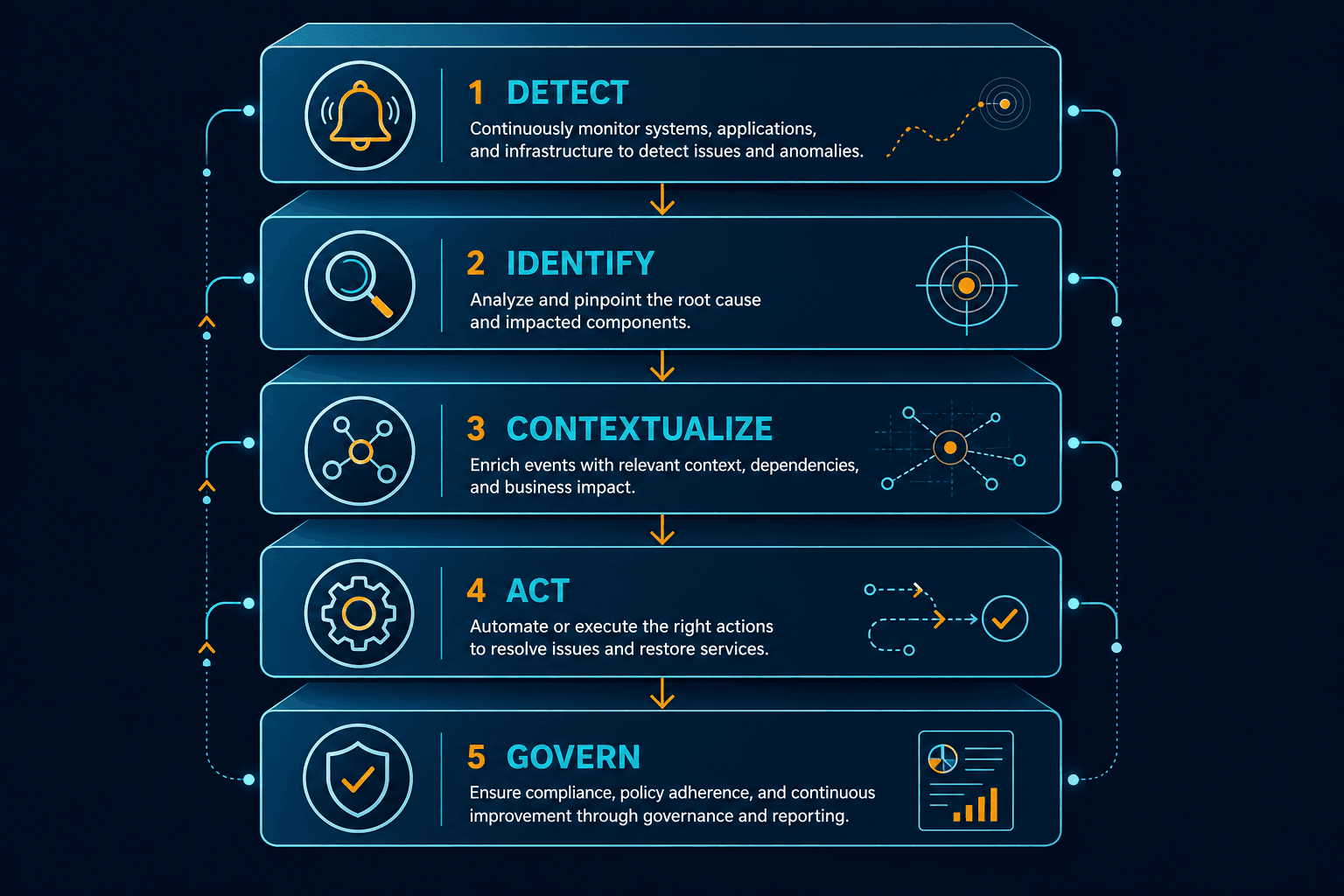
| Layer | Typical tools | Virima role |
|---|---|---|
| Detect | Monitoring, APM, observability | Consume events; do not invent CI truth |
| Identify | CMDB + discovery | Authoritative CI population and reconciliation |
| Contextualize | Service mapping | CI → business service paths (ViVID™) |
| Act | ITSM, on-call, automation | Tickets and runbooks enriched with CI/service IDs |
| Govern | CAB, audit, AI/agent actions | Same runtime graph for change and future agent safety |
Product pieces that matter for this use case:
- Discovery for hybrid inventory without manual CI farming
- CMDB for relationships, lifecycle, and health
- ViVID™ service mapping for impact paths after you define services
- ITOM views for operational health and alert/incident correlation hooks
- Integrations hub so ITSM fields stay aligned with one CI source
That weave is deliberate: without a durable system of record, you’re still guessing on the bridge call while the board asks what happened.
When you want the correlation path demonstrated on your estate classes, request a demo.
Closing: make the first page the right page
Correlating alerts to the CI and business service that matters is a data problem before it is a staffing problem. Stable identity, live-enough relationships from scheduled discovery, explicit service definitions, and ticket fields that carry those keys turn severity noise into ordered response.
Build the four joins. Measure time-to-service-name. Keep the CMDB discovery-backed so the graph still matches production after the next migration. That is what turns a page into an answer instead of a guess.
Frequently Asked Questions
How do I map a monitoring alert to a CMDB configuration item?
Match on immutable identifiers in the alert payload (instance ID, serial, agent ID, resource ARN) against the same fields on the CI. Avoid DNS-only joins. Discovery-fed CMDBs such as Virima keep those IDs current so enrichment survives renames and rebuilds.
What if one CI supports more than one business service?
Treat fan-out as expected on shared databases, network cores, and identity tiers. The correlation output should list every service on the dependency path, ranked by criticality, so blast radius alert triage doesn’t default to paging every team on the shared tier. Service maps make that fan-out visible instead of leaving it as tribal knowledge.
Do I need real-time discovery for alert correlation to work?
You need discovery cycles frequent enough that CI identity and relationships stay trustworthy between changes. Many enterprises run high-frequency scheduled discovery rather than event-stream CMDB updates. Virima today follows scheduled agent, agentless, and API discovery patterns; plan correlation SLAs around that cadence and your change rate.
How does Virima help correlate alerts to business services?
Virima discovers and reconciles CIs, stores relationships in the CMDB, and builds ViVID™ service dependency maps once you define each business service. ITOM correlation then links alerts to those CIs and affected services so triage opens with impact and ownership context, including handoff into ITSM tools via the integrations hub.