CMDB and ITAM Data Model: Keep Contracts Beside CIs With One Shared Join

A vendor email can double a core-count minimum overnight, and a CMDB and ITAM data model that keeps hardware, contract, and relationship facts in separate, unlinked places can’t tell you which hosts the change actually hits. In March 2025, The Register reported that distributor Arrow had told VMware partners the minimum core count per command line would rise from 16 to 72 from April 10. An eight-core server would then pay for 72 cores, which is 64 cores of software it cannot use. The same email described a 20 percent penalty for subscriptions not renewed on the anniversary date. VMware had not confirmed the change when The Register published, so treat it as a reported example.
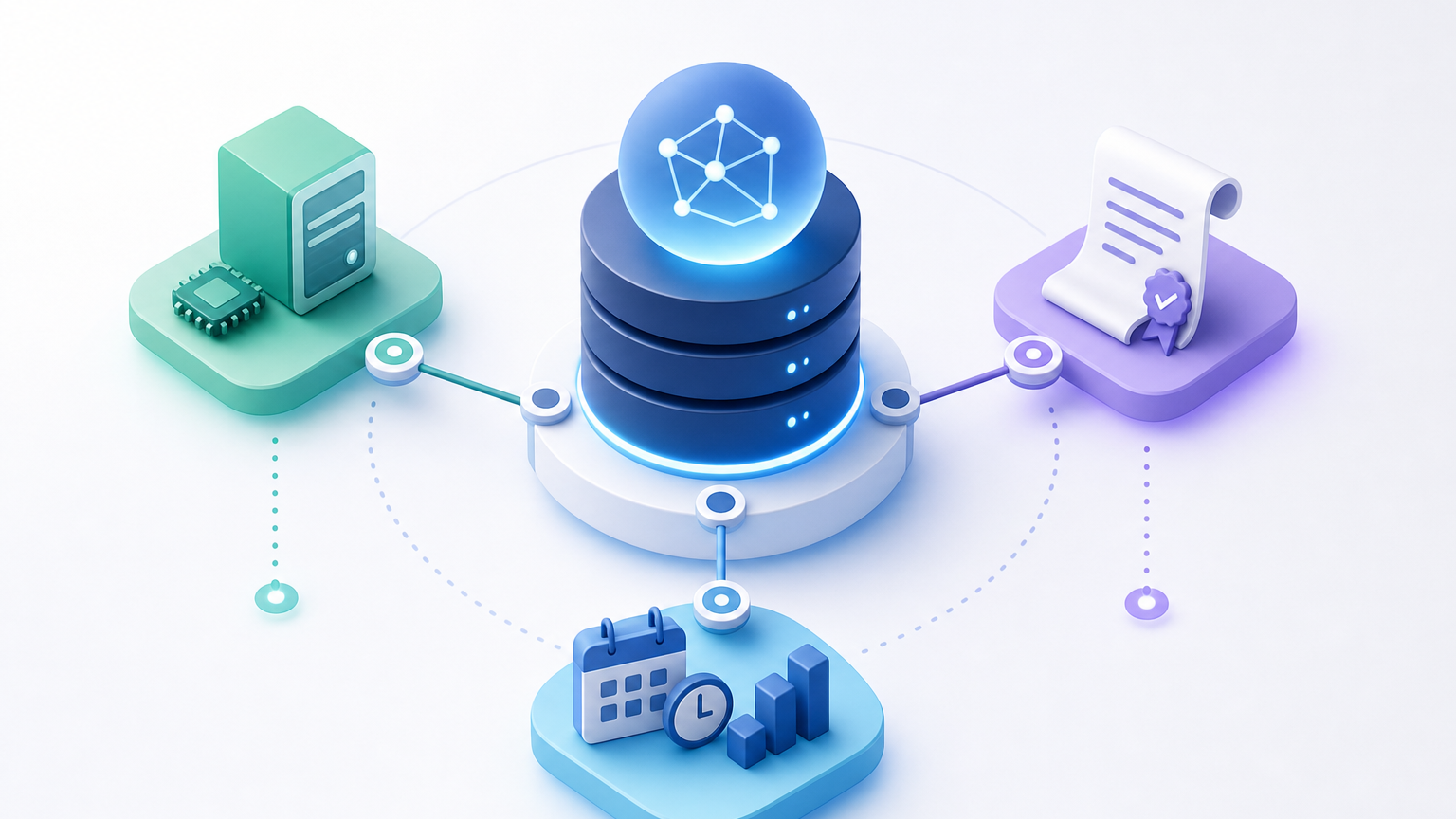
The example still shows what a CMDB and ITAM data model has to handle: a contract term depends on a hardware attribute, and the renewal cost depends on which hosts and services sit under it. Hardware, contract, and end-of-life data can live beside CMDB relationships as separate governed records that share stable keys, with each field assigned one named owner. An IT Manager approving changes and a license owner defending a renewal both need that answer from the same records.
Can hardware, contract, and EOL data live beside CMDB relationships?
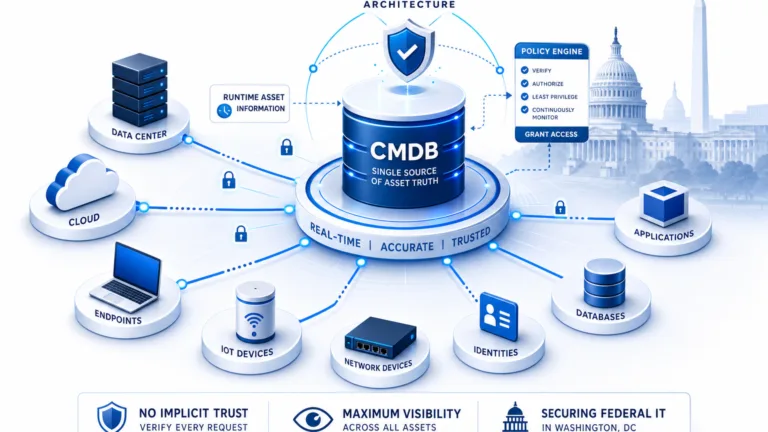
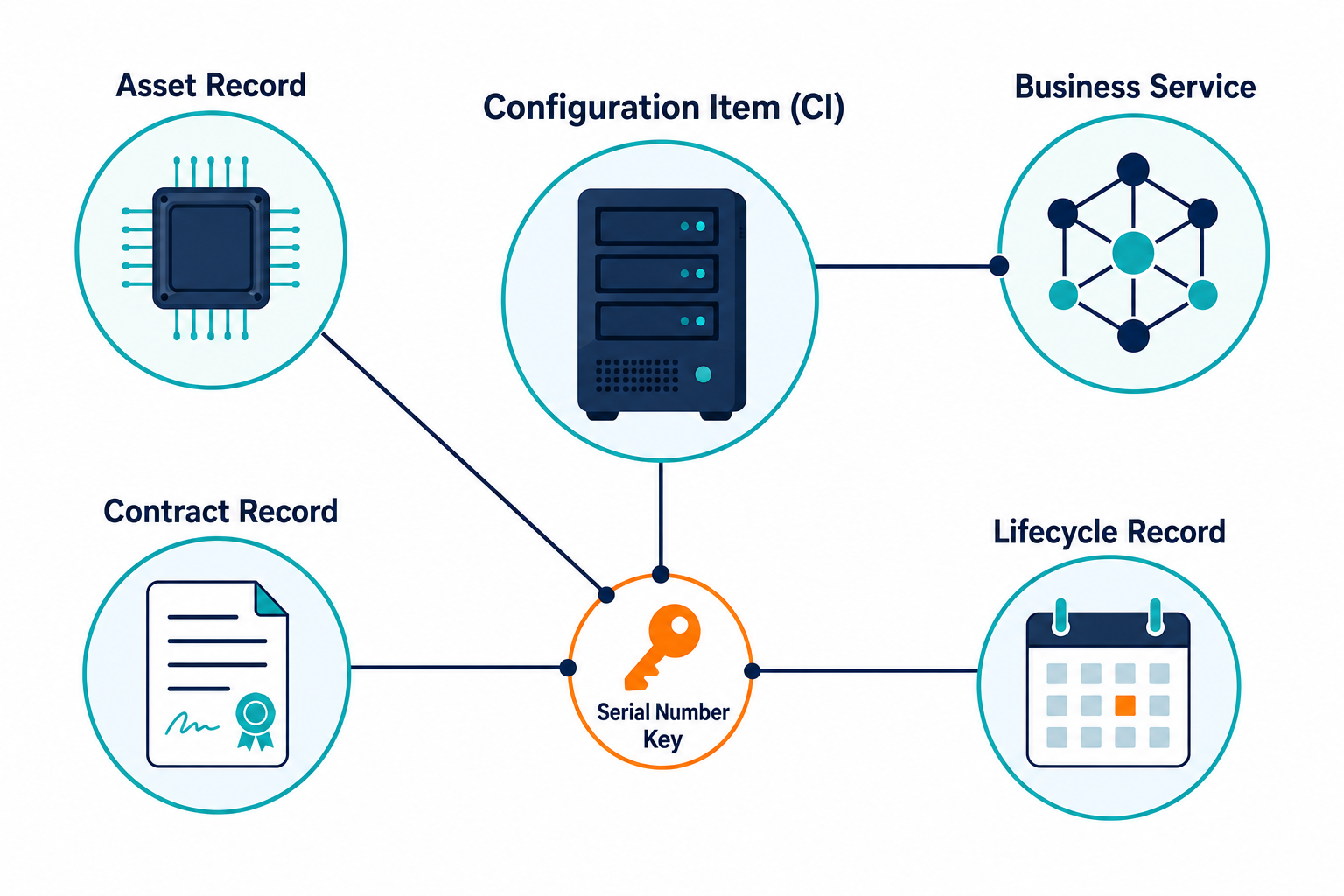
Yes. Hardware, contract, and end-of-life data can live in separate governed records, as long as each shares a stable key with the configuration item (CI) it describes. The CMDB stays a relationship system; it holds what exists and how those things connect. ITAM stays a financial and lifecycle system; it holds what was bought, what it costs, and when support ends. A join between them answers questions neither record can answer alone. The post on ITAM tools versus a CMDB covers the concept. This article covers the field-by-field placement decision.
What a CMDB and ITAM data model has to hold
ISO/IEC 19770-1 defines IT asset management processes, and ITIL 4 describes service configuration management as the practice that keeps accurate configuration information available. Together they point to four kinds of data, including IT asset lifecycle data such as end-of-life and end-of-support dates, each with a different change rate and a natural owner.
| Data type | Example attributes | Change rate | Natural owner | Where it lives |
|---|---|---|---|---|
| Configuration and relationships | Hostname, OS, installed-on, runs-on, service dependencies | Changes with every deployment | CMDB owner | CI record and relationship map |
| Hardware | Serial number, model, cores, sockets, location | Changes at purchase, upgrade, and disposal | IT Manager | Asset record |
| Contract | Vendor, term, renewal date, metric, cost | Changes at signature and renewal | License owner with Procurement | Contract record |
| Lifecycle | End-of-life date, end-of-support date, warranty expiry | Changes when the vendor publishes a notice | ITAM team | Lifecycle record linked to asset |
The change rate decides placement. A relationship may change weekly, while a contract term changes once a year. Mixing the two in one record forces the slower data to follow the faster data’s update process.
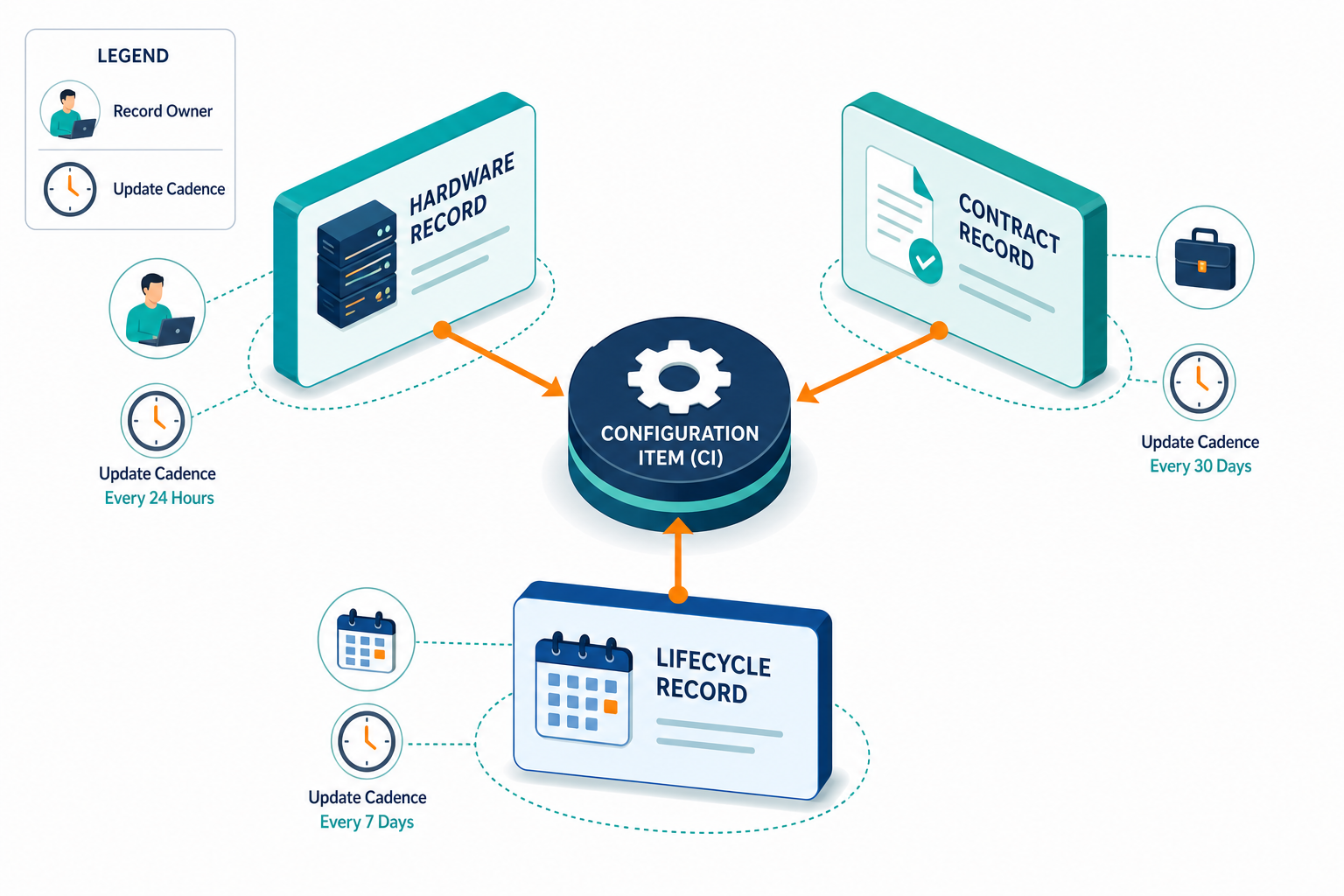
Ownership follows the same logic as placement. People confirm who owns each field, and the CMDB stores and displays that answer next to the CI. A named owner for core count, renewal date, and support end date gives every later question a person to ask. Without one, the field drifts until an audit or a renewal forces a manual cleanup.
The join key matters as much as the placement. A serial number or a cloud instance ID ties an asset record to its CI; a hostname is a poor key because hosts are renamed and reused. ServiceNow’s own Identification and Reconciliation Engine documentation reaches the same conclusion, prioritizing hardware identifiers over hostnames for exactly that reason.
Why contract and EOL data need relationship context
An end-of-life date with no service link is only a date. Someone must still find out what runs on that server before deciding whether the date matters. CISA lists the use of unsupported or end-of-life software in service of critical infrastructure among its bad practices, which makes the service link a risk question and a budget question.
Three failure modes show up repeatedly when teams skip the relationship context.
- Contract data pasted into CI attributes. A renewal date typed into a server record goes stale the day the contract renews, because no one owns that field, so the CMDB ends up showing a confident date that finance has already replaced.
- Contract data left in procurement sheets. The sheet holds the term and cost but no key to the hosts, so the license owner counts hosts by hand before every renewal and each count differs from the last.
- EOL dates with no service link. The date sits on the asset record while the service map lives elsewhere, so a change reviewer sees a retiring switch but not the payment service behind it. The article on end-of-support assets and audit risk shows how service context sets severity.
Teams that fix the join first tend to see the other gaps faster. Once an asset record points to a CI, a missing contract or a missing owner shows up as an empty field on a record someone already reads. Each gap becomes a visible task instead of a surprise during a renewal call.
What a misplaced data model costs each owner
Each owner pays for a misplaced field in a different currency. Flexera’s 2026 State of ITAM report found that only 36 percent of organizations have complete visibility into their IT estate. 48 percent were audited at least once in the past year. That is exactly the gap a joined data model is meant to close.
- The IT Manager approves changes with half the picture. A change request names a hypervisor host, and the reviewer sees its dependencies but not that its support ends next quarter. The approval proceeds, and the support gap surfaces during the next incident.
- The License Owner pays for hardware attributes nobody checked. Using the reported VMware example, an eight-core host billed at 72 cores means paying for 64 unused cores. A renewal that arrives after the anniversary date adds the reported 20 percent penalty. Both costs trace to two fields, core count and renewal date, that sit in different systems.
- Finance and Procurement receive a renewal packet assembled by hand. Each number came from a different export, so nobody can confirm which hosts the invoice covers. A shared view lets them ask which hosts and services an invoice touches before they sign. The article on asset truth before vendor renewals describes how contracts, hardware, and CMDB keys feed that packet.
How to decide where each field lives
Apply three questions to every field: who owns it, how often it changes, and which question it must help answer.
A field with a different owner than the CI belongs in its own record. A field that changes on a different schedule belongs in its own record. A field that only answers a relationship question belongs on the CI. Most contract and lifecycle fields fail the first two tests, which is why they sit in linked records instead of on the CI, while relationship fields such as installed-on and runs-on pass all three tests and stay with the CI.
A review cadence keeps the answers current. Hardware and relationship data refresh with each scheduled discovery cycle, while contract and lifecycle fields refresh when a person confirms a change. Setting those two rhythms in advance prevents a quarterly cleanup from becoming the only time anyone checks the data.
The joined data should then answer four cross-domain questions:
- Which hosts and services does this contract cover?
- Which assets on this service reach end of support within the next year?
- Which hardware attribute changes the cost of this renewal?
- Who owns each affected CI, and who approves the change?
Teams usually choose among three layouts, compared below.
| Layout | Strength | Weakness | Fit |
|---|---|---|---|
| Contract fields as CI attributes | One screen per CI | No owner for financial fields, stale dates | Very small estates |
| Separate records with a join | Clear owners, shared view, independent update cycles | Needs a stable key and review cadence | Most teams |
| Spreadsheet silos | Fast to start | No key to CIs, manual counts before every renewal | Short-term stopgap |
Separate records with a join give each owner control of their own data, and that same join gives the shared view that renewals and change reviews need. The piece on license tracking for growing IT teams shows how serial numbers join licenses, warranties, and installs for lean teams.
Hardware, contract, and EOL data beside CMDB relationships: examples
These four examples are illustrative and use no customer data.
- Hypervisor renewal: a host’s core count sits in the asset record, the subscription metric in the contract record, and the VMs running on it in the relationship map, so the renewal quote can be checked against the real hosts and any host retired since the last cycle drops out of the count before the invoice arrives.
- Out-of-support firewall: the end-of-support date sits in the lifecycle record. The service map shows which business services route through it, so the replacement gets a priority that reflects business impact instead of age alone.
- Warranty-expired storage array: the warranty expiry sits on the asset, and the relationships show which databases use the array, so the owner can compare the cost of renewing coverage against the cost of migrating those databases, with both numbers drawn from the same joined view.
- Unowned server with no contract: discovery finds a server with no contract or owner record. The gap becomes a task for the IT Manager and the license owner, who can attach the right contract or retire the server.
What Virima supports today, and what you still own
Virima builds its ITAM and CMDB on the same discovery-sourced foundation, so assets and CIs begin from one set of scheduled discovery results. The ITAM feature page describes hardware lifecycle tracking, software license management, end-of-life and end-of-support tracking, asset financial tracking, and contract and warranty management. Warranty lookup by serial number covers HP, Dell, and Lenovo hardware.
ViVID™ service maps add installed-on and runs-on links once service definitions are provided by your team, whether from manual entry, spreadsheet import, or integrations. Each scheduled discovery cycle then refreshes hardware and relationship data, so the asset record and the CI reflect the same host after every run.
Your team keeps a few responsibilities on its side of the line. Virima does not replace a contract management or software asset management system of record. People confirm ownership, and approvals run through your ITSM tool. Integrations with ITSM platforms are listed on the integrations hub.
For a view of how discovery-sourced data supports these joins, explore Trusted Runtime Truth from Virima.
A five-step way to place your fields
- List the fields your last renewal and change review needed. Pull them from the most recent packet, including hand-typed fields, since those are likeliest to lack an owner.
- Name an owner for each field. One person or team accountable for accuracy, recorded on the field itself.
- Pick the join keys for each record pair. Use serial numbers for hardware, cloud instance IDs for cloud assets.
- Test the four questions on five assets. Choose assets from different services, such as a hypervisor host, a firewall, and a storage array, and record where the answers break.
- Set a review cadence tied to the discovery schedule. Each discovery cycle triggers a check on dependent fields, and contract fields get a confirmation date after every renewal.
The five-asset test usually exposes the missing key within an hour, and the fix is often a single field mapping between the asset record and the CI. Teams can then extend the same check to the next ten assets with the owner and cadence already agreed. The guide on tracking warranties, contracts, and renewals covers the renewal side in more detail.
Test the Join on One Renewal
Pick your next renewal and trace one contract to its hosts, services, and owners. Request a Virima demo to see that trace run on discovery-sourced data.
Frequently Asked Questions
Should contract data be a CI attribute or a separate record?
A separate record linked to the CI works better for most teams. Contracts have their own owner and update cycle, so a link keeps both records accurate without forcing finance to edit CI data.
How should end-of-life data connect to CMDB relationships?
Store the end-of-life date on the asset or lifecycle record, then link that record to the CI. Relationships then show which services depend on the product, so reviewers can rank each date by impact.
Which CI join key connects asset records to CIs?
Serial numbers work for physical hardware, and cloud instance IDs work for cloud assets. Hostnames change when servers are renamed or reused, so they make unreliable keys for long-lived records.
Who owns which fields in a CMDB and ITAM data model?
The CMDB owner holds configuration and relationship data. The IT Manager holds hardware attributes, the license owner holds contract terms, and the ITAM team holds lifecycle dates. People confirm each field, and in Virima’s platform, that ownership is tracked per CI alongside the discovery-sourced relationship data.
Does Virima store both asset and CMDB data?
Yes. Virima’s CMDB and ITAM data model shares a discovery-sourced foundation, with hardware, lifecycle, contract, and warranty records alongside CI relationships. It does not replace a dedicated contract or software asset management system.