DCIM Software Compared: Power, Capacity, and Asset Context

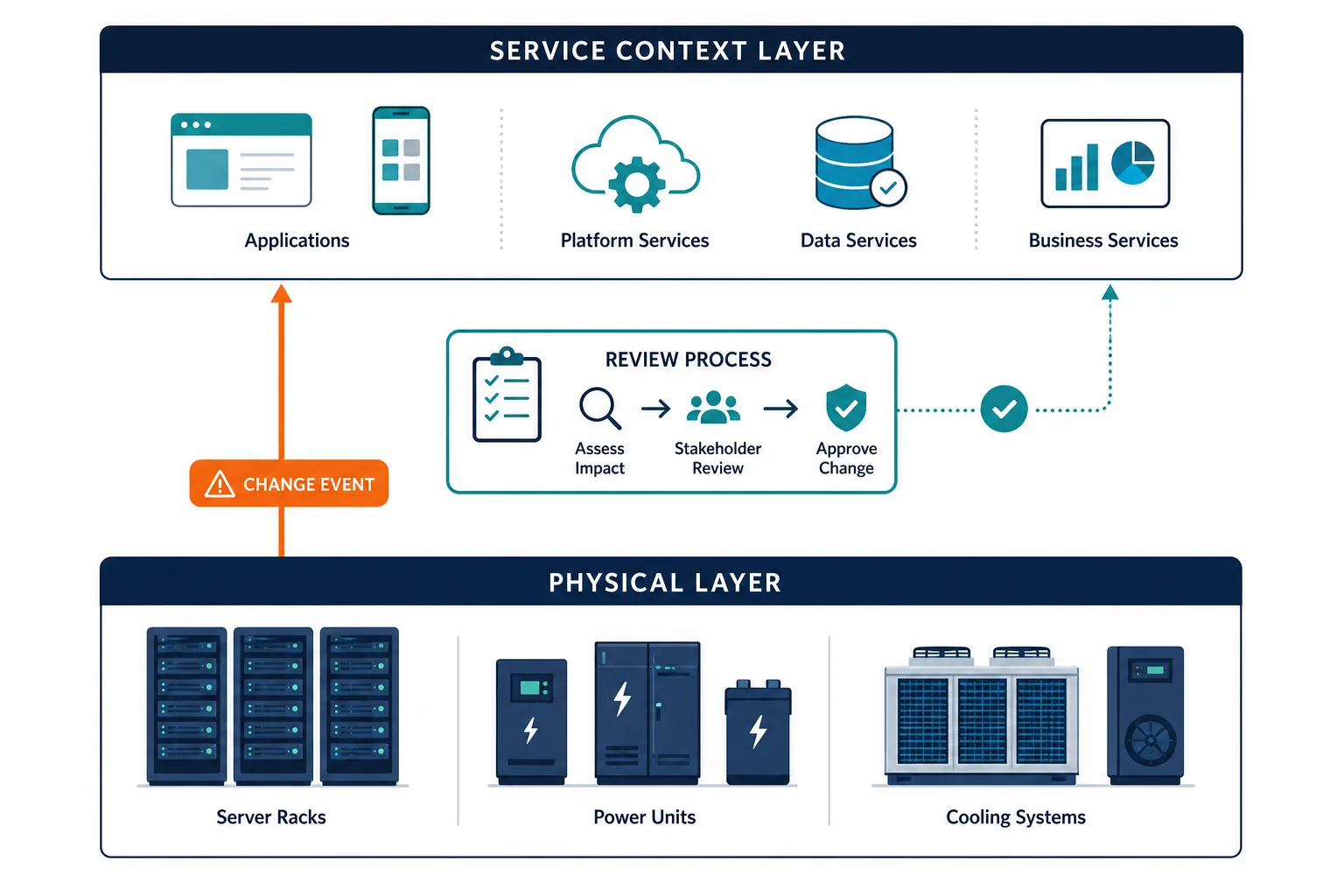
A rack decommission looks safe in the DCIM tool. Power headroom is fine, cooling load drops, and the asset row moves to retired. Hours later a production checkout path fails because nobody mapped which business service still sat on that physical gear. The DCIM platform did its job on power, space, and inventory. It was never built to show service blast radius.
The best DCIM software in 2026 manages a data center’s physical layer: power, cooling, space, and hardware inventory across owned facilities, colocation, and hybrid cloud. DCIM (data center infrastructure management) tools track what’s running and how much capacity is left. But even top-rated DCIM platforms stop at the physical layer — none natively show which production services depend on which physical assets. The teams that avoid unplanned outages pair DCIM with a service context layer that shows what breaks before a change gets approved.
| When DCIM approves a physical change but service dependencies stay invisible, the missing layer is shared runtime accuracy across assets and services. Explore Trusted Runtime Truth. |
What to Look for in DCIM Software in 2026
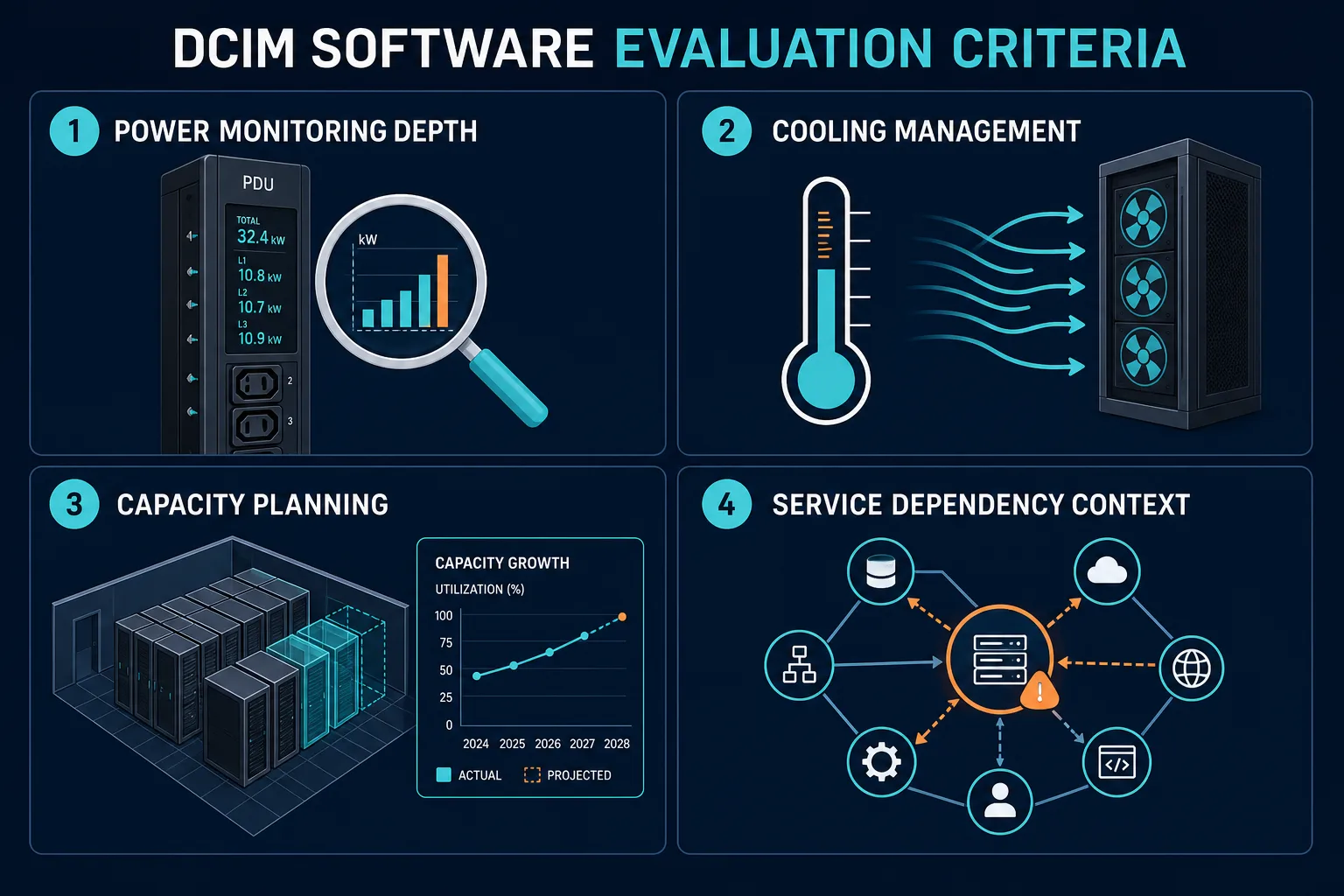
Before ranking tools, it helps to set the evaluation lens. Not every DCIM platform measures the same things, and the gaps between them show up fast once a data center gets complex.
Start with power monitoring depth. Some tools stop at floor-level readings, while others get down to the PDU and even the outlet. That distinction matters when you’re troubleshooting a circuit trip at 2 a.m. Cooling and thermal management is the next layer, since a tool that only tracks power without correlating it to temperature and airflow leaves half the picture out.
Capacity planning and modeling come next. This is what lets a team model “what happens if we add three more racks” before it happens, instead of finding out the hard way. Asset inventory accuracy also splits the field. Manually maintained inventories drift out of date fast, so discovery-based inventory (agentless or agent-based scanning that finds assets automatically) tends to hold up better over time.
ITSM integration breadth is worth checking too, since a DCIM tool that can’t trigger a ticket in your existing service desk creates manual handoffs. Service dependency context is the criterion most DCIM tools skip entirely, and it’s the one this list circles back to. Round it out with deployment model (SaaS, on-prem, or hybrid) and how the licensing scales as your footprint grows.
What should I look for in DCIM software in 2026?
The strongest DCIM platforms in 2026 combine PDU-level power monitoring, thermal management, and accurate asset inventory with ITSM integration. Teams managing hybrid estates should also evaluate whether the tool supports service dependency context, meaning whether it shows which services depend on physical assets before a maintenance window or capacity change is approved.
The Best DCIM Software in 2026
Analyst coverage still shows a large DCIM market in motion. Mordor Intelligence puts the global DCIM market at USD 4.28 billion in 2026, growing at an 18.25% CAGR toward USD 9.89 billion, which is one signal of how many teams are still formalizing physical-layer tooling. Here are seven platforms worth putting on a shortlist, evaluated against the criteria above — a curated set chosen for meaningful differentiation, not an exhaustive index of every DCIM vendor on the market.
1. Schneider Electric EcoStruxure IT
EcoStruxure IT is one of the most widely deployed enterprise DCIM platforms on the market, built on Schneider’s position as one of the largest power and cooling hardware vendors. Its top features include vendor-neutral hardware monitoring across mixed equipment fleets, cloud-based capacity and power analytics through EcoStruxure IT Advisor, and remote monitoring dashboards that scale across multiple sites. It’s best for large enterprises running mixed-vendor hardware that need deep power and cooling telemetry in one place. Pricing is not publicly listed. Contact Schneider Electric for a quote. One honest limitation: the depth of its analytics suite means new teams often need a services engagement to get full value out of it.
2. Vertiv Environet
Vertiv discontinued its Trellis DCIM platform in 2021, with support for existing contracts ending in 2023, so any 2026 shortlist should not include Trellis as an active option. Vertiv’s current software focus is narrower: Environet for facility monitoring, alongside iCOM-S for thermal management and Avocent for out-of-band IT management. Environet’s top features are power and environmental monitoring, native integration with Vertiv UPS and PDU hardware, and remote sensor alerting. It’s best for teams already standardized on Vertiv power and cooling hardware that want native monitoring rather than a full DCIM suite. Pricing is quote-based. One honest limitation: Environet is not a full DCIM replacement for Trellis, so it lacks the asset and capacity planning modules a dedicated DCIM platform provides.
3. Sunbird DCIM
Sunbird pairs its dcTrack asset management module with Power IQ for energy monitoring, and it has a reputation as one of the more approachable mid-market DCIM options. Top features include 3D data center visualization, capacity planning tools, and a UI that most teams pick up quickly without heavy training. It’s best for mid-market data centers that want fast time to value without a lengthy rollout. Pricing is not public. Contact Sunbird directly. One honest limitation: like most tools on this list, its service context is limited to what’s physically discovered, not what depends on it operationally.
Before going further down this list, it’s worth seeing what’s missing from every tool on it. Trusted Runtime Truth page explains the service context layer that sits above DCIM data.
4. Nlyte Software
Nlyte is an established DCIM platform known for open APIs and integration-friendly architecture, which makes it a common choice for teams that want to connect DCIM data into other operational systems. Its top features are workflow automation, native ITSM ticketing integrations, and asset and capacity management with financial or chargeback reporting. It’s best for enterprises that want DCIM events to trigger tickets and workflows in an existing ITSM tool automatically. Pricing is not publicly listed and is quote-based. One honest limitation: the licensing model and full workflow automation setup can take longer to implement than lighter DCIM tools.
5. Device42
Device42, acquired by Freshworks in 2023, has a broader scope than most tools on this list. It combines agentless discovery, dependency mapping, IP address management, and data center visualization in one platform. Top features include automated discovery of hardware, software, and network devices, plus configuration management that extends beyond pure DCIM. It’s best for teams that want combined network and data center discovery with CMDB-level depth. Device42 does not publish its own pricing tiers; third-party sources describe a device-count-based annual subscription model, but figures should be confirmed directly with Device42 before quoting them. One honest limitation: its broader CMDB scope means teams focused purely on power and cooling may pay for capability they don’t use.
6. FNT Command
FNT Command is built for infrastructure documentation depth, particularly in telecom and colocation environments where cabling and connectivity records matter as much as power data. Top features include detailed cabling and connectivity documentation, capacity planning, and telecom infrastructure inventory. It’s best for colocation providers and carriers that need infrastructure documentation at a granularity most general DCIM tools don’t offer. Pricing is quote-based and not publicly listed. One honest limitation: the platform has a steeper learning curve, and most deployments benefit from a services engagement.
7. HyperView
HyperView is a cloud-native, API-first DCIM platform built for hybrid data center environments. Its top features are SaaS-only deployment (no on-prem software to maintain), an open API for integrating with other operational tools, and asset and capacity management dashboards. It’s best for teams that want modern DCIM without managing on-prem software themselves. Pricing is available on request. One honest limitation: as a newer platform, its roster of established third-party integrations is smaller than legacy vendors on this list.
| Illustrative DCIM-plus-service walk-through (not a customer claim): Facilities clears a rack teardown in DCIM because outlet load and floor space look free. Change still treats the hosts as low risk because the CMDB row is thin. The business service that uses those hosts is only named in a tribal spreadsheet. After power-down, checkout latency spikes. A shared service map would have shown the physical path under that service before the window opened. |
What Every DCIM Tool on This List Is Missing
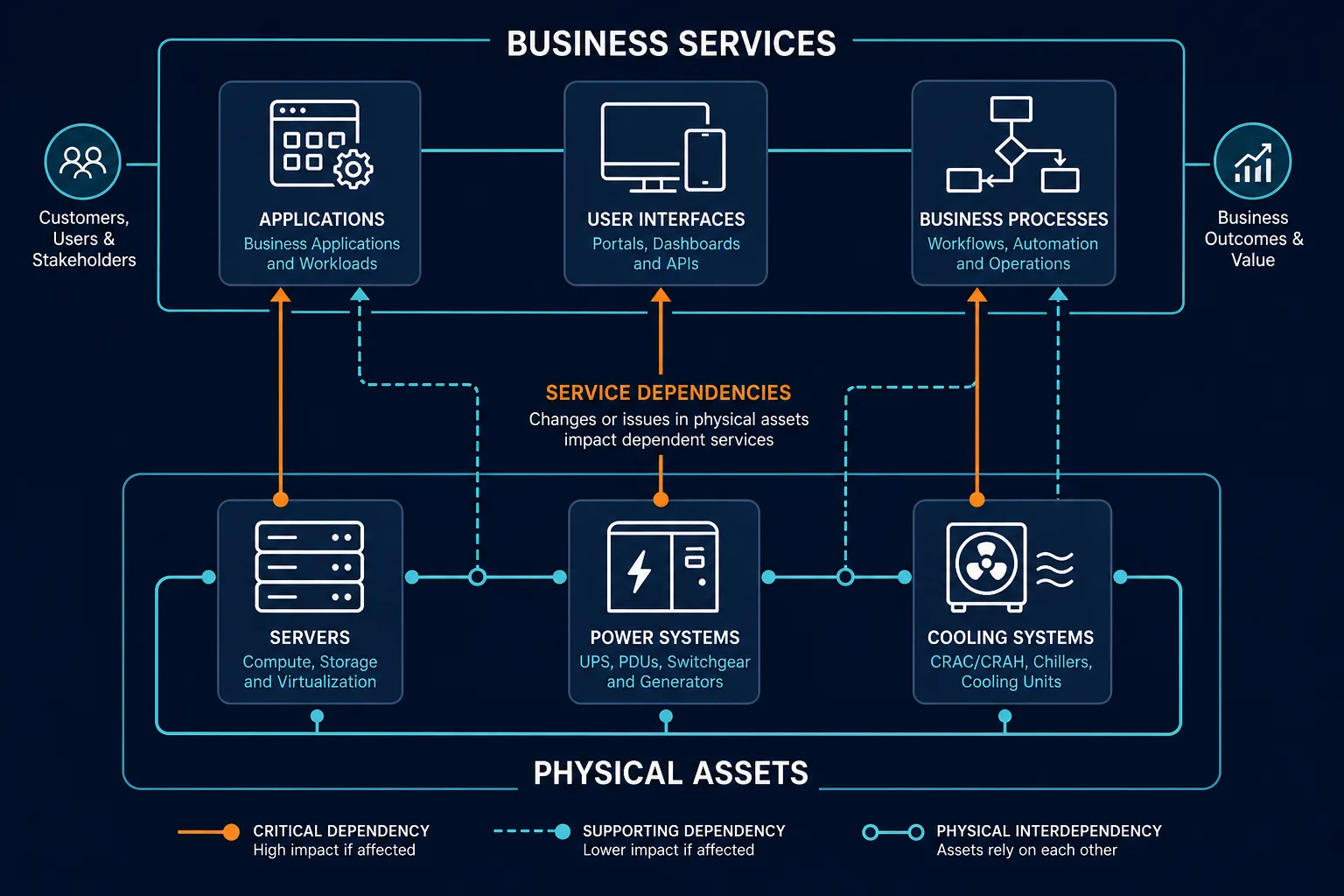
Here’s the pattern across all seven tools above: every one of them manages the physical layer well. None of them natively maps which production services depend on which physical assets.
That gap has real consequences. A rack decommission that a DCIM tool approves as safe can still take down a business-critical service if nobody documented the dependency. The DCIM tool did its job correctly. It was never built to see that layer.
This isn’t a knock on any vendor above. DCIM was designed to manage facilities and physical infrastructure, and the tools on this list do that well. Service dependency context is a different problem, one that requires a discovery-sourced CMDB layer sitting above the physical inventory.
What do most DCIM tools not cover?
Most DCIM tools focus on physical infrastructure: power, cooling, space, and asset inventory. They don’t map service dependencies, meaning which applications and business services depend on which physical assets. That gap means DCIM-approved changes can still cause unplanned service outages when the dependency context is missing from the change record.
How Virima Works Alongside Your DCIM Tool
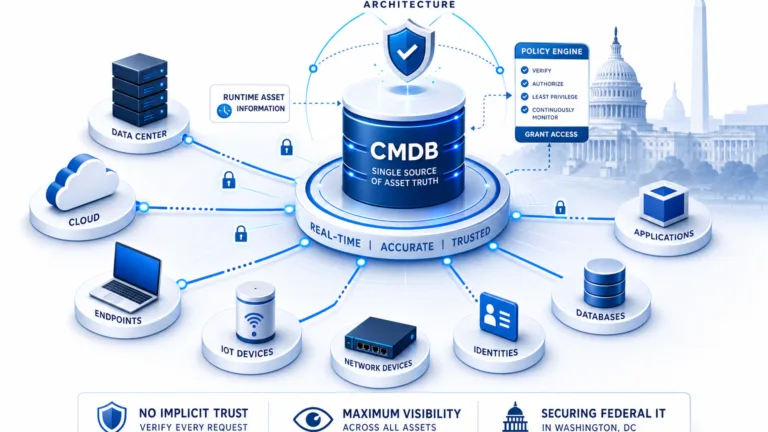
Virima is not a DCIM replacement, and it doesn’t compete with any tool on this list. It’s the discovery-sourced CMDB and service dependency layer that sits above the physical layer DCIM tools already manage well.
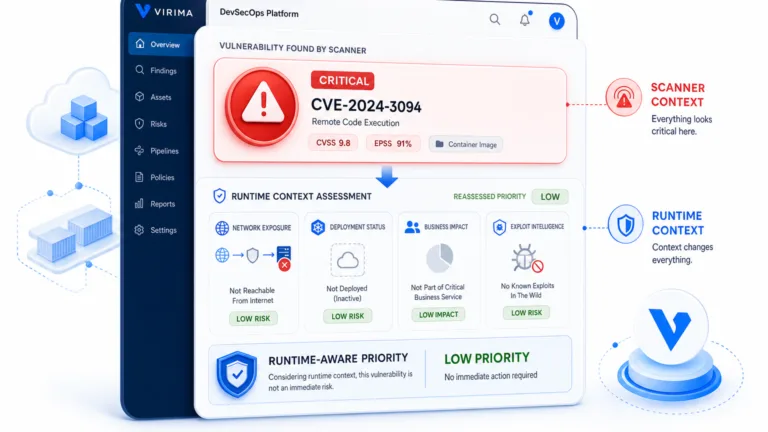
Virima’s agentless, agent-based, and API-based discovery extends into the data center, surfacing physical and virtual assets and mapping the configurations that connect them. From there, once service definitions are provided (manually, by spreadsheet import, or through an enterprise architecture integration), ViVID™ builds dependency maps from that input and does not invent which applications form a service. ViVID™ service maps then show which production services depend on which physical assets. ITSM teams can push that context into ServiceNow, Jira Service Management, Ivanti, HaloITSM, Xurrent, Hornbill, and more through Virima’s integrations hub. That means a rack move or a power maintenance window gets reviewed against actual service impact, not only power load on a chart.
This runs on discovery-sourced ground truth: the CMDB reflects what discovery actually finds, not a snapshot someone updated manually last quarter. And it works with the ITSM platforms your DCIM tool likely already triggers today, including ServiceNow, Jira Service Management, Ivanti, HaloITSM, Xurrent, and Hornbill, so adding Virima doesn’t mean ripping out your existing change or incident workflow.
See how ViVID™ service maps feature page turns a DCIM-approved change into one that’s also been checked against the services it could affect.
How to Choose the Right DCIM Software for Your Environment
Start with your data center’s actual scope — an owned single-site facility has different needs than a distributed footprint spread across colocation providers and hybrid cloud. That alone rules out some tools on this list and points toward others.
From there, weigh the criteria above against your environment: how granular your power monitoring needs to be, whether your asset inventory needs discovery-based accuracy or can tolerate manual upkeep, and how much your team relies on ITSM integration for day-to-day workflows. Finally, decide whether your team needs service dependency context alongside physical monitoring, or whether a pure DCIM tool covers what you need today. If services depend heavily on the physical assets a DCIM tool tracks, that’s the signal to pair it with a CMDB layer rather than treat DCIM as the whole picture.
How do I choose the right DCIM software?
Start with your data center scope: owned versus colocation, single-site versus distributed, on-prem versus hybrid cloud. Then evaluate power monitoring depth, asset inventory accuracy, and ITSM integration breadth. If your team manages services that depend on physical infrastructure, also assess whether the tool provides service dependency context, or whether you need a CMDB layer alongside it.
Side-by-Side Comparison Table
| Tool | Best For | Power Monitoring | Service Context | ITSM Integrations | Pricing Model |
|---|---|---|---|---|---|
| Schneider Electric EcoStruxure IT | Large enterprises, mixed-vendor hardware | Deep, vendor-neutral | None native | Limited native, varies by deployment | Quote-based |
| Vertiv Environet | Teams standardized on Vertiv hardware | Vertiv hardware-focused | None native | Limited | Quote-based |
| Sunbird DCIM | Mid-market data centers | Rack and floor-level | None native | Limited | Quote-based |
| Nlyte Software | Enterprises wanting ITSM-triggered workflows | Rack-level | None native | Native ITSM ticketing | Quote-based |
| Device42 | Combined network and data center discovery | Basic | Dependency mapping (infrastructure-level) | Moderate | Quote-based, device-count driven |
| FNT Command | Colocation and telecom providers | Rack-level | None native | Limited | Quote-based |
| Hyperview | Teams wanting cloud-native, API-first DCIM | Rack-level | None native | Open API, custom integrations | Available on request |
| Virima (complementary layer) | Service dependency and CMDB context alongside any DCIM tool | Not applicable, not a DCIM tool | ViVID™ service maps, discovery-sourced CMDB | ServiceNow, Jira Service Management, Ivanti, HaloITSM, Xurrent, Hornbill | Contact for pricing |
Every platform on this list solves the physical layer problem well. None of them solves the service dependency problem, because that was never their job. If your team is choosing a DCIM tool this year, pair that decision with a discovery-sourced CMDB layer that shows what’s actually at stake before a change window opens.
See how Virima’s ViVID™ service maps show the service dependencies your DCIM tool doesn’t track. Application Dependency Mapping vs Service Mapping: What’s the Difference?
Pair DCIM Physical Truth With Service Context
Shortlist DCIM software for power, cooling, space, and asset inventory against your facility scope first. Then decide how service dependency context will sit above that physical layer so a rack change is checked against production paths, not only outlet load.
See how discovery-sourced CMDB context and ViVID™ maps after service definitions sit above DCIM power, space, and inventory so physical changes get checked against service paths.
Frequently Asked Questions
What is the difference between DCIM and a CMDB?
DCIM software manages the physical layer of a data center: power, cooling, space, and hardware inventory. A CMDB tracks configuration items and the relationships between them, including how services, applications, and infrastructure depend on each other. A data center can have accurate DCIM data and still lack service dependency context, since that’s what a CMDB is built to provide.
Does DCIM software track service dependencies?
Generally, no. The seven DCIM platforms compared above focus on physical infrastructure monitoring and asset tracking. None of them natively maps which production services or applications depend on specific physical assets. That mapping requires a discovery-sourced CMDB and service mapping layer working alongside the DCIM tool.
What is the best DCIM software for mid-market data centers?
Sunbird DCIM and Hyperview tend to fit mid-market teams best, given Sunbird’s approachable UI and faster time to value, and Hyperview’s SaaS-only deployment that avoids on-prem software management. Enterprise-scale platforms like Schneider EcoStruxure IT and Nlyte can still work for growing mid-market teams, but often carry more setup overhead than a smaller team needs on day one.
How does Virima complement DCIM software?
Virima adds the discovery-sourced CMDB and service dependency layer that sits above the physical layer DCIM tools already manage. It builds ViVID™ service maps from service definitions your team provides, showing which services depend on which physical and virtual assets, so a DCIM-approved change also gets checked for service impact before it happens.
Does Virima replace DCIM tools?
No. Virima is not a DCIM tool and does not compete with the platforms compared above. It adds the discovery-sourced CMDB and service dependency layer that DCIM tools don’t provide, and it works alongside any DCIM platform on this list.