What Is Automox? Features, Review & Use Cases Guide

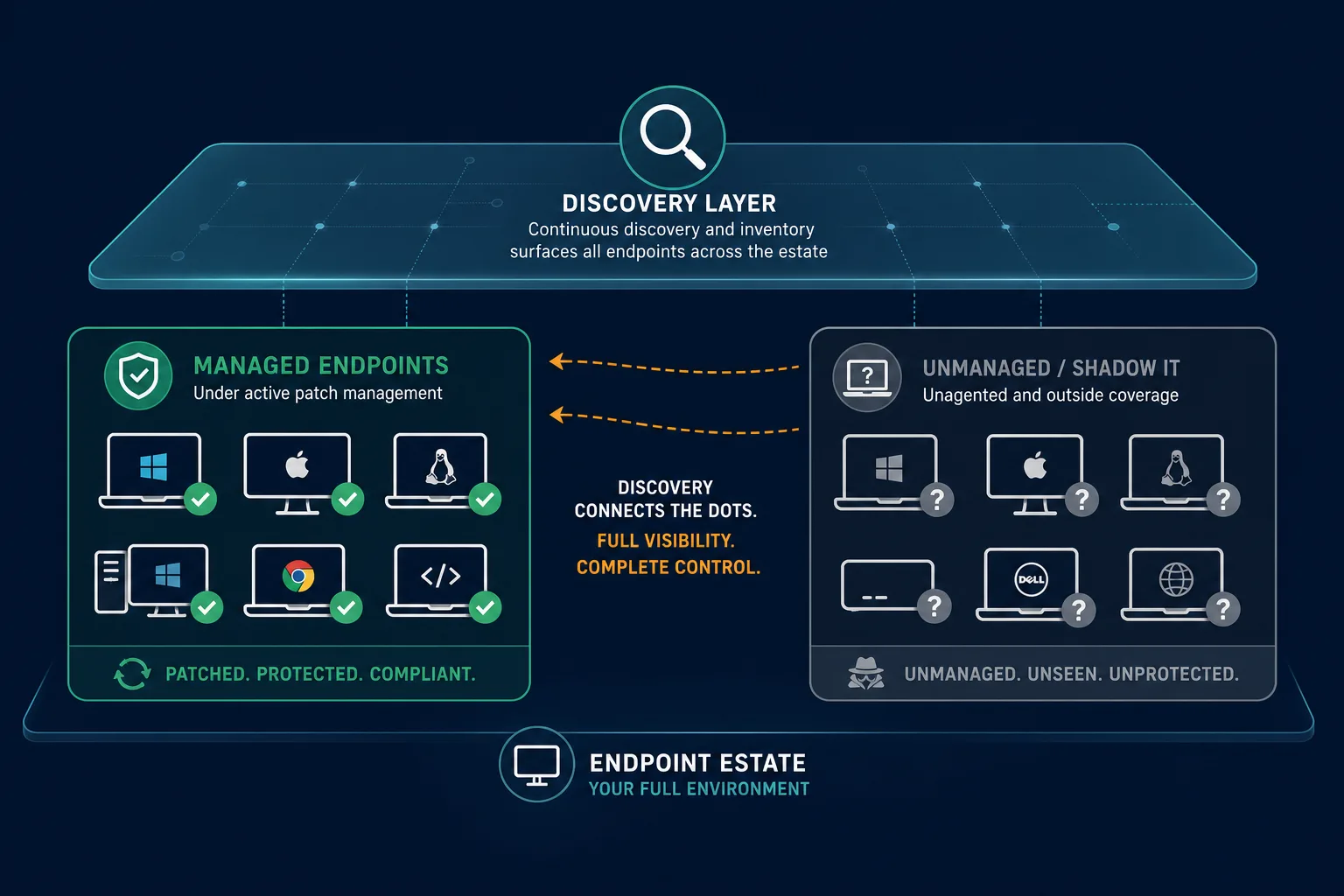
Automox is a cloud-native endpoint management platform that automates OS and third-party patching across Windows, macOS, and Linux without on-premises patch servers. IT operations, security, and MSP teams use it to shrink the gap between a CVE disclosure and a deployed fix. Automox only manages devices its agent is installed on. It cannot discover or patch what it has never seen, which is where a CMDB-backed inventory becomes the missing layer. This review covers what Automox does well, where the discovery gap shows up, and how a discovery-sourced asset inventory closes it.
| When patch tooling is sharp but unmanaged endpoints and service impact still sit outside the agent, start with discovery-backed estate accuracy under the desk you already run. Explore Trusted Runtime Truth. |
What is Automox?
Automox is cloud-native endpoint management for OS and third-party patching on Windows, macOS, and Linux without on-prem patch servers. It is strong for enrolled-agent fleets, remote patch compliance, and MSP multi-tenant policy. It is not agentless discovery or a multi-source CMDB. Teams keep Automox for patch execution and add discovery-sourced inventory when unmanaged devices sit outside the agent.
What Is Automox?
Instead of maintaining WSUS instances or scripting update windows by hand, IT teams point Automox at a fleet of endpoints and let the platform handle scheduling, testing, and rollout from a single cloud console. No on-premises patch server is required.
The platform runs on a lightweight agent installed on each managed device. That agent checks in with the Automox cloud console, reports its patch status, and executes the policies an administrator assigns to it. The core value proposition is speed: instead of a monthly patch cycle coordinated across spreadsheets, teams get a single pane of glass for patch compliance across a mixed-OS estate.
Three groups use Automox most often. IT operations teams, frequently at 500-5,000-employee hybrid environments running ServiceNow or Jira Service Management, need to reduce the manual burden of routine patching. Security operations teams try to shrink the window between a CVE disclosure and a fix. Managed service providers patch client environments at scale from one console. All three groups share the same underlying assumption: that the agent is installed everywhere it needs to be. That assumption is worth examining closely in the sections below.
Automox Key Features
Automox’s feature set centers on patch and software lifecycle management rather than asset discovery. Here is what the platform covers today.
| Feature | What it does |
|---|---|
| Patch management | Automated scheduling, testing, and rollback of OS and third-party patches |
| Software management | Deploy, update, or remove approved software packages across managed endpoints |
| Device inventory and reporting | Reports on patch status and software versions for endpoints the agent already manages |
| Policy-based worklets | Custom scripts that run on a schedule or trigger, for tasks beyond standard patching |
| Multi-OS support | Single console for Windows, macOS, and Linux patch and configuration policies |
Each of these features works well for the endpoints already enrolled in Automox. Policy-based worklets, in particular, give admins a way to extend the platform past patching into configuration enforcement, so teams that need custom remediation scripts are not boxed in. Every feature in this table depends on one precondition: the device has to be running the Automox agent first.
Automox is an endpoint management platform, not an asset discovery tool. It patches devices already enrolled but has no native capability to find devices that were never given its agent, which is why teams often pair it with a separate agentless discovery layer.
What does Automox do well?
Automox automates OS and third-party patching, software deployment, and policy worklets across Windows, macOS, and Linux from one cloud console. It is built for enrolled agents, remote fleets, and MSP multi-client policy. Patch speed and multi-OS coverage are the core wins. Discovery of unagented devices is outside that product job.
Automox Use Cases
Three use cases show up most often when IT teams describe why they adopted Automox.
The first is patch compliance for a distributed or remote workforce. Once employees stopped working from a single office network, patching became harder to coordinate. Automox solves this by patching over the internet rather than requiring devices to be on a corporate network, which keeps remote laptops current without VPN-dependent update cycles.
The second is reducing the vulnerability window across a mixed-OS estate. A patch that ships on Patch Tuesday but does not reach every endpoint for six weeks leaves that gap wide open. Automox automates the testing and rollout steps, so patches reach enrolled devices faster once they are released.
The third is MSP-managed patching at scale. Managed service providers running dozens of client environments use Automox to standardize patch policy across all of them from one console, instead of managing separate tools per client.
Each of these use cases is a real win. That said, they all share the same boundary: they describe what happens on endpoints Automox already knows about. None of them address how a team finds the devices Automox does not know about yet, which is a separate problem with a separate solution.
What Automox Doesn’t Do and Where the Gap Shows Up
This is the pivot point that most Automox reviews skip. Automox is a patch automation tool, not a discovery tool, and that distinction matters more than it looks.
Limited to enrolled endpoints. Automox manages the endpoints where its agent is installed. Devices that were never enrolled, contractor laptops, shadow IT, or cloud workloads spun up without an agent sit outside its visibility entirely. Third-party CMDBs can sometimes ingest what the agent already reports, but that is not native discovery. Automox cannot patch, or even report on, what it cannot see. Automox’s own user base has asked for this capability directly. A feature request for “Automatic device and network discovery” remains open on Automox’s public ideas portal.
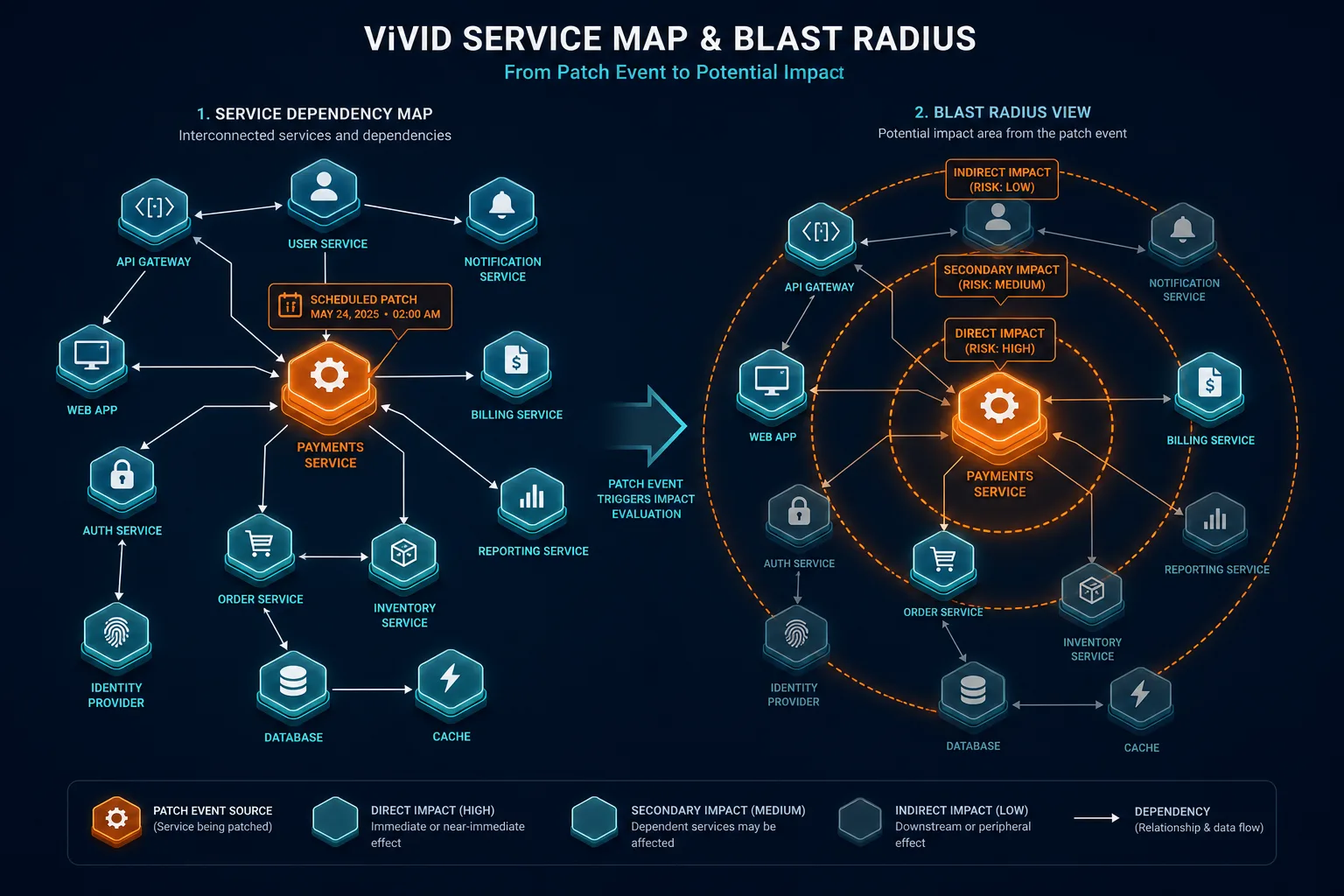
No built-in service dependency context. Automox schedules a patch window based on device groupings an admin defines, not on what services actually depend on that device. A reboot that looks routine in the console can still take down a production service if nobody mapped the dependency first.
No CMDB reconciliation layer. Automox reports on the devices it touches. It does not reconcile that data against a broader configuration management database, so there is no single source of truth for what exists across the estate, only for what the agent has already found.
Federal asset-visibility guidance, including CISA Binding Operational Directive 23-01, treats complete asset visibility as a prerequisite for vulnerability detection programs. That is the coverage gap in operational terms: a patch automation tool is only as strong as the inventory feeding it, and an agent-based tool can only report on what it has already found.
Before the next patch cycle, ask five practical questions: which subnets and cloud accounts have no enrolled agent density check, which contractor and BYOD paths never receive the agent, which production hosts sit outside the last successful check-in window, which services would reboot if a patch group fires, and who owns each gap after the scan. That short list is enough to see whether the blind spot is enrollment hygiene or missing discovery authority.
Does Automox discover unmanaged devices?
Not on its own. Automox visibility is limited to devices where its agent is already installed. Finding unmanaged or unagented devices requires a separate discovery layer that can use agentless, agent-based, and API methods on high-frequency scheduled cycles across the estate.
Three Decision Paths: Stay, Pair, or Add Estate Context
Stay on Automox alone when the estate is fully agented by policy, patch compliance is the only job that fails today, and service dependency questions stay simple enough for admin-defined device groups.
Pair Automox with discovery-sourced inventory when patch execution is strong but responders still lose time on unagented devices, contractor endpoints, and cloud workloads the agent never reaches. Keep Automox for patching. Add Trusted Runtime Truth for estate accuracy under the ticket and change window.
Choose Virima under a multi-desk ITSM estate when ServiceNow, Jira Service Management, Ivanti, HaloITSM, Xurrent, Hornbill, or a mixed desk set needs CI attach, ownership, and service maps beside the patch process. Virima does not replace Automox. It feeds discovery-sourced CMDB and map context into the system of engagement you already run. Desk coverage is listed on Virima’s integrations hub when you shortlist multi-ITSM handoff.
How Virima Complements Automox
Virima does not replace Automox, and it is not trying to. Automox is still the tool doing the patching. Virima’s job is to make sure the inventory under that patching is complete and accurate.
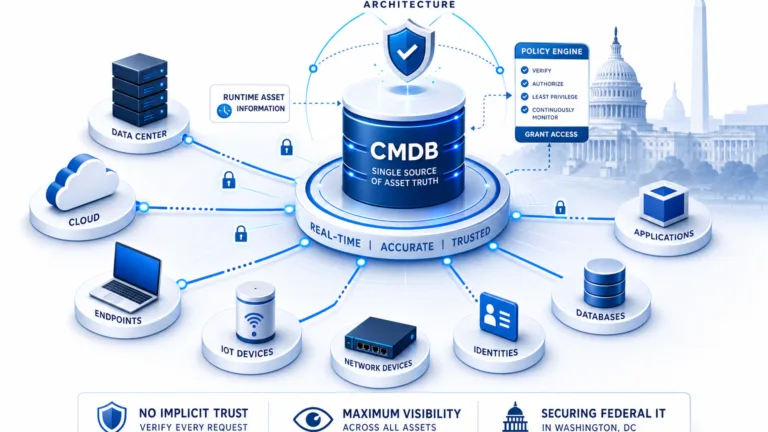
Virima runs agentless, agent-based, and API-based discovery across the full IT estate, not just the subset of devices someone remembered to enroll in an agent. That discovery-sourced inventory catches unmanaged devices, contractor endpoints, and cloud workloads that Automox’s agent never reaches, and gives teams a more complete endpoint picture to work from when they plan enrollment and patch scope. Discovery authority is what tells you which devices never received the agent in the first place.
For the discovery capability pattern, see IT discovery.
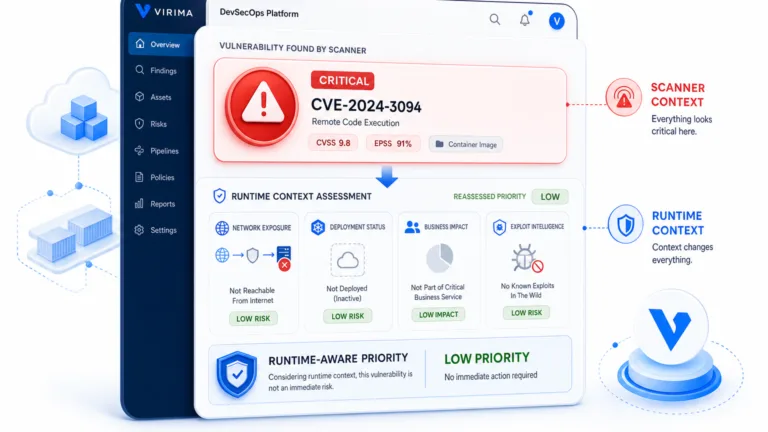
Service composition is not guessed from topology alone. Once services are defined in Virima, either manually or through an integration, ViVID™ builds a visual map of which services depend on which endpoints. Before a patch window fires, a team can check whether that endpoint sits under a production service and adjust the timing instead of finding out the hard way. For the map capability pattern, see service mapping.
The underlying difference is where the data comes from. Automox reports what its agent tells it. Virima’s CMDB is built from discovery-sourced ground truth across every device it finds, agented or not, which gives teams a foundation they can trust rather than one that only reflects what was already enrolled. The CMDB pattern is multi-source, discovery-fed inventory with owners and confidence, not agent-only reporting.
None of this requires ripping out existing tooling. Discovery data can flow into the same ticket workflows Automox already triggers under ServiceNow, Jira Service Management, HaloITSM, and Xurrent, so the patch process does not change, only what it is built on.
How does Virima work with Automox?
Virima discovers and inventories the full IT estate with multi-method discovery, then supplies multi-source CMDB records, ownership, and ViVID™ service maps under the ITSM desk. Automox keeps patching enrolled endpoints. Used together, they cover both sides of endpoint governance without replacing either product.
Automox Pricing Overview
Automox publishes a base tier and negotiates the rest. As of 2026, Patch OS, its entry-level plan covering only OS patching, is listed near $1 per endpoint per month on an annual commitment on Automox commercial pages. Third-party patching and configuration management sit in the Automate Essentials and Automate Enterprise tiers, which are quote-based. Confirm current packages on Automox pricing before you budget.
Public reseller and partner quotes gathered in 2026 often land roughly in the $1.50-$3.50 per endpoint monthly range for Automate-class coverage depending on volume and contract term. Treat those bands as directional only. They are not confirmed list pricing from Automox directly.
| Deployment size | Typical rate (per endpoint/month, directional) |
|---|---|
| 50-250 endpoints | $2.75-$3.50 |
| 250-1,000 endpoints | $2.00-$2.75 |
| 1,000+ endpoints | $1.50-$2.25 (custom) |
Confirm exact figures at time of purchase since Automox negotiates enterprise tiers individually. Virima takes a different approach to commercial evaluation: pricing is scoped to environment size through a demo rather than published as a flat per-endpoint rate, since discovery scope varies more across environments than patch licensing does.
If identification still eats the open of every major patch window after Automox is already correct on enrolled devices, run a short pilot: keep Automox for the patch path, clean ownership and service links in the CMDB, then attach CI and map context under the desk you already use.
The desk list is not the product decision. The decision is whether tickets inherit trusted CI, owner, dependency, and recent-change context from discovery-sourced records, or whether responders keep paying identification tax after every correct agent check-in. Automox can stay the patch engine either way. Virima does not replace Automox endpoint management.
Name the production paths that reboot most often. Clean owners on those paths next. Only then expect maps to change timing decisions on a Monday morning window. High-frequency scheduled discovery is what keeps CI records and dependency edges worth trusting after the agent report is already correct on enrolled devices.
Agentless methods still cover racks, network gear, and many servers where credentials already exist. Agent coverage matters for remote endpoints that rarely stay on the corporate subnet long enough for a clean agentless pass. API discovery fills cloud instance and configuration gaps that neither agent path will see from inside the guest alone. AWS and Azure inventory joins that mix for hybrid estates.
Confirm current desk coverage on the integrations hub.
Currency is the contract with responders. If the CMDB only refreshes when someone remembers a spreadsheet import, tickets inherit last quarter’s owners even when the Automox console looks green. That gap is expensive across a year of patch cycles and majors. Patch green on enrolled devices does not mean the estate is complete. Unagented hosts, contractor laptops, and short-lived cloud nodes still sit outside the last successful check-in window until discovery authority finds them.
Service composition still needs named definitions for the business paths that matter under load. Topology inside the agent console helps triage enrolled devices. It does not by itself carry ownership, change history, and blast radius across hybrid auto-scaling edges. Name the services that fail most often first. Clean owners and service links on those paths next. Only then expect maps to cut identification time on a Monday morning window. High-frequency scheduled discovery is what keeps those CI records and dependency edges worth trusting after the agent report is already correct on enrolled devices. Agentless, agent-based, and API methods cover different corners of the same hybrid estate.
After those definitions exist, induct map depth in the same pilot rather than treating agent groups as the full service model. For that map layer under tickets, evaluate service mapping depth during the same pilot.
Walk one of your own patch windows with discovery-sourced CI context and ViVID™ maps under the ITSM desk you already run. Leave with a clearer picture of how much unagented coverage and identification time your team can still reclaim.
Close the Endpoint Gap Without Replacing Automox
Enterprise endpoint health needs both sharp patch automation and an authoritative, discovery-sourced inventory. Automox is a strong choice for OS and third-party patching, remote fleets, MSP multi-tenant policy, and worklets on enrolled agents. Pairing that execution with live operational context is what keeps responders from starting every major blind on devices the agent never saw.
Virima does not replace Automox. It supplies Trusted Runtime Truth under the tickets and change windows where ownership, dependency, and blast radius decide whether a routine reboot stays routine.
Disclaimer: Product capabilities, tiers, and list pricing change over time. Confirm current Automox features and commercial terms on Automox documentation. Directional price bands above are not vendor-confirmed list rates. Outcomes vary by estate, discovery scope, agent coverage, and desk configuration.
Frequently Asked Questions
Is Automox a CMDB?
No. Automox is a patch and endpoint management platform. It reports on the devices its agent manages but does not maintain a multi-source configuration management database or reconcile that data against a broader asset inventory on its own.
Does Automox discover unmanaged devices?
Not on its own. Automox’s visibility is limited to devices where its agent has already been installed. Finding unmanaged or unagented devices requires a separate discovery layer that can combine agentless, agent-based, and API methods.
What’s the difference between patch management and IT asset discovery?
Patch management automates updates on known, enrolled devices. IT asset discovery finds devices across an environment, enrolled or not, and builds the inventory that patch management tools depend on to know what exists before the next cycle.
How does Virima work with Automox?
Virima discovers and inventories the full IT estate, then feeds multi-source CMDB records and ViVID™ service maps into the workflows Automox and your ITSM platform already use, without changing how Automox patches enrolled endpoints.
Can Virima replace Automox?
No. Virima and Automox solve different problems. Automox automates patching. Virima discovers and maps the estate that patching acts on. Used together, they cover both sides of endpoint governance.