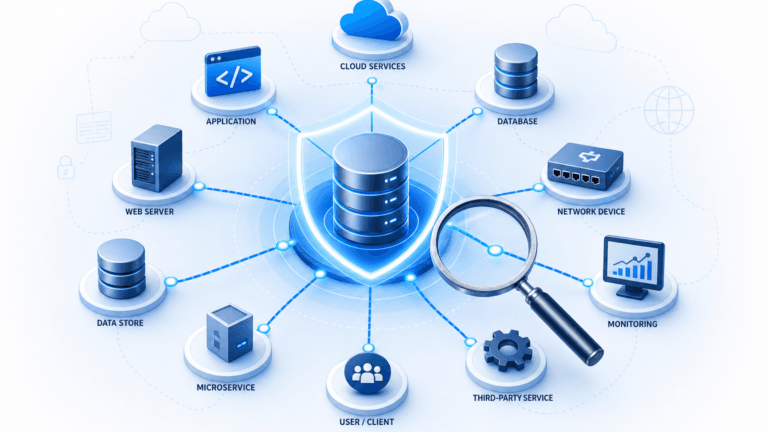
Transform your ITSM with relationship mapping app

Introduction
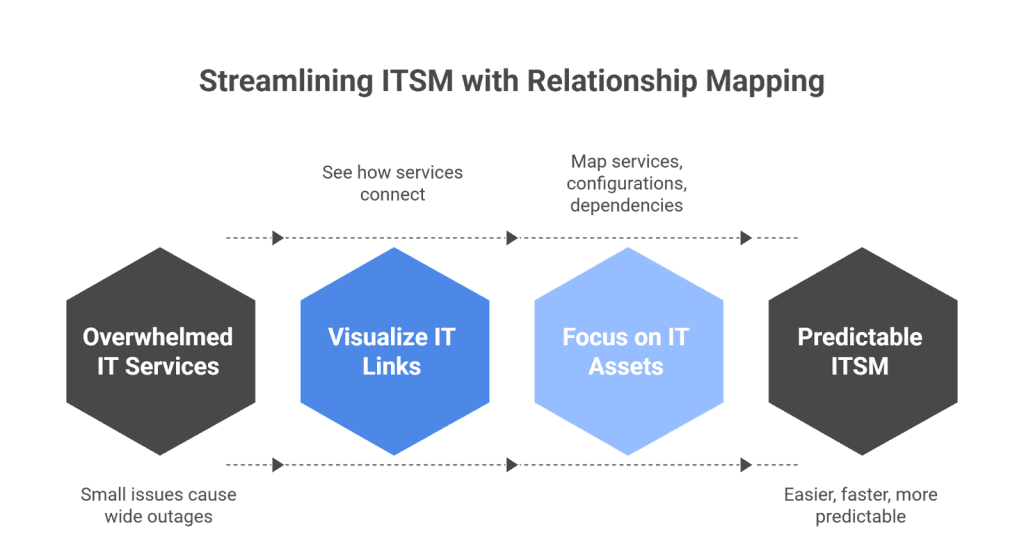
Managing IT services today can feel overwhelming. Systems are tightly connected. Because of this, a small issue can cause a wide outage. This is why many IT teams now depend on relationship mapping software.
It helps them see how services, applications, and infrastructure link together. As a result, ITSM becomes easier, faster, and far more predictable.
It’s also important to clarify one thing. This type of relationship mapping is not about sales, customer accounts, or organizational charts. Instead, it focuses on IT assets, services, configurations, and dependencies. This distinction helps set the right expectations from the start.
Recent research shows why this matters. Gartner predicts that through 2026, organizations will abandon 60% of AI projects unsupported by AI-ready data.
Because of this shift, understanding system relationships becomes essential. Clear visibility is no longer optional. It is a basic requirement for stability.
This guide explains how a relationship mapping app supports ITSM. You will see what it is, why it matters, and how tools like Virima help teams manage relationships with automated IT discovery and visual service maps.
TL;DR
- A relationship mapping app helps IT teams see how assets and services connect.
- Relationship mapping software improves incident response and change management.
- It builds a more accurate configuration management database CMDB with automated discovery.
- Visual maps prevent outages and reduce troubleshooting time.
- Virima’s ViVID™ gives teams clear, real-time service dependency views.
What is relationship mapping in ITSM?
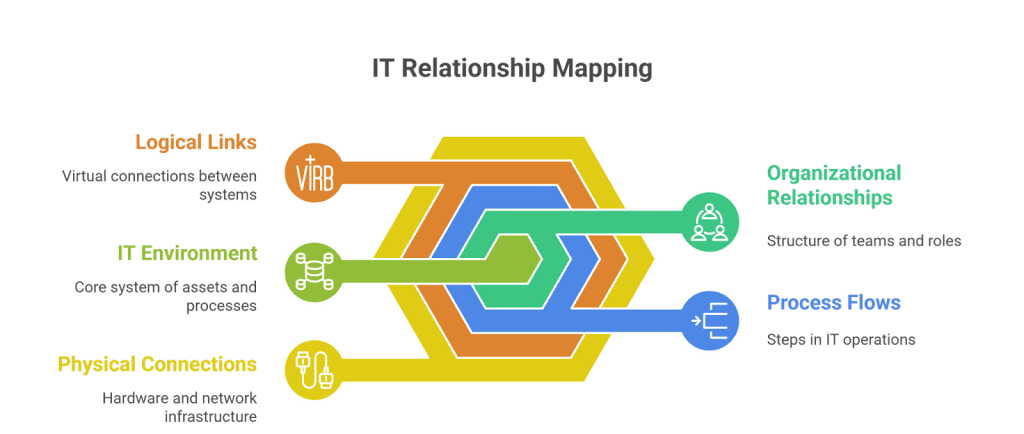
Relationship mapping shows how your IT assets, services, and processes interact. Unlike static documents, these maps update as your environment changes. They may include:
- Physical connections
- Logical links
- Process flows
- Organizational relationships
Traditional tracking methods, such as spreadsheets, cannot keep up with this complexity. As departments adopt more shared tools and cloud services, the challenge grows.
Relationship mapping software fixes the issues caused by manual tracking. It does this by giving IT teams a single, real-time view of all dependencies across the environment. Here’s what that means:
- Unifies scattered information
It combines data from servers, applications, networks, cloud services, and business processes into one visual map. - Updates automatically
The map adjusts as systems change, so teams always see an accurate picture—not outdated diagrams. - Shows every dependency clearly
It reveals which assets rely on each other, how they interact, and where failures may cascade. - Removes guesswork during incidents and changes
Teams can see the exact service paths and dependency chains before making decisions. - Improves visibility across teams
Everyone—from service owners to network admins—shares the same updated view.
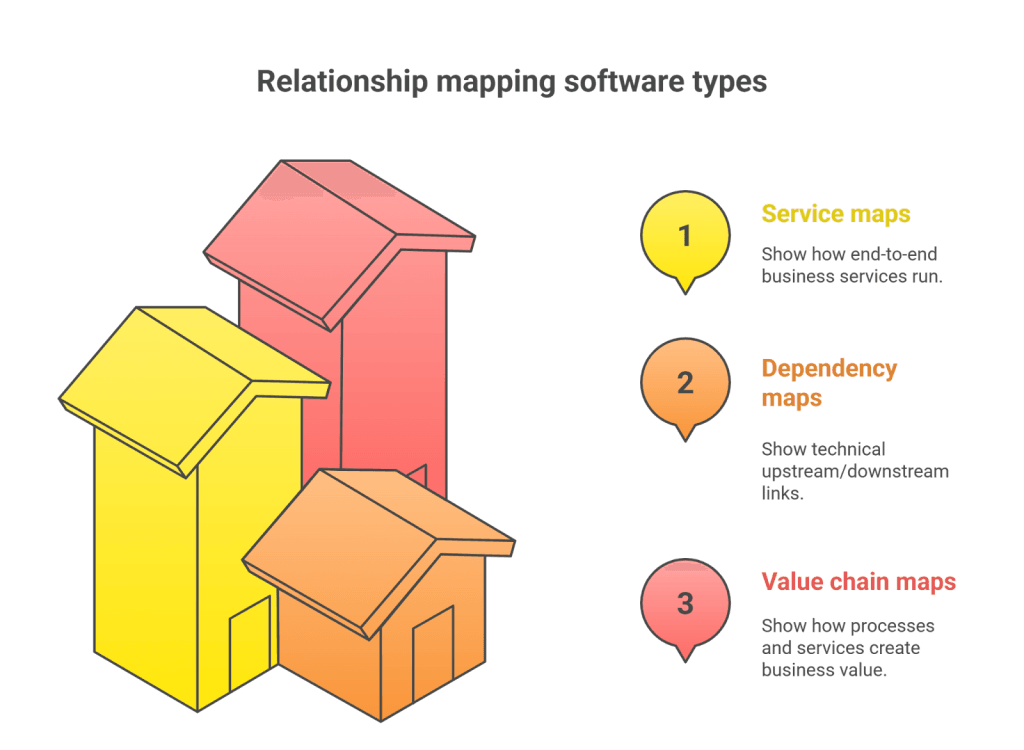
Relationship mapping software is often referred to as:
- Service maps → show how end-to-end business services run
- Dependency maps → show technical upstream/downstream links
- Value chain maps → show how processes and services create business value
All three map types help teams understand connections, but relationship mapping software ties them together into one unified system.
Compare & contrast: Mapping types
| Type | What it shows | Key difference |
| Relationship Mapping | All asset and service connections | Broad, cross-team visibility |
| Service Mapping | End-to-end service delivery | Focus on services and workflows |
| Dependency Mapping | Technical interactions | Infrastructure-level detail |
| CMDB Visualization | CI records and links | Accuracy depends on CMDB quality |
All are useful. However, relationship mapping software unifies them to improve ITSM outcomes.
Why relationship mapping matters in ITSM
Modern IT environments shift constantly. Services rely on applications. Applications rely on servers. Servers rely on networks. Without a clear map, even a routine update can cause an outage.
A relationship mapping app helps teams:
- See how services rely on components
- Understand blast radius before a change
- Speed up root-cause analysis
- Improve CMDB reliability
- Strengthen compliance and audit reporting
In simple terms, it turns complexity into clarity.
How to map relationships between IT services and business processes
To map relationships effectively, teams must answer questions like:
- Which assets support this service?
- Which business process depends on it?
- What happens if this component fails?
- Who owns the system?
Relationship mapping software automates these answers. It discovers assets, links dependencies, and shows the full chain: device → application → service → business process.
ITSM dependency mapping tools for enterprise
Enterprise IT teams rely on dependency maps because they provide:
- Speed: Faster troubleshooting
- Accuracy: Fewer blind spots
- Predictability: Safer changes
Tools like Virima Visual Impact Display (ViVID™) enhance this by offering automated discovery, near real-time updates, and seamless ITSM integration.
Improve ITSM strategy with service relationship mapping
A relationship mapping app strengthens ITSM in three major areas:
1. Incident management (root cause analysis)
It shows what failed, what was affected, and why. This transparency cuts MTTR and reduces confusion.
2. Change impact analysis
It reveals hidden dependencies and predicts risks. This helps teams plan safer changes and avoid outages.
3. Release planning
It identifies components that must be updated together. This protects SLAs and ensures smooth deployments.
Visualizing IT service dependencies in a CMDB
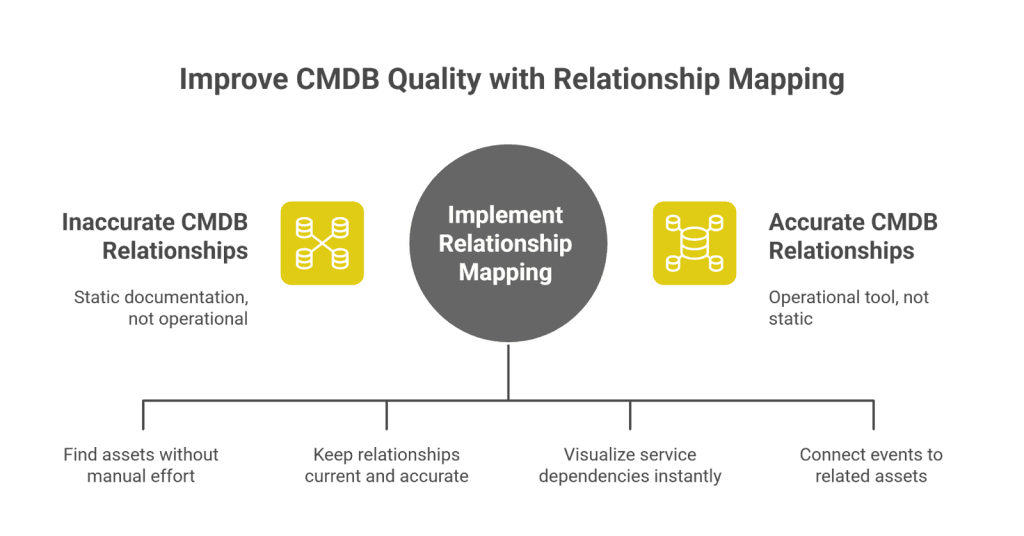
A CMDB is only useful when relationships are accurate.
Relationship mapping software improves CMDB quality by:
- Discovering assets automatically
- Updating CI relationships
- Showing real-time service maps
- Linking incidents, changes, and releases
This turns the CMDB into an operational tool rather than static documentation.
Automatic relationship mapping software for IT infrastructure management
Automation makes relationship mapping faster, safer, and more reliable. It removes the dependency on manual updates and reduces mistakes that often lead to outages or inaccurate records. With automated relationship mapping software, IT teams always have a real-time view of how systems connect.
Key benefits include:
- Less manual work
Automation discovers assets and dependencies on its own, so teams no longer update maps or CMDB entries by hand. - Fewer configuration drifts
Continuous scanning detects changes instantly, preventing outdated records and hidden risks. - More accurate CMDB data
The CMDB stays fresh because relationships and attributes are updated automatically, not guessed or assumed. - Stronger audits and compliance
Automated updates create a trustworthy record of what changed, when it changed, and why—ideal for audits and regulatory checks.
With automation, your relationship map stays current at all times.
Benefits of relationship mapping in IT service management
Relationship mapping software gives ITSM teams better visibility, faster insights, and stronger control across services and infrastructure.
It helps teams:
- Prevent outages
Clear dependency maps reveal hidden links so teams can avoid risky changes and catch issues early. - Improve risk detection
Visual relationships help identify weak points, fragile services, and dependencies that need attention. - Speed up troubleshooting
Teams can trace failures quickly by seeing exactly which components connect to the affected service. - Strengthen compliance
Accurate maps make audits easier by showing how systems work together and where changes occurred. - Allocate resources better
Teams can see which services consume the most effort or capacity, helping them plan upgrades or support more effectively. - Increase service resilience
Understanding dependencies helps teams design stronger, more stable services that recover faster from incidents.
Together, these benefits improve service quality and support long-term ITSM maturity.
ITSM best practices for mapping service dependencies
To get the full value from relationship mapping software, ITSM teams should follow a few simple best practices. These steps keep maps accurate, reduce risk, and improve service reliability.
To maximize value:
- Automate discovery
Automated scans ensure every asset and dependency is captured, preventing gaps that manual updates often miss. - Keep CMDB data fresh
Regular updates help maintain accurate records, which is essential for dependable change analysis and impact prediction. - Define CI ownership
Every configuration item should have a clear owner. This speeds up approvals and reduces confusion during incidents or changes. - Review maps before changes
Checking dependency maps before implementing a change helps teams avoid conflicts, blind spots, and unplanned downtime. - Use maps during RCA and PIR reviews
Visual relationships make it easier to trace issues, analyze what happened, and identify improvements for future changes.
Quick ITSM glossary
- CI: A configuration item stored in the CMDB
- Service Map: A visual of how a service runs end-to-end
- Blast Radius: The scope of impact if a component fails
- SLO / SLA: Service and performance expectations
- Change Window: Approved time frame for modifications
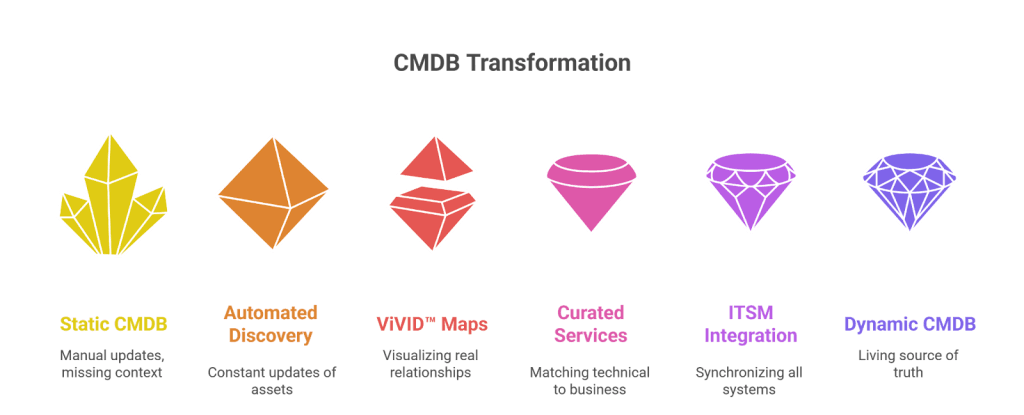
Virima POV: Why most CMDBs fail at relationships
Most CMDBs fail because relationships change faster than teams can update them. New services appear. Cloud resources scale automatically. Older systems retire. Manual updates simply cannot keep up.
Another issue is missing dependency context. Many CMDBs store CI data but not real connections. This creates blind spots and makes change planning risky.
Human assumptions make the problem worse. When teams guess how systems interact, errors multiply.
Virima solves these issues with:
- Automated discovery that updates assets and dependencies constantly
- ViVID™ visual maps that show real, accurate relationships
- Curated business services that match technical details to business value
- Bidirectional ITSM integration to keep all systems synchronized
This combination turns the CMDB into a living, dynamic source of truth.
3-step relationship mapping maturity model
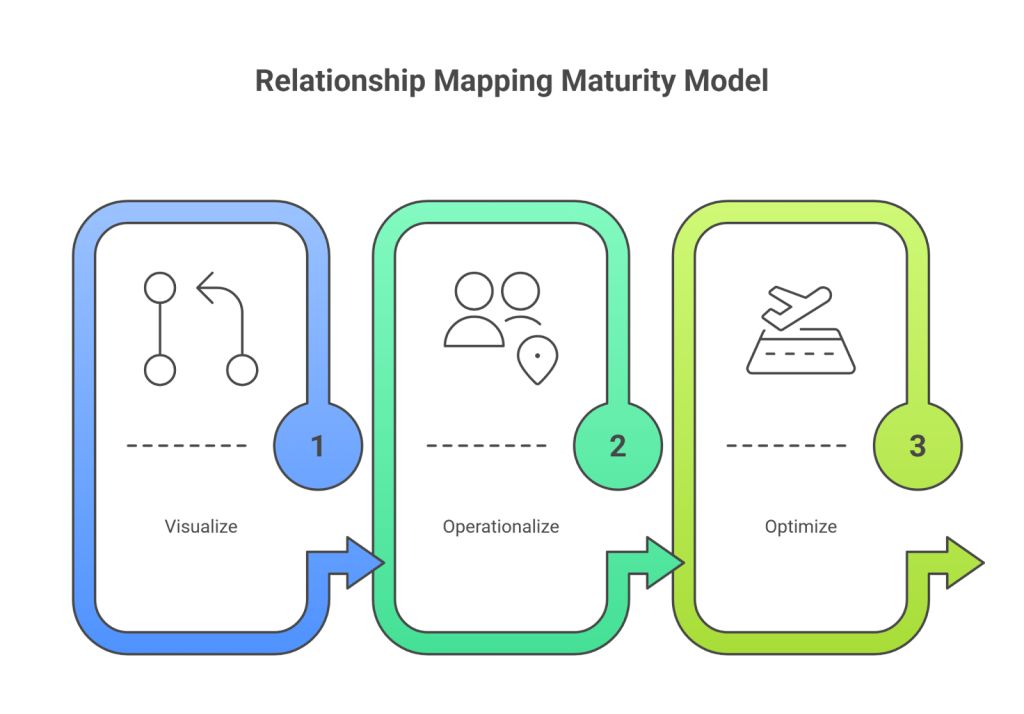
Step 1: Visualize
Use automated discovery to build accurate, always-current service maps.
This removes blind spots and builds a strong foundation.
Step 2: Operationalize
Use maps in incident RCA, change reviews, release planning, CAB meetings, and audits.
Visibility now becomes operational value.
Step 3: Optimize
Combine maps with SLAs, SLOs, and risk scoring.
This helps predict risks, automate remediation, and improve service resilience.
Boosting ITSM efficiency with Virima’s relationship mapping software
Virima’s relationship mapping software improves ITSM performance by combining automated discovery, real-time service maps, and continuous updates. It gives teams a live, trustworthy view of how services, applications, and infrastructure connect. As a result, IT operations become faster, safer, and more predictable.
Key benefits include:
- Faster RCA
Visual service maps make it easy to trace issues back to the root cause, reducing downtime and improving response times. - Safer changes
Clear dependency views help teams assess change impact before implementation, lowering the chance of outages. - A more accurate CMDB
Automated updates keep configuration data fresh and aligned with real-world environments, eliminating guesswork. - Better planning
Teams can plan releases, upgrades, and maintenance activities with full awareness of how systems interact. - Stronger governance
Reliable maps and clean configuration data support audits, compliance reviews, and ITSM best-practice adoption.
Ready to enhance your ITSM strategy?
Explore how a relationship mapping app like Virima can reduce outages and streamline IT operations.
Request a demo to see the impact for yourself.
FAQs
1. What is relationship mapping software?
It visualizes how IT assets, services, and processes connect.
2. How does a relationship mapping app help ITSM teams?
It improves incident response, change analysis, and CMDB accuracy.
3. Can relationship mapping reduce outages?
Yes. It reveals hidden dependencies that often trigger failures.
4. What makes Virima different?
Automated discovery, curated business service mapping, and visual insights.
5. Does relationship mapping help with compliance?
Absolutely. It gives clear, audit-ready evidence.