
Taking Over an IT Environment: What Exists, What Depends on What, and Who Owns It
 Summarize with ChatGPT
 Summarize with Claude
Key Takeaways
- Compare inventory records using stable identifiers and retain conflicting evidence until someone checks it.
- Trace dependencies through user interviews, scheduled jobs, and system records before planning changes.
- Record technical and business owners separately, including a follow-up date for uncertain assignments.
One engineer inherited Ubuntu servers provisioned outside the organization’s usual process. While investigating inconsistent DNS registration, the engineer found that hostname configuration helped explain why some records were missing.
An inherited IT environment can contain differences that a handover spreadsheet does not show. Start by identifying what exists, what depends on it, and who can confirm the information. Backups, access, and recovery also deserve attention alongside this work.
Which questions should a new sysadmin answer first?
Begin with three questions about the systems you are taking over:
- What exists? Identify the devices, applications, services, and accounts that appear in available records.
- What depends on what? Find the connections between those items and the work they support.
- Who is responsible? Identify the people who maintain each item and the people accountable for its business use.
A conversation about ownership may reveal a system missing from the inventory. A dependency may lead you to an account that nobody mentioned during the handover.
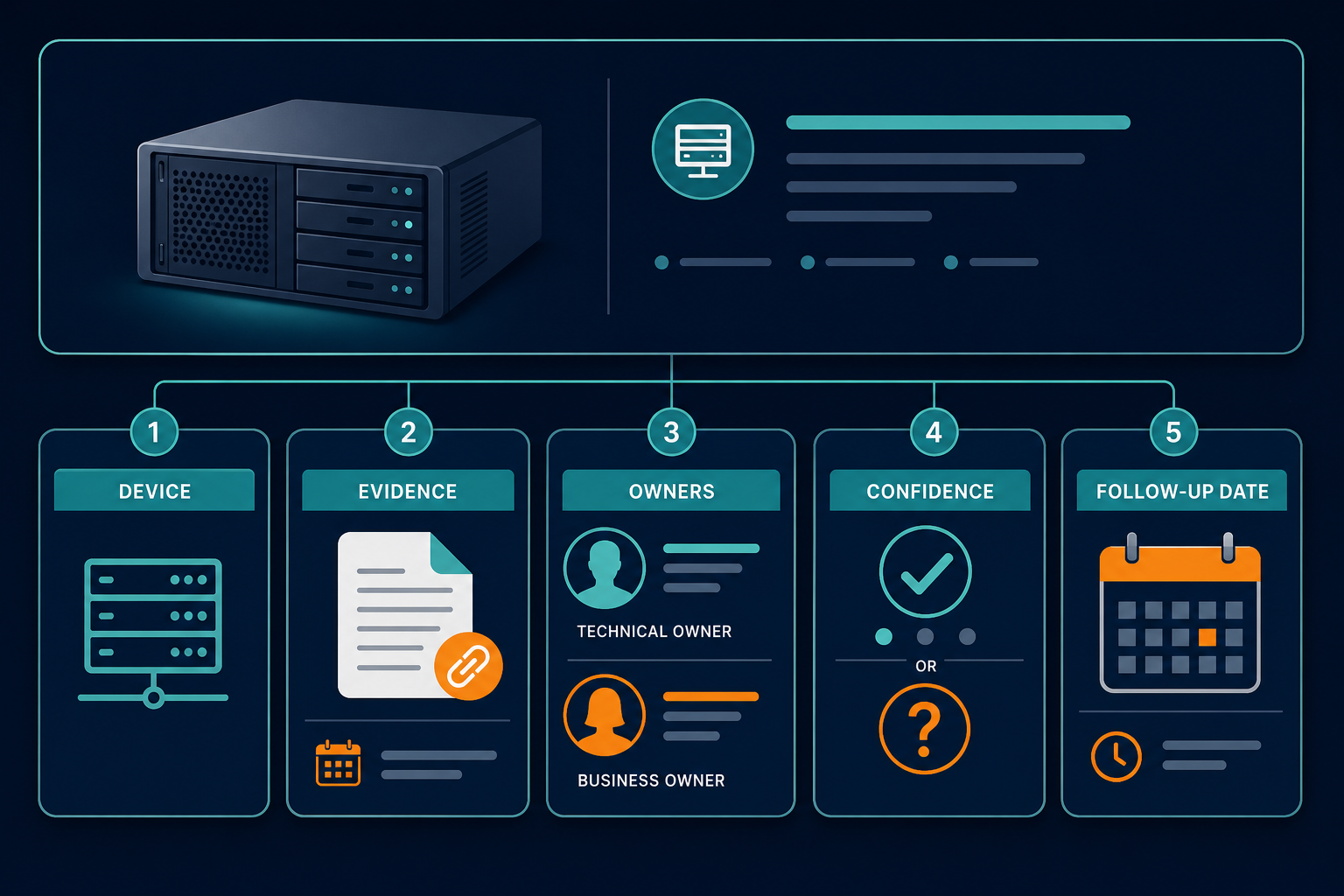
Mark each finding as confirmed, inferred, or unknown. A confirmed entry has evidence reviewed by someone qualified to validate it. An inferred entry has a plausible source but still needs checking. An unknown entry identifies information you have yet to find.
Keep the evidence and its date alongside the status. A confirmed owner from several years ago may need another conversation.
What exists in the inherited IT environment?
Start with the records your organization already has. Each source gives you a different view of the environment, and each has limits.
Directory records may show machines that joined a domain. Address management, monitoring, and backup systems provide other views of configured systems.
Cloud account records show resources within accessible accounts. Procurement records, contracts, and spreadsheets can supply equipment names and service details.
Write down the scope and date of each source. A monitoring list covers only the systems included in its configuration. A missing item may exist outside that source.
When comparing records, use a suitable stable identifier where available. A hardware serial number can help match a device across purchasing and inventory records. A cloud instance ID can help identify a particular cloud resource. Treat a hostname as supporting information because names can be reused or changed.
Keep conflicting values visible until you understand them. A recent spreadsheet edit does not establish recent verification. Record both sources and assign someone to check the discrepancy.
The Center for Internet Security’s asset inventory guidance calls for fields including machine name, owner, department, and network approval. It also calls for the inventory to be reviewed and updated at least twice a year, or more often.
For a new asset, capture its owner and status when it enters the environment. The same approach to asset intake records helps make later handovers easier to verify.
What should an inventory conflict record contain?
An inventory conflict record should retain each disputed value, its source, and the date it was collected. Add the person responsible for resolving the discrepancy and the next review date. Until the discrepancy is resolved, avoid using the disputed value as the sole basis for a change.
What depends on what?
A list of assets tells you which items appear in your records. Dependency information helps you understand which services may be affected when one item changes.
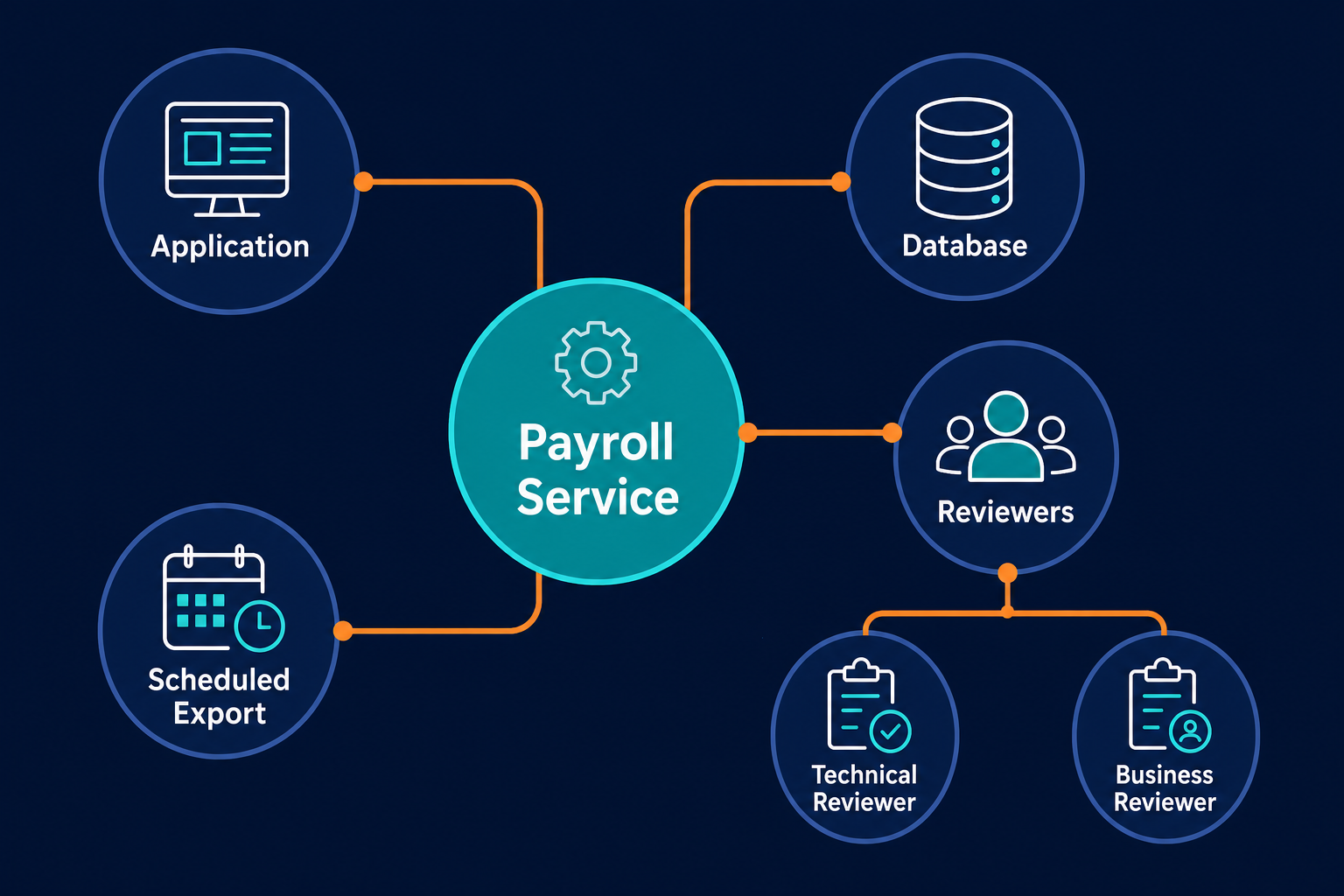
Start with a business activity and work toward the systems that support it. Ask a payroll user which applications and shared resources they need to complete a payroll run. Then identify the database, network connection, file transfer, or scheduled job involved.
A service can have dependencies that appear only during particular events. A monthly export may use a service account or a file location that ordinary daily activity never touches. An annual process may depend on a system that receives little attention during the rest of the year.
Compare the answers with available technical evidence. Review application documentation, connection records, scheduled tasks, job definitions, and relevant service accounts. Check whether the connection is still required and whether another path exists.
Document the direction of each relationship. “Payroll application uses payroll database” gives you more useful information than a line connecting two unlabeled boxes. Include the source, the date, and the person who can verify the relationship.
An observed connection is useful evidence, but it does not always explain its business purpose. A user or application owner may know whether that connection supports a production process, a test, or an obsolete task.
Mark unverified relationships as inferred, then arrange a review with the appropriate owner. Record gaps in the same way. If a team member says a scheduled report relies on a particular system, preserve that lead even before you can inspect the job.
Knowledge held by one engineer can be difficult to recover after a handover. A shared record helps the team identify relationships that still need investigation.
How can a sysadmin investigate a dependency that appears only periodically?
Ask users for the dates and triggers of periodic work, then inspect the relevant job configuration and execution history. A monthly task may call a file transfer or service account that ordinary traffic checks miss. Record the next expected run and arrange verification with its owner.
Who owns the systems you inherit?
An owner field is most useful when everyone understands what that person is expected to do. For important items, record both a technical owner and a business owner.
The technical owner is the person or team responsible for maintaining the item. They may handle configuration, troubleshoot issues, or coordinate changes. Record a team contact as well as a named person when the organization uses shared responsibility.
The business owner is accountable for how the service supports business work. They can explain the importance of a process, its timing, and who should be consulted before changes. One person may fill both roles in a small organization.
When ownership is unclear, start with the evidence around the item. Access lists can show who administers it. Ticket history may show who handled earlier incidents or requests. A cost center, purchase record, or vendor contract may point to the department funding it.
Ask the people who use the service who they contact when something goes wrong. Their answer may identify an informal support contact, even when the formal owner is elsewhere.
Record a provisional owner as inferred until that person or team confirms responsibility. Include the evidence you used and a date for the follow-up. If nobody accepts the assignment, leave it marked unknown and raise it with the relevant manager.
CIS includes the asset owner and department in its inventory guidance. A shared system record helps teams retain ownership details, but the people involved still need to confirm them.
What happens when technical and business ownership sit with different teams?
Separate ownership fields allow each team to confirm a different part of a decision. The technical owner can assess implementation and recovery steps. The business owner can identify affected users, important dates, and acceptable interruption windows before the change is approved.
How do you start a one-page record?
Create a record that another administrator can pick up and investigate. A spreadsheet can work as a starting point if its fields remain clear and someone maintains it.
Use one row per item. Include the item name, stable identifier, evidence source and date, environment, business service, technical owner, business owner, confidence, and next check.
The following illustrative rows retain uncertainty while identifying the next check.
| Item | Identifier | Source and date | Service | Owners | Confidence and next check |
|---|---|---|---|---|---|
| File server | Hardware serial FS-104 | Asset register, 10 Nov | Shared files | IT operations; business owner unknown | Inferred; ask department leads |
| Payroll database | Database record DB-22 | Application documentation, 12 Nov | Payroll | Database team; payroll manager | Confirmed; review before next change |
| Label printer | Hardware serial PR-018 | Procurement record, 8 Nov | Shipping | Technical owner unknown; shipping team | Inferred; confirm support contact |
| Firewall | Hardware serial FW-031 | Network inventory, 14 Nov | Several services | Network team; business owner unknown | Confirmed device; identify service contacts |
| Cloud storage account | Account resource ID ST-006 | Cloud account review, 15 Nov | Reporting | Cloud team; reporting manager | Inferred; verify account purpose |
Use an identifier suited to the item. Add a separate environment field, such as production or test.
Give network devices their own rows. Switches, routers, firewalls, and access points can support several services, so their owners and locations deserve the same attention as application records. Use a network inventory record to capture details relevant to those devices.
Add a coverage note above or beside the table. List the network segments, cloud accounts, credentials, and sources you could not inspect. An empty result from a limited search does not establish that the environment contains no other assets.
Choose a review rhythm and assign responsibility for maintaining the record. CIS provides a twice-yearly minimum for its enterprise asset inventory safeguard; teams can review more often when changes warrant it.
What should you ask people during the handover?
Ask the same practical questions of support staff, service owners, and regular users. Their answers will reveal different parts of the environment.
- What stops working first when this system is unavailable?
- What runs only at month-end or year-end?
- Who do you call when the service has a problem?
- What did the previous administrator tell you to avoid changing?
- What information do you wish had been written down?
Follow each answer with a request for evidence or a useful contact. A person may point you to an old ticket, a job schedule, or a contract that explains the answer.
Keep disputed answers together rather than choosing one immediately. Teams may know different parts of the same system. Record who gave each answer and arrange a joint review when needed.
A quarterly report user may know about dependencies that the daily support team rarely encounters.
How can Virima support the starting record?
Virima IT discovery can provide inventory evidence on a schedule within the configured scope. It supports agent-based, agentless, and API-based discovery methods. The results depend on the coverage, access, and credentials configured by the team.
Compare discovered assets with existing records. Virima’s configuration management database can hold configuration items and their relationships for review.
People still need to establish the business meaning of those records. Confirm who owns a service, whether an observed relationship supports a current process, and which missing areas need further investigation.
After customers supply service definitions, ViVID™ builds service dependency maps. Service owners can review the maps against their applications and business processes.
Keep a record of what discovery could not reach. A network segment outside the configured scope or an inaccessible account remains an open question until someone checks it through another source.
Build on what you have confirmed
Use confirmed inventory, relationships, and owners to prepare questions for upcoming changes.
For the broader concept behind discovery-sourced records, explore Trusted Runtime Truth, including what exists, how it connects, what changed, what could break, and who owns it.
Virima’s first-month sysadmin plan provides a follow-on structure for the work involved in taking over an environment.
Frequently Asked Questions
What should a new sysadmin learn first about an inherited IT environment?
Start with the inventory, the relationships between systems, and the people responsible for them. Record the evidence behind each answer and mark uncertain findings for follow-up with an appropriate owner.
How do I find the owner of an undocumented system?
Review access lists, support tickets, purchase records, and vendor contracts. Ask users who they contact about the system, then confirm the proposed technical and business owners with those people.
How can I find dependencies that nobody documented?
Ask users about the systems they rely on, including periodic tasks. Compare their answers with connection records, scheduled jobs, service accounts, and application documentation, then ask an owner to validate each relationship.
Can Virima help build an inventory of an inherited environment?
Virima can discover assets within the scope and access configured by the team. Administrators can compare the results with existing records and document areas that still need investigation.
Can Virima map dependencies for an inherited service?
ViVID™ can build a service dependency map after the customer supplies the service definition. Service owners should review the output and investigate relationships that remain uncertain or outside discovery coverage.