IT Discovery Agent or Agentless? Windows, Linux, and Network Gear Disagree

In July 2022, the Cyber Safety Review Board published its review of the Log4j event. One finding applied to every infrastructure team: system owners may not know where vulnerable software lives within their environments. Its recommendations included developing the capacity to maintain an accurate IT asset and application inventory — the same inventory that feeds the CMDB teams lean on during an incident.
An accurate inventory starts with how you collect it, which makes the IT discovery agent or agentless decision a practical one, not a philosophical one. Most estates need both methods: Virima’s guidance discovers network gear agentlessly over SNMP and SSH, discovers most servers agentlessly, and covers roaming laptops with the agent. Get the split wrong by segment and the CMDB inherits the gap — a laptop an agentless scan can’t reach, or a switch an agent can’t run on, shows up later as stale or missing CI data, not as an obvious scanning failure.
The sections below take Windows, Linux, and network gear in that order, using what Virima and Microsoft document.
What is an IT discovery agent, and what does it change?
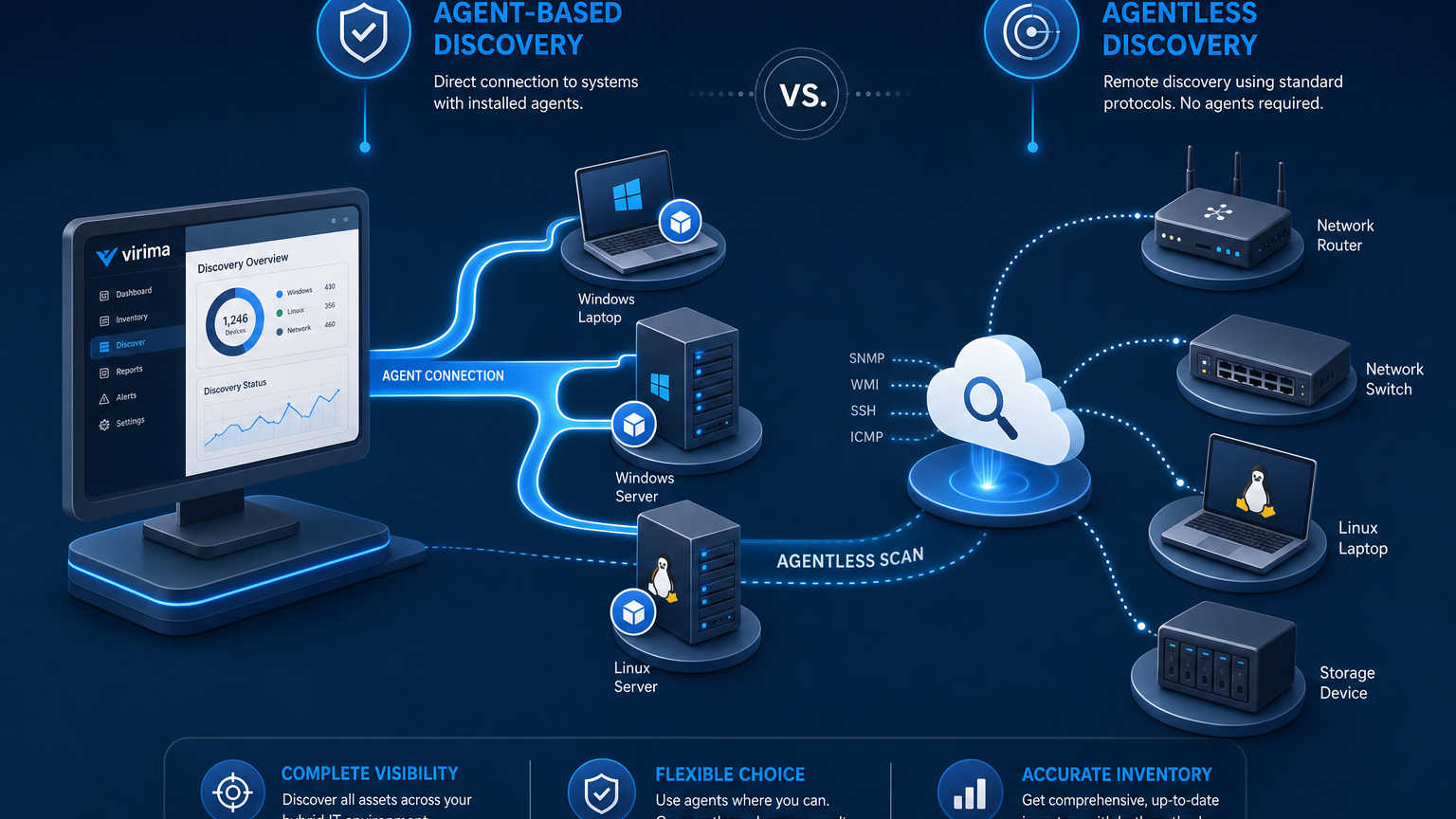
An IT discovery agent is software that runs on the host, collects configuration, software, and usage data locally, and reports to a collection point. Agentless discovery collects the same kind of data remotely, over protocols the host or device already speaks.
Virima’s discovery agent runs on Windows, macOS, and Linux. The FAQ names Windows desktop versions 7 and later, Windows Server 2000 and later, and “many versions of Linux and macOS.” Verify the Windows Server 2000 baseline is still current before quoting it to a prospect, since that OS is long out of support and the FAQ may simply not have been updated. The Linux versions are not listed either, so get the distribution list before you plan a rollout. The agent deploys from the Discovery App or through software distribution tools such as SCCM and Intune.
Scan frequency is set in the Discovery App and pushed to the agent. If the agent cannot reach the Discovery App at scan time, it skips that scan and holds the pending data until the connection returns. Remote devices report over secure internet communication to a cloud-based Discovery App.
Agentless discovery runs from the Discovery App itself. Virima describes over 140 extendable probes across SNMP, WMI, SSH, and other protocols, with credentials encrypted on-device and kept on a server you own. The v6 documentation lists a 64-bit Windows host with at least 8 GB of RAM for the Discovery App, so confirm current requirements.
Agentless discovery gives you a credential and network-reach problem to manage. An agent gives you the reverse: fewer credentials and open ports, plus a resident process to deploy, update, and retire.
What is the difference between agent-based and agentless IT discovery?
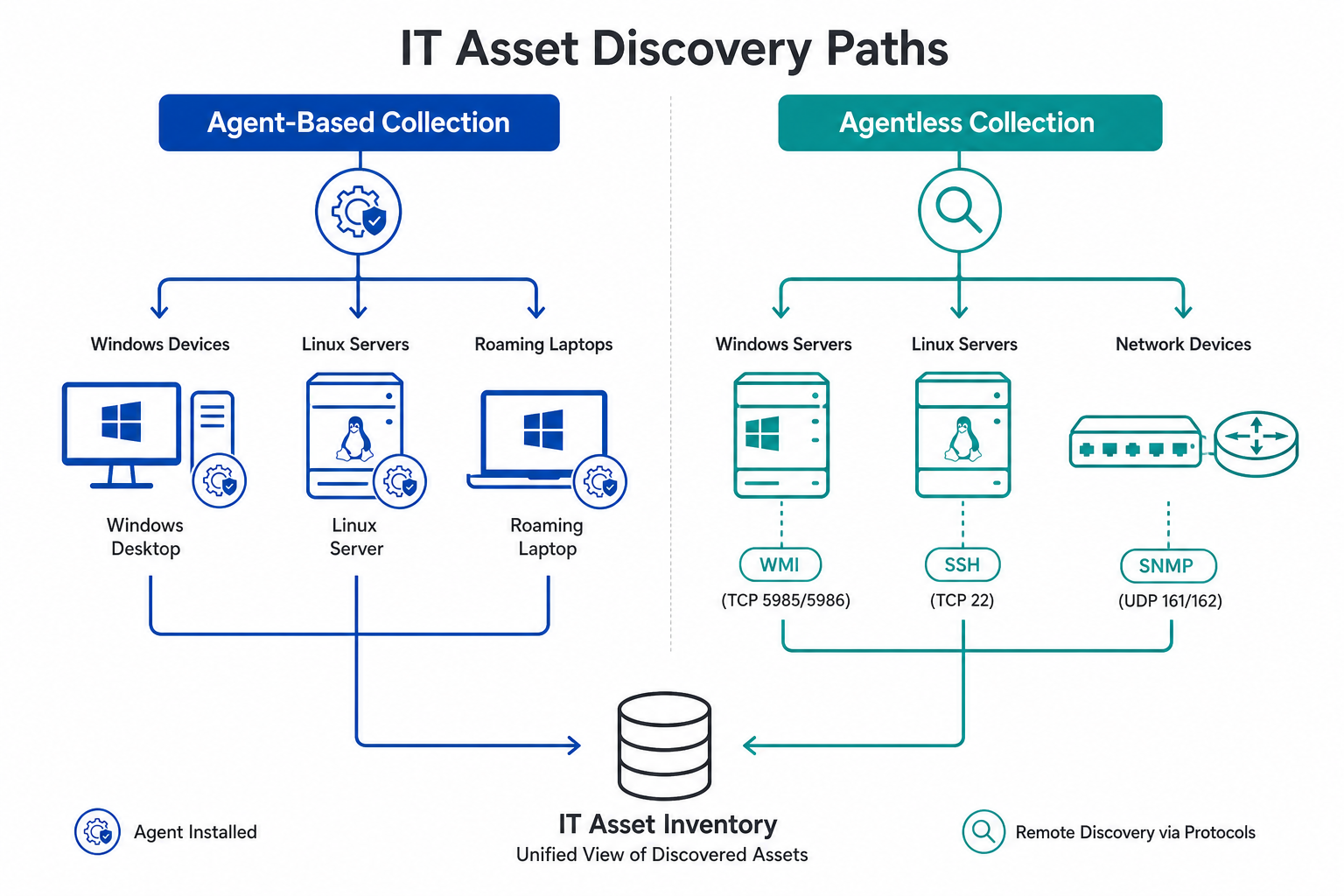
Agent-based discovery runs software on each host that collects data locally and reports to a collection point. Agentless discovery collects the same kind of data remotely over protocols such as WMI, SSH, and SNMP. Agents reduce open ports and credentials but add a process to maintain, while agentless scans need credentials and network reach.
Agent or agentless: the decision for each segment
| Segment | Default | Switch to an agent when | What Virima documents |
|---|---|---|---|
| Windows servers and desktops on the corporate network | Agentless over WMI | WMI reachability, or credentials are blocked, or you want host-side change history and software usage | Ports 135, 137, 138, 139, and 445 to Windows targets |
| Windows and macOS laptops that roam | Agent | Always | Data stored while off the network; secure internet reporting |
| Linux servers | Agentless over SSH | SSH credential access is restricted by policy, or the Discovery App cannot reach the hosts | SSH probes; agent support for many Linux versions, list unpublished |
| Switches, routers, firewalls, access points | Agentless only | Agents are unavailable on this gear | SNMP on port 161 and SSH; SNMP v2c and v3 |
Virima’s comparison of agent-based and agentless discovery covers the general trade-offs. The sections below cover the engineering details for each segment.
Windows: ports, credentials, and remote execution
Agentless IT discovery for Windows over WMI depends on three things Microsoft documents: DCOM settings, firewall exceptions, and account rights. Microsoft’s WMI connectivity troubleshooting guide says remote WMI connections are affected by User Account Control and Windows Firewall. It also says that by default only members of the Administrators group can access the WMI namespace remotely.
Virima’s IT discovery FAQ states that agentless scanning needs admin credentials, which matches that default. If your policy forbids admin accounts on scan targets, Microsoft documents a narrower path: add the account to the Distributed COM Users group and grant Remote Enable on the WMI namespace. Confirm with Virima whether its probes run under such an account.
Virima’s v6 documentation lists ports 135, 137, 138, 139, and 445 for Windows targets. Microsoft’s port requirements reference explains what they do. Port 135 is the RPC endpoint mapper, which tells clients which dynamic port to use, and the default dynamic range on Windows Server 2008 and later is 49152 to 65535. The same reference marks the NetBIOS ports 137 to 139 as optional, because Windows 2000 and newer clients can work over 445.
Two questions follow. Does a WMI scan need the RPC dynamic range open between the Discovery App and your targets? Are ports 137 to 139 required in your configuration, or only 135 and 445? Microsoft also lists the WinRM defaults as TCP 5985 for HTTP and 5986 for HTTPS, but Virima’s documentation does not list WinRM, so plan around WMI.
One more detail deserves your security team’s review. Virima’s scan configuration documentation describes PAExec, a third-party package bundled inside the Discovery application, which logs in to remote Windows machines and executes probes. Ask what it leaves on the target before you approve it.
The agent addresses the credentialing concerns of agentless server discovery. Virima does not state the traffic direction or ports the agent uses, so request both in writing. If your firewall policy is the reason you are evaluating agents, that answer decides the evaluation.
Linux: SSH reach and who owns the key
Agentless Linux discovery rides SSH, which makes the credential the main design question — this is the Linux SSH discovery agent trade-off in practice: one SSH credential per host versus one resident process per host. Each host needs a credential, and someone has to own its policy. CIS’s SSH hardening benchmark recommends a dedicated service account with key-based authentication over a shared root credential for exactly this kind of remote, scripted access — a standard worth applying to whatever account the scanner uses. Virima does not state what access level its SSH probes need, so ask whether a dedicated read-only account is enough.
Virima’s scan configuration page says a matched credential is associated with the host and tried first on later scans. After you rotate a credential, confirm how the scanner reports the hosts that stop matching, and track authentication failures per segment. In mixed estates, the most common failure mode isn’t the scan itself — it’s a rotated credential that silently stops collection on a handful of hosts until someone notices the CMDB has gone quiet on them.
An agent suits Linux hosts where SSH access is restricted or unreachable from the Discovery App. Because the supported distribution list is unpublished, test the exact images you run, including your hardened baseline.
Network gear: SNMP version, privilege level, and no agent option
Switches, routers, and firewalls do not run third-party agents, so SNMP network device discovery comes down to protocol and privilege, not agent versus agentless.
The SNMP version is the first decision. CISA’s alert on reducing the risk of SNMP abuse states that with SNMPv1 or v2, an adversary could sniff traffic to find the community string. SNMPv3, by contrast, can authenticate and encrypt payloads. CISA recommends SNMPv3 at the highest security level the device supports, which is authPriv on most devices, paired with SNMP views that limit which OIDs can be read. Virima’s documentation accepts community strings for v1 and v2 and user ID and password for v3, so you can choose v3 wherever the device supports it.
Privilege is the second question. Virima’s network vendor discovery guide says Cisco switch stack discovery over SSH requires privilege level 15 or equivalent for the commands it runs. Ask whether a narrower role can run those commands in your environment. The same guide discovers Juniper, Aruba, Fortinet, and APC devices over SNMP, and it calls SNMP the primary protocol because it is read-only.
Relationship data needs a source as well. CDP and LLDP neighbor data shows which device connects to which, so compare that output with your topology source of truth during the bake-off. Rotated SNMP community strings can halt collection without an obvious error, so monitor collection per device and not only per run.
What each method can and cannot see
Depth is the other axis to weigh. Virima’s guidance describes agents as capturing deeper endpoint data: hardware and software inventory, registry state, change detection with history, software usage, and unauthorized installations. Agentless probes collect configuration attributes remotely, so they see what the protocol exposes.
Virima’s published agent and discovery pages describe host and device inventory, software, and configuration data. They do not describe discovery of components embedded inside other applications, which is the Log4j scenario from the opening. Ask Virima directly how that case is handled.
Once you’ve settled which method covers each segment, Trusted Runtime Truth is what keeps that discovery-sourced data current across every collection path without manual reconciliation.
What you operate after you choose
| Operational concern | Agentless | Agent |
|---|---|---|
| Credentials | One per platform, stored on a server you own, rotated by you | Fewer credentials needed |
| Network path | Discovery App must reach every target on the right ports | Agent must reach the Discovery App, direction and ports to confirm |
| Lifecycle | No software on targets | Deploy, update, and retire the agent |
| Health signal | Authentication failures and unreachable hosts per scan | Last successful check-in per host |
| Host impact | CPU and network use during the scan window, with throttling | A resident process on every host |
Scheduling needs its own decision. Virima’s guidance recommends a recurring cadence over one-time sweeps, and varied scan windows so devices that are only online at certain hours get caught.
Agent updates need an owner. The IT discovery page says agent versions update automatically, while the agent page recommends keeping the agent updated. Ask which applies to your deployment, because the answer decides who owns patching.
The health signal row deserves its own alert. The agent skips a scan when it cannot reach the Discovery App, so a CI that looks unchanged may not have been scanned at all. Alert on time since the last successful collection per CI, whichever method you pick.
When both methods see one host
Mixed estates produce two reports about the same server. Virima’s IT discovery page says cloud data is reconciled into the same CI record as agent and agentless data. Reconciliation works by attribute, with a rule for which source wins each field. Virima’s post on last-scan-wins overwrites explains why recency alone makes a poor tie-breaker. That single, reconciled CI record is also what feeds Virima’s ViVID™ service maps — so the dependency map an incident responder pulls up during an outage is only as accurate as the reconciliation rule that built the CI underneath it.
How does discovery reconcile data when an agent and an agentless scan see the same host?
Reconciliation compares the two reports attribute by attribute and applies a rule for which source wins each field, then writes one CI record. Recency alone makes a poor tie-breaker, because the latest scan can overwrite a more reliable value. Cloud data joins the same record through the same rules.
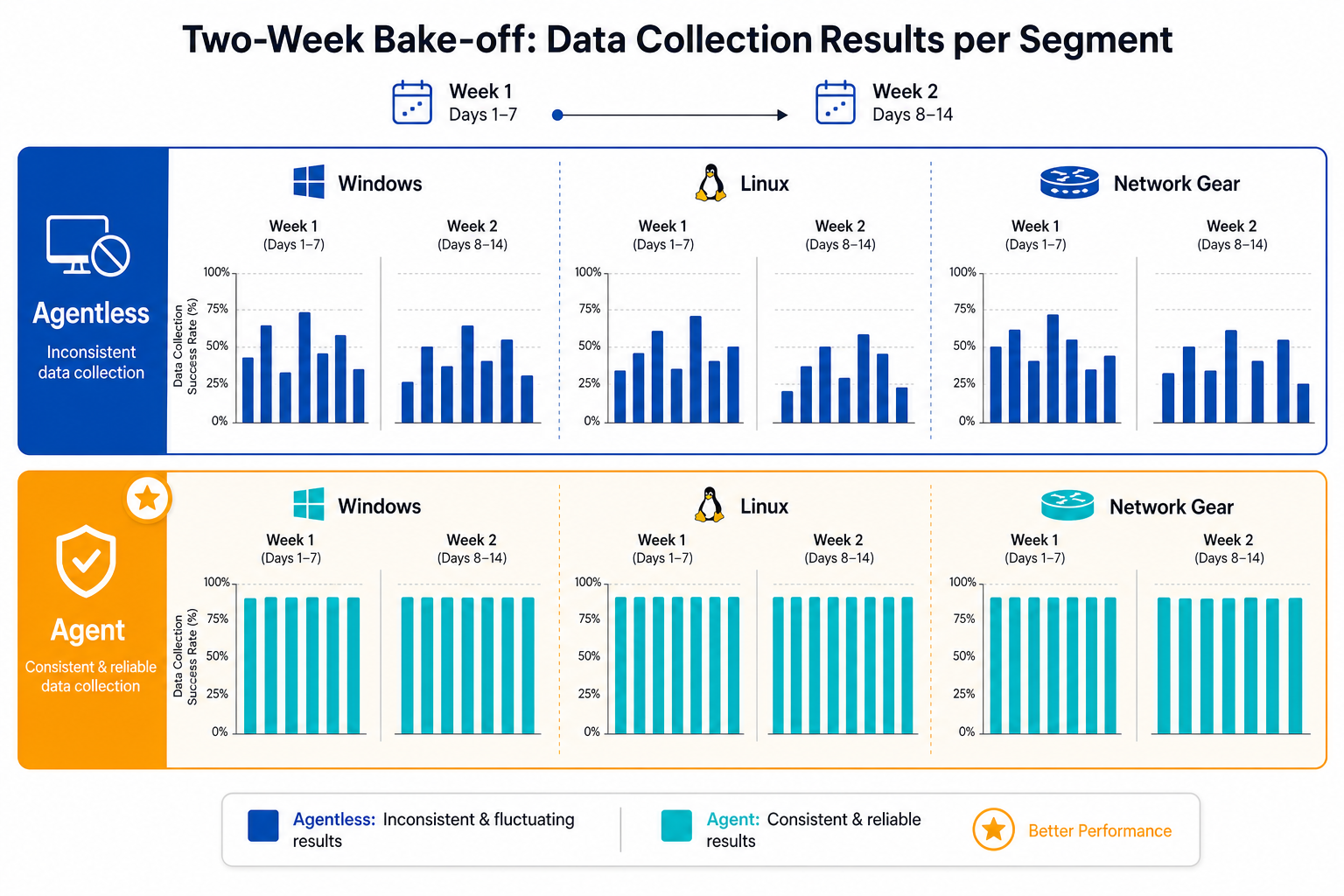
A two-week bake-off on your own estate
Run both methods against the same hosts and compare the results.
- Pick one sample per segment: choose a modest set of Windows servers, Linux servers, and network devices, including at least one host behind each firewall boundary you care about.
- Run agentless first: record scan success rate by segment, authentication failures, and the firewall change requests it took to get there.
- Deploy the agent on the Windows and Linux samples: record deployment effort, check-in success, and any host impact your own monitoring shows.
- Compare against ground truth: diff the discovered software list against what the package manager or installed-programs list reports on a handful of hosts.
- Measure freshness: track hours since the last successful collection per CI for each method over the two weeks.
- Decide per segment: the data should support a different answer for laptops, servers, and network gear.
Specs to request before you start
- Agent traffic: direction, ports, and proxy support.
- Agent footprint: CPU, memory, and disk use under load, which the agent page does not publish.
- Update path: automatic or managed, and how to pin a version.
- Linux coverage: the supported distribution and kernel list.
- PAExec behavior: what it writes to targets and how it is cleaned up.
- SNMPv3: support for authPriv and a read-only view.
- Network privilege: the minimum role for Cisco SSH discovery.
Test both methods on your own hosts
Bring the segment list from your bake-off, and use the checklist below to confirm you have what each method needs before you run it with Virima IT discovery.
Turn the checklist above into a document your team can act on: download the Agent vs. Agentless Evaluation Checklist and work through ports, footprint, update path, and privilege requirements segment by segment before your next rollout.
Frequently Asked Questions
What is an IT discovery agent?
An IT discovery agent is software installed on a host that collects configuration, software, and usage data locally and reports to a discovery server. It keeps working off the corporate network and trades credential and port requirements for a process to maintain.
Is agentless or agent-based discovery better for Linux servers?
Agentless over SSH is the usual default, since it needs no installed software but does need credentials and network reach. An agent fits hosts where SSH access is restricted. Test your exact images before rollout.
Can you run a discovery agent on network devices?
Switches, routers, firewalls, and access points do not run third-party agents. They are discovered agentlessly over SNMP and SSH. CISA recommends SNMPv3 at the highest available security level, because SNMPv1 and v2 expose the community string to anyone sniffing traffic.
Does Virima agentless discovery need credentials?
Yes, agentless scanning needs network reach and credentials, such as admin credentials for Windows and SSH credentials for Linux. Virima states that credentials are encrypted on-device, stay on a server you own, and are never transmitted externally.
Can Virima use agent and agentless discovery on the same estate?
Yes, and most mixed estates should. Virima reconciles agent, agentless, and cloud data into one CI record, using attribute-level rules to decide which source wins a conflict instead of trusting whichever scan ran last.