Which Asset Inventory Software Syncs With Intune, Jamf, and Google Workspace?

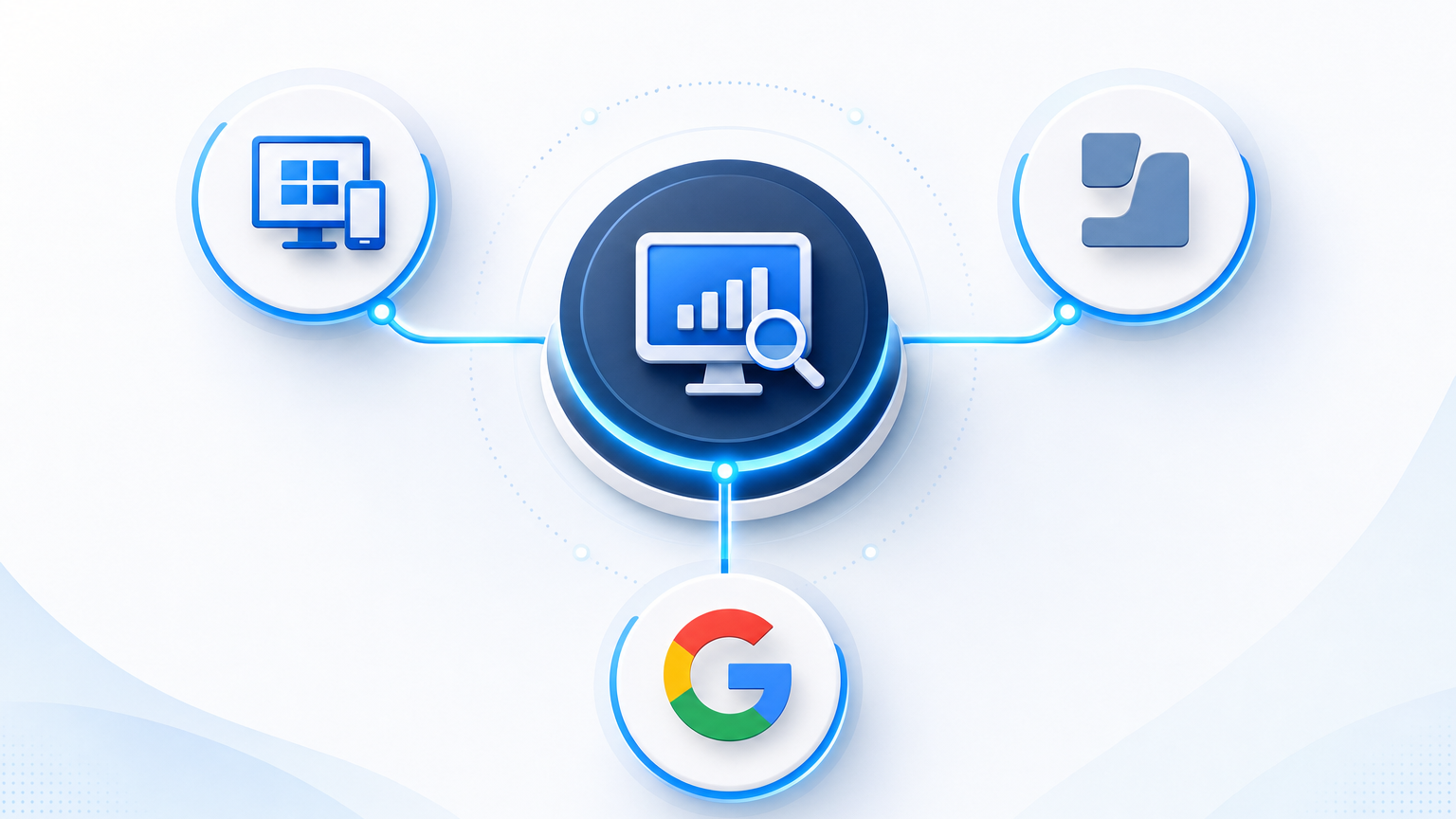
EZO AssetSonar documents integrations with Microsoft Intune, Jamf Pro and Google Endpoint Management, so it covers all three consoles in one inventory. Harmony.io lists device sync from Intune and Jamf Pro, and Asset Panda lists Jamf Pro and Google device sync, so each covers two of the three. A connector only copies what its console already knows, so devices that never enrolled in any console stay missing from the result. The useful shortlist test checks what each sync brings over, how duplicate records merge, and how the tool finds everything outside the three consoles.
What Intune, Jamf and Google Workspace each contribute to an inventory
Each of the three consoles covers a different slice of the device fleet, which is why a mixed environment needs more than one connector.
Intune covers Windows laptops and desktops, enrolled macOS devices and managed mobile devices. Its device records include serial number, operating system version, compliance state and last check-in time, as described in the Microsoft Graph managedDevice reference. Compliance state is the field that audit teams ask for first.
Jamf covers Mac computers and Apple mobile devices. The Jamf Pro API exposes computer inventory with hardware details, installed applications, storage and user assignment. Teams that run Jamf usually hold richer Mac software data there than in any other tool in the stack — which is why Jamf asset inventory integration typically brings more detailed software and hardware data into an inventory than an MDM-only connector can.
Google Workspace covers ChromeOS devices and mobile devices managed through Google endpoint management. The Admin SDK ChromeOS devices resource returns serial number, status, organizational unit and last sync time. Google Workspace also holds the user and organizational unit data that shows who a device belongs to, which is what most people mean by Google Workspace device inventory sync in practice.
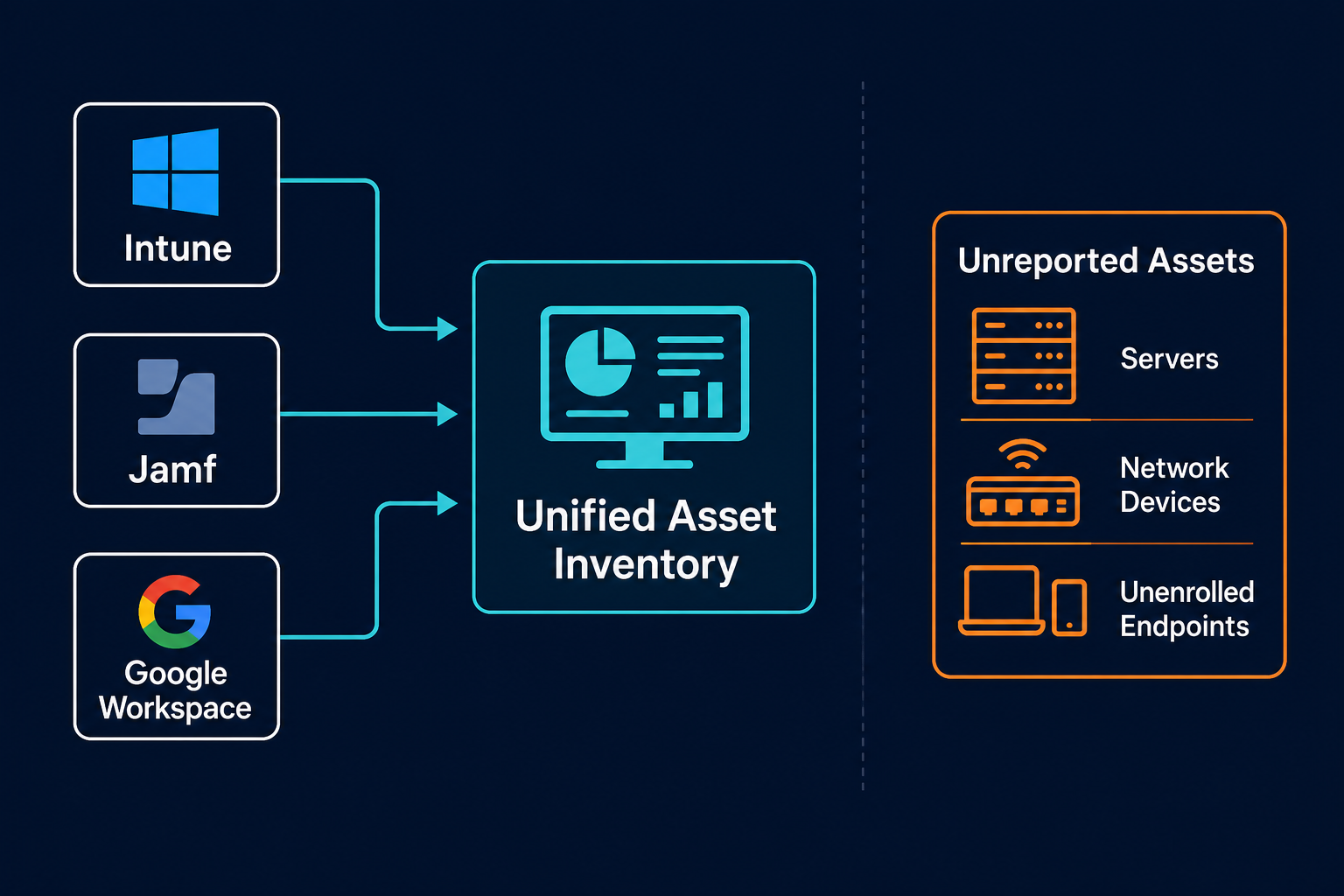
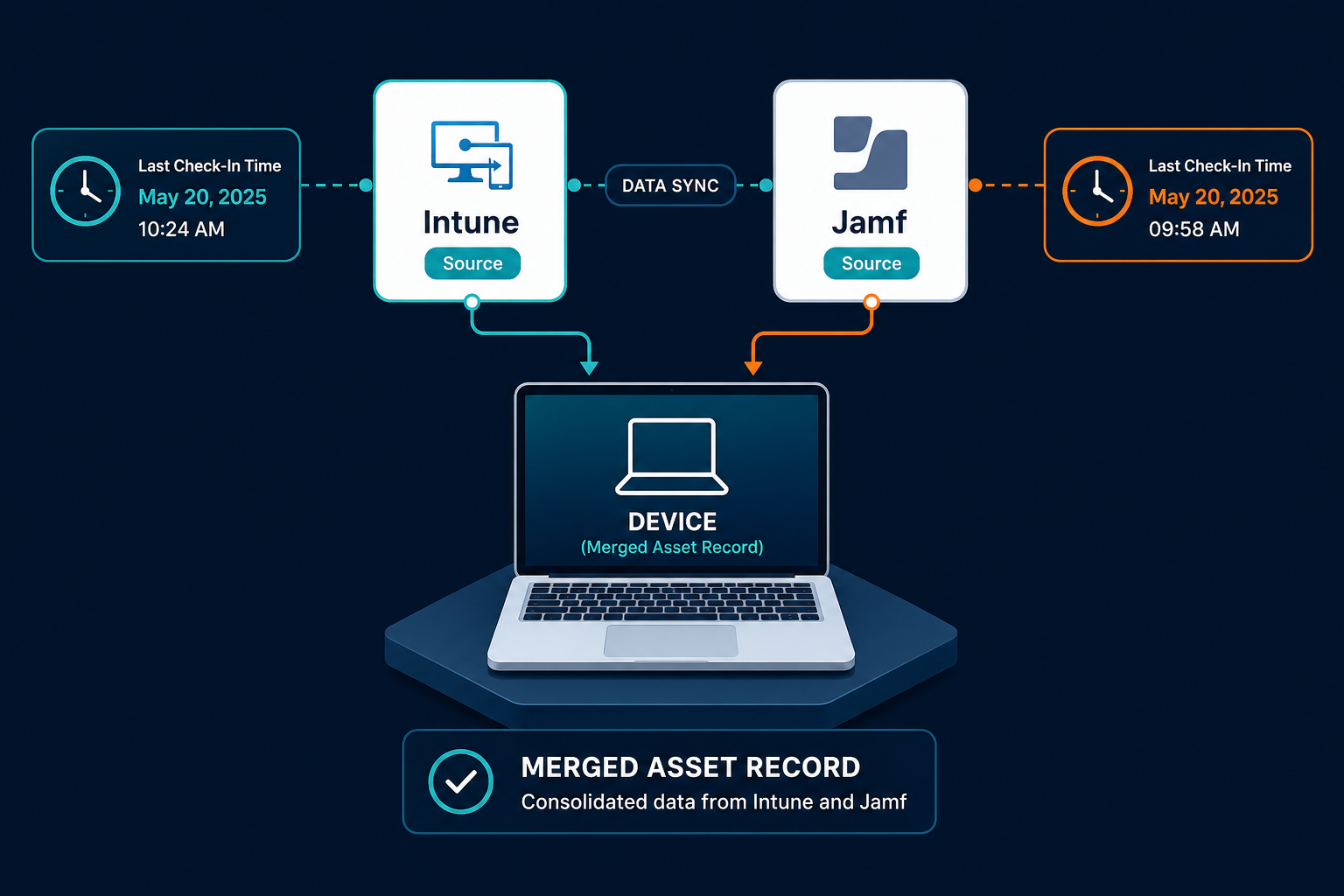
An organization that runs all three consoles typically has overlap. A MacBook can appear in Jamf for Apple management and in Intune for compliance policy. The inventory tool has to recognize those two records as one laptop.
Four checks that separate a real sync from an import
Connector lists on vendor pages look similar. These four checks reveal the differences.
Scheduled pull or one-time import
A scheduled pull refreshes records on a set interval and marks devices that disappear from the console. A one-time import creates a snapshot that ages from the day it runs. Ask how often each connector runs, what happens to a device that drops out of a console, and whether retired devices are flagged or silently left in place. The same questions apply to cloud and Intune imports into a CMDB, where scheduling and record lifecycle decide how accurate the data stays.
Field coverage
A connector that brings over only hostname and serial number leaves compliance state, last check-in, assigned user and installed software behind. List the fields your audit and security teams use, then ask which ones each connector maps.
One-way or two-way
A one-way sync reads from the console into the inventory. A two-way sync can write values such as asset tags or ownership back to the console. Most teams need one-way reads first, and two-way write-back matters when the console is the place technicians look every day.
Duplicate handling across consoles
This check decides whether the inventory is trustworthy. When the same laptop appears in Intune and Jamf, the tool needs a rule for merging the two records into one asset and a rule for which console wins when fields disagree.
Why hostname fails as a matching key across Intune and Jamf
Duplicate handling depends on the key that joins records. Hostname looks convenient because every console reports it, but it breaks in ordinary conditions. Users rename laptops, imaging processes reuse names, and Chromebooks and Macs follow different naming habits from Windows machines.
Serial number is the durable key for physical devices. Cloud instance ID plays the same role for virtual machines in AWS and Azure. When a vendor demonstrates a sync, ask which key the merge uses. A tool that matches on hostname will create duplicates or merge two different machines into one record, and both errors surface during the next audit.
Serial numbers have their own edge cases. Virtual machines may report none, and some enrolled personal devices report limited data. A good merge uses serial number first, falls back to other durable identifiers, and sends unmatched records to a review queue so a person decides.
The gap no connector closes
Intune, Jamf and Google Workspace only report devices enrolled with them. That leaves a large set of assets outside every console:
- Servers, including physical hosts and virtual machines
- Network infrastructure such as switches, routers and firewalls
- Cloud workloads in AWS and Azure
- Printers, IoT devices and lab equipment
- Laptops that were never enrolled, or that fell out of enrollment
This is not a small edge case. Palo Alto Networks’ 2025 Device Security Threat Report, based on more than 27 million connected devices across 1,803 enterprise customers, found that 32.5% of devices on corporate networks operate outside IT control. An MDM or endpoint console only ever accounts for its own enrolled slice of that number.
A sync cannot report what a console does not hold. If the inventory feeds audit evidence, security response or change planning, those missing assets are the ones people discover during an incident. This is the gap worth testing for before signing anything — the vendor-neutral checklist later in this article gives you the specific questions to ask.
IT discovery closes this gap by scanning the network and cloud accounts directly on scheduled cycles. It finds devices by what responds, so enrollment status does not decide whether an asset appears. Comparing the discovered list with the console lists then shows which devices sit outside management, which is a finding in its own right.
Where Virima fits in a mixed device estate
Virima treats console data as one input and discovery as the authority layer. Virima connects to Microsoft Intune to track managed endpoints and align device data with assets. Alongside that, agent-based and agentless discovery inventories servers, network devices, virtual machines and cloud assets in AWS and Azure. Discovery also records hardware details such as serial numbers and OS versions for reconciliation.
That reconciled record also feeds Virima’s ITAM capability, which tracks hardware lifecycle, license assignment and contract details once discovery and console data agree on what exists. When a console and discovery disagree on a field, such as an OS version or last-seen date, Virima keeps the most recently reported value and retains which source reported it, so the record reflects discovery-sourced ground truth rather than whichever system reported first.
A laptop reported by a console and also found by discovery becomes one record with both sets of evidence, and a device found only by discovery stands out as unmanaged. Virima runs scheduled discovery cycles, so the inventory refreshes on a defined interval.
See how Trusted Runtime Truth reconciles console data with discovery to understand how discovered and imported records become one authoritative asset view.
A vendor-neutral checklist for your shortlist
Take this table into every vendor conversation. The answers matter more than the connector logo.
| What to verify | Intune | Jamf | Google Workspace |
|---|---|---|---|
| Sync frequency and schedule control | Typically 4–24 hours by default; confirm with vendor | Typically 4–24 hours by default; confirm with vendor | Typically 4–24 hours by default; confirm with vendor |
| Fields available from the console | Serial, OS, compliance state, last check-in, user | Serial, hardware, applications, user | Serial, status, org unit, last sync |
| Retired device handling | Flagged or left in place? | Flagged or left in place? | Flagged or left in place? |
| Merge key across consoles | Serial number | Serial number | Serial number |
| Direction | Read, write-back or both | Read, write-back or both | Read, write-back or both |
| Authentication scope | App registration permissions | API role permissions | Service account permissions |
On authentication scope, permission scope matters for security review. Read-only API permissions are enough for inventory, and any request for broader rights deserves a question about why.
After the connectors, test what the tool finds without them. Ask the vendor to show a server, a switch and an AWS or Azure workload in the same inventory as an Intune-managed laptop. A tool that shows all four has an inventory. A tool that shows only the laptop has a console report. A comparison of asset management software gives a broader view of how the category handles this.
What a trustworthy mixed-fleet inventory looks like
A trustworthy inventory has four properties. Every record carries a durable key, either a serial number or a cloud instance ID. Every record shows which sources reported it and when each source last did. Devices found by discovery but missing from every console are listed as unmanaged. Devices that stopped reporting are flagged as stale, so they do not sit in the inventory as live assets.
These properties let a security team answer which laptops lack a compliance record. They let an auditor sample assets with evidence, and let a change manager see what a maintenance window touches. Connector count does not produce any of them. Record matching, scheduled refresh and discovery coverage do. For a closer look at how reconciliation logic decides which source wins when records disagree, see Multi-Source CMDB Reconciliation: Why Last-Scan-Wins Destroys Data Quality.
Why does an inventory synced from MDM consoles still miss devices?
MDM and endpoint consoles report only devices enrolled with them. Servers, network equipment, cloud workloads and unenrolled laptops never appear, so a synced inventory reflects the managed fleet. Network and cloud discovery finds assets by what responds, which exposes the devices that sit outside management.
Choosing your next step
Start with the consoles you run today and list the fields your audit, security and service teams need from each. Ask every shortlisted vendor to demonstrate scheduled sync, the merge key and handling of a retired device. Then ask to see servers, network gear and cloud workloads in the same inventory.
Take the vendor-neutral checklist above into your next vendor conversation — it covers the sync frequency, field coverage, merge key and authentication questions worth asking Intune, Jamf and Google Workspace vendors alike. When you’re ready to see how Virima pairs scheduled discovery with console data to close the gap no sync can, schedule a demo to see how it handles your mix of Intune, Jamf, Google Workspace, servers and cloud workloads.
Frequently Asked Questions
Can one asset inventory tool sync Intune and Jamf at the same time?
Yes, several IT asset management tools support both connectors in one inventory. The deciding factor is how the tool merges a device that appears in both consoles. Ask which key it matches on, and prefer serial number over hostname.
How do you avoid duplicate laptops when a device sits in Intune and Jamf?
Merge records on a durable key such as the serial number, and define which console wins when fields disagree. Send records that fail to match to a review queue. Hostname matching creates duplicates because names change.
Does a Google Workspace sync include Chromebooks?
Google Workspace holds ChromeOS device records through its Admin SDK, including serial number, status and last sync time. A connector that reads that resource brings Chromebooks into the inventory. Confirm that the connector maps these fields before you buy.
Why do synced inventories still miss devices?
Consoles report only enrolled devices. Servers, network equipment, cloud workloads and laptops that were never enrolled do not appear in any of them. Network and cloud discovery finds those assets directly.
Does Virima sync with Intune?
Yes, Virima connects to Microsoft Intune to track managed endpoints and align device data with assets. Virima also runs agent-based and agentless discovery for servers, network devices, virtual machines and AWS and Azure assets.
How does Virima merge devices synced from Intune and Jamf into one asset record?
Virima matches devices on serial number across sources, so a laptop reported by both Intune and Jamf becomes a single asset with both sets of evidence rather than two records. Devices discovery finds but no console reports are flagged as unmanaged.