Alternative to Cloudaware CMDB Explore Virima CMDB for multi-cloud environments

Multi-account search finds the instance, load balancer, and security group you needed. Tag coverage looks tidy in the cloud console view. Then CAB asks which on-prem systems and business services still depend on the change path after last week’s hybrid moves, and whether discovery refreshed those CIs outside the cloud accounts. A strong multi-cloud CMDB does not automatically answer hybrid blast radius under ITSM tickets.
That is the CloudAware CMDB decision in practice. CloudAware fits teams that need multi-cloud aggregation, multi-account search, tagging and governance workflows, and a cloud-ops CMDB view across major providers and many connected sources. Teams evaluate an alternative when hybrid on-prem and data center CIs, discovery-sourced inventory under ITSM, and service dependency maps for change risk are the binding gap. Virima is a discovery-sourced ITAM and CMDB layer with service mapping under ITSM. It does not replace every CloudAware cloud-ops workflow for every team.
This guide covers CloudAware CMDB features and limits, where a cloud-centric CMDB is enough, and how to choose stay, augment, or Virima paths without a false rip-and-replace frame.
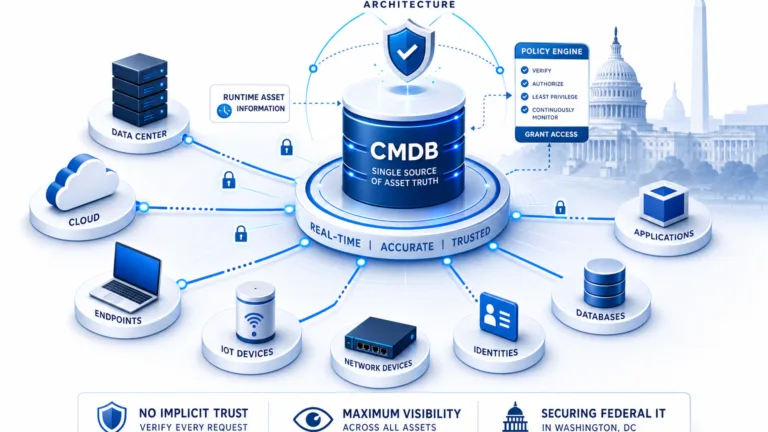
| When change and incident decisions need current hybrid IT CIs and service paths, not only multi-cloud search, the missing layer is discovery-sourced runtime accuracy. Explore Trusted Runtime Truth. |
When is CloudAware CMDB enough, and when do teams evaluate an alternative?
CloudAware CMDB fits teams that need multi-cloud aggregation, multi-account search, tagging and cloud governance in one cloud-ops CMDB. Teams evaluate an alternative when hybrid on-prem and data center CIs, discovery-sourced inventory under ITSM, and service dependency maps for change blast radius are the binding gap.
Overview of CloudAware CMDB
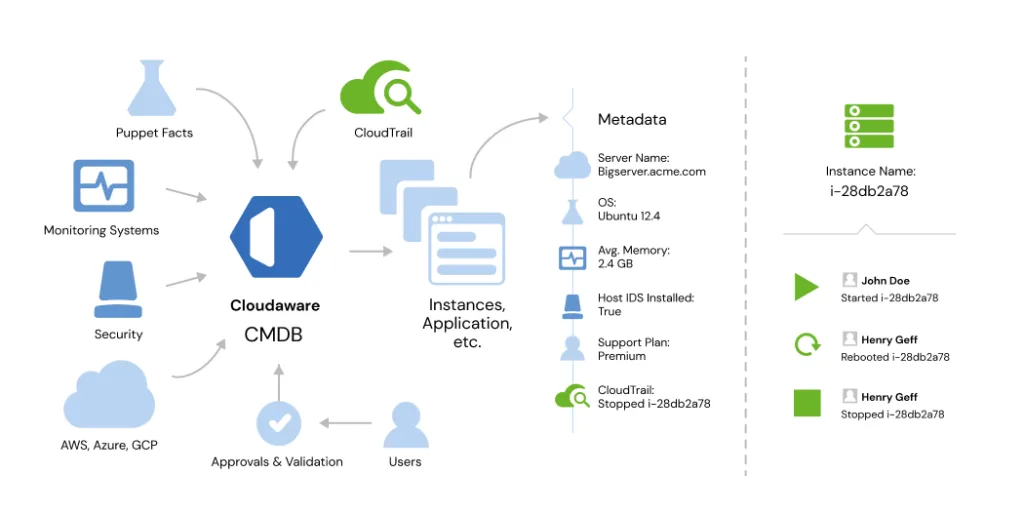
CloudAware CMDB is positioned as a configuration management database for multi-cloud estates. Public materials describe aggregation across major cloud providers, including AWS, Microsoft Azure, and Google Cloud, plus on-premises systems and many connected source types. Confirm current provider and connector coverage on official CloudAware documentation before a bake-off. Emphasis is unified cloud visibility, multi-regional search, and governance without hopping consoles.
Features of CloudAware CMDB for multi-cloud environments
Capabilities organizations commonly evaluate include:
- Unified data aggregation across clouds, on-premises systems, and many connected source types into one management interface.
- Advanced multi-cloud search and discovery for instances, load balancers, security groups, and related components across regions and accounts.
- Customizable fields and collectors for formula-based data points, encrypted fields, and scheduled or near-real-time collector patterns on the CloudAware side.
- Change detection and dependency mapping oriented to multi-cloud configuration change and component relationships.
- Tag management and tag analysis to review coverage and consistency across cloud resources.
- Virtual application and environment grouping so resources can be organized by application, tag, or custom logic for utilization conversations.
Benefits of CloudAware CMDB for cloud governance teams
For organizations whose primary constraint is multi-cloud sprawl, common benefits include centralized visibility for cloud governance, faster multi-account search, stronger tag hygiene for cost and security conversations, and grouping logic for utilization and orphaned-resource reviews when collectors stay current. Outcomes still depend on connector coverage, tagging discipline, and process.

What does CloudAware CMDB do well?
It keeps multi-cloud aggregation, multi-account search, tagging, and cloud governance workflows close to cloud-ops work. That cohesion is strongest when the primary job is cloud resource visibility and governance, not hybrid discovery depth or service maps under ITSM change tickets.
CloudAware pricing: diligence, not a fixed score
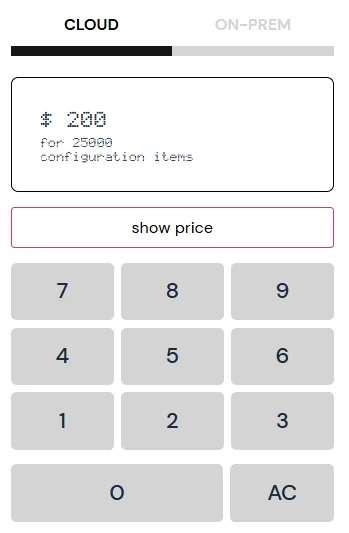
Public CloudAware materials and third-party roundups sometimes cite example pricing, including figures such as about $200 per month for certain configurations. Packages change. Treat any figure on this page or in screenshots as a diligence starting point, then confirm current plans on the official CloudAware pricing page. Reviewer sites such as G2 can add qualitative context; do not treat star scores as fixed product truth.
Limitations when the job expands beyond cloud-ops CMDB
CloudAware is a strong multi-cloud CMDB path for many cloud-centric shops. Evaluation gaps appear when the constraint is hybrid IT operations rather than cloud console sprawl alone.
- Hybrid and non-cloud depth: Estates that mix data center, network, and endpoint CIs with cloud accounts often need discovery methods beyond cloud APIs and cloud-first collectors.
- Discovery authority for ITSM: Change and incident teams need authoritative CI population and reconciliation under the service desk, not only searchable cloud inventories.
- Service maps for blast radius: Business service definitions plus infrastructure relationships matter when CAB asks what breaks. Cloud dependency views rarely substitute for full IT service maps under tickets.
- Path fit: Cloud governance UX and hybrid discovery-sourced CMDB are different jobs. Forcing one product to own both without a clear path creates process friction.
Validate limits on a pilot that includes at least one hybrid service path, not only a multi-account cloud search demo.
CloudAware CMDB vs Virima: decision table
Virima delivers discovery-sourced ITAM, CMDB population, and service mapping under ITSM. It does not replace CloudAware as a pure multi-cloud governance and search CMDB for every team.
| Criterion | CloudAware CMDB | Virima | Choose when… |
|---|---|---|---|
| Primary job | Multi-cloud ops CMDB / aggregation | Discovery-sourced ITAM and CMDB/maps | Cloud console sprawl vs hybrid runtime truth |
| Cloud breadth | Broad multi-cloud plus many sources (confirm current) | AWS and Azure focus with on-prem and hybrid coverage | GCP-heavy cloud ops vs hybrid ITSM |
| Population model | Collectors and cloud integrations | Agent-based and agentless methods plus APIs, high-frequency scheduled cycles | Estate change model |
| Search and tags | Multi-account search and tag analyzer strengths | Discovery attributes plus ITAM and CMDB records | Cloud UX vs ops inventory depth |
| Dependencies | Cloud-oriented change and dependency views | ViVID™ maps after business service definitions are provided | Change blast radius under tickets |
| ITSM | Varies by setup | Integrates with ITSM platforms; does not replace them | System of engagement |
| Best fit | Cloud governance and multi-cloud search | Hybrid visibility under ITSM | Path selection below |
Three practical paths: (1) Stay on CloudAware when multi-cloud aggregation, search, and tag governance are the constraint. (2) Augment CloudAware cloud views with discovery-sourced CIs and maps where hybrid runtime accuracy is the bottleneck. (3) Take the Virima path when hybrid inventory, software and hardware ITAM context, and ViVID™ maps under ITSM tickets are the binding gap.
Should you replace CloudAware CMDB or add a discovery-sourced layer?
Most teams should not frame this as ripping out multi-cloud governance. Stay on CloudAware when cloud search and tagging are the job. Add a discovery-sourced ITAM and CMDB layer when hybrid drift and weak service dependency context under ITSM are the constraint. Virima is evaluated as that data layer, not as a pure cloud-ops CMDB clone.
Virima as a discovery-sourced alternative to CloudAware CMDB
Virima focuses on IT infrastructure management: what exists in the estate, how it is configured, how it connects, and how that truth supports ITAM and ITSM work across hybrid environments.
High-frequency scheduled discovery and CMDB population
An agent-based and agentless IT discovery engine covers hardware, software, and cloud resources through scans and API integrations across environments such as AWS and Azure, plus on-premises systems. Discovery runs on high-frequency scheduled cycles so inventory reflects estate change without pure manual entry. Current public positioning does not claim passive event-driven discovery as shipping product.
Hardware and software ITAM with CMDB context
Virima provides a centralized path to manage hardware assets and software licenses with configuration detail for ITSM and security workflows. See IT asset management and CMDB-oriented workflows for product scope when cloud-only inventories leave hybrid gaps.
Service mapping after definitions are provided
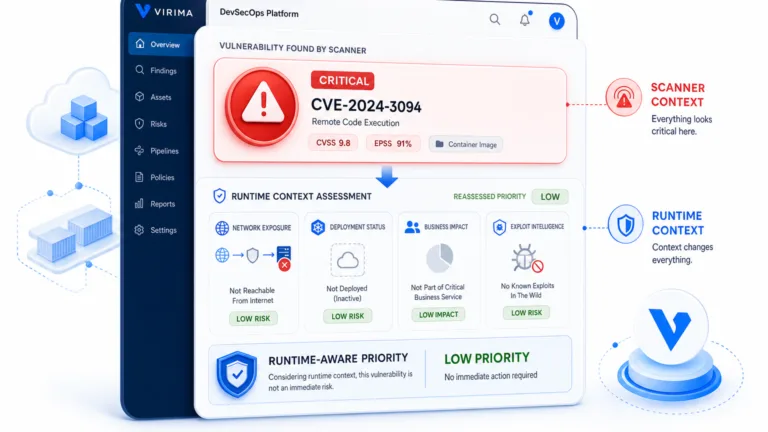
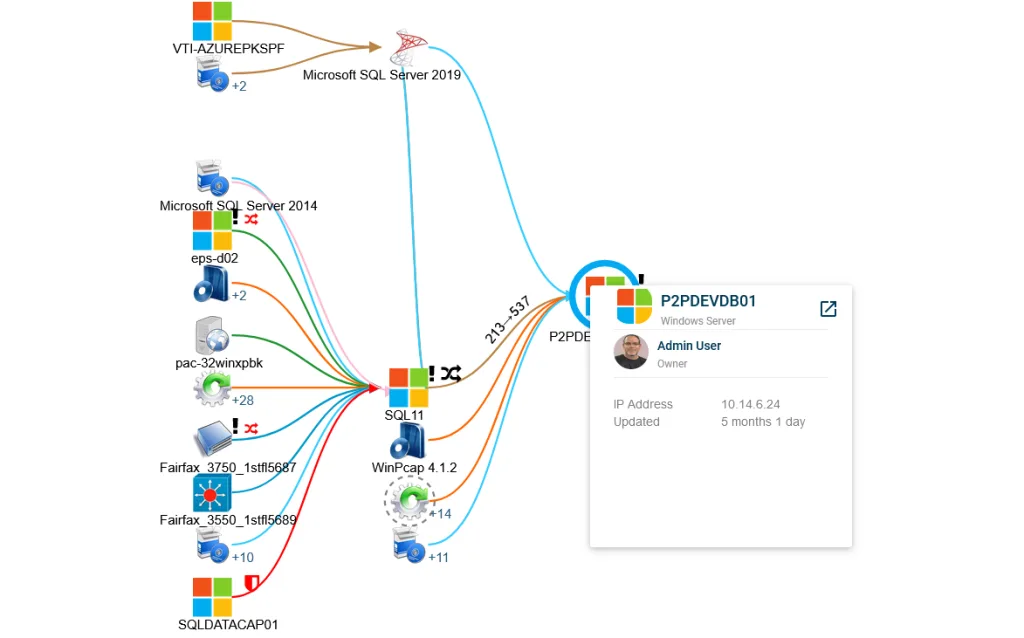
Business services are defined by your team through manual entry, import, or architecture tools. ViVID™ then builds dependency maps from those definitions and discovered infrastructure. It does not invent service composition without that input. Maps can carry ITSM incident and change context, plus vulnerability intelligence where product supports it, for example NIST NVD overlays associated with Windows Server findings, on service maps for blast-radius and remediation prioritization.
ITSM integration without replacing the service desk
Virima integrates with ServiceNow, Jira, Ivanti, HaloITSM, and other ITSM platforms so discovery-sourced CIs and maps support the system of engagement you already run. Partner names stay plain text. See the integrations hub.
How does Virima approach IT discovery and service mapping?
Virima populates IT CIs through scheduled discovery using agent-based and agentless methods, with multi-source reconciliation for authoritative attributes. Business services are defined by the customer. ViVID™ then builds dependency maps from those definitions and discovered infrastructure and does not invent service composition without input.
If your CloudAware evaluation is stuck on whether multi-cloud search can keep up with hybrid change risk under ITSM, shift the proof from brochure features to a short discovery and mapping pilot on a critical IT service path while CloudAware keeps cloud governance workflows where they still fit.
See how discovery-sourced ITAM and ViVID™ maps sit beside multi-cloud CMDB tools like CloudAware without replacing cloud governance workflows. Bring a critical hybrid IT service path and leave with a clearer stay, augment, or dual-path decision.
Making the right choice for your multi-cloud CMDB path
CloudAware CMDB is a solid path for multi-cloud aggregation, search, and cloud governance. Virima is the alternative when you need high-frequency scheduled IT discovery, hybrid ITAM and CMDB context, and ViVID™ maps under ITSM tickets. Outcomes teams chase include fewer surprises from stale hybrid inventory, clearer change blast radius, and stronger evidence from owned IT configuration data.
When you want a hands-on walkthrough, request a demo.
Disclaimer: Product capabilities and pricing change. Confirm current CloudAware features and plans in official documentation before purchase decisions.
Frequently asked questions
Is CloudAware CMDB enough if we mainly need multi-cloud search and tagging?
Often yes when multi-account search, tag hygiene, and cloud governance are the primary job and hybrid depth is limited. Revisit when on-prem CIs and service dependency questions under ITSM become the binding constraint.
Does choosing Virima mean replacing CloudAware?
No. Virima is positioned as a discovery-sourced ITAM and CMDB layer. Many evaluations keep cloud-ops CMDB workflows for multi-cloud governance and improve hybrid runtime truth under ITSM.
What is the difference between a multi-cloud ops CMDB and a discovery-sourced CMDB?
A multi-cloud ops CMDB centers aggregation, search, and governance of cloud resources. A discovery-sourced CMDB centers automated inventory of hardware, software, and hybrid CIs, plus configuration relationships used in operations and audits.
Can CloudAware and a discovery layer coexist?
Yes. Coexistence is common: CloudAware remains strong for multi-cloud search and tags while discovery feeds IT CIs and maps into ITSM for change and incident work.
How does Virima handle service mapping?
You define business services. ViVID™ builds dependency maps from those definitions and discovered infrastructure. Maps become useful for incident and change work when definitions and discovery stay current.