On-Demand Vulnerability Scanning in Virima 6.1.6 Release

A configuration management database (CMDB) holds the operating system (OS), software, and package inventory for every configuration item (CI) in the estate. That inventory is the raw material for a vulnerability check on any single machine.
Questions about a specific CI’s exposure arise while the CI record is open, and the answer needs to arrive from the same record. Results carry severity and exploit signals, which gives patch decisions more to sort by than a CVE list alone.
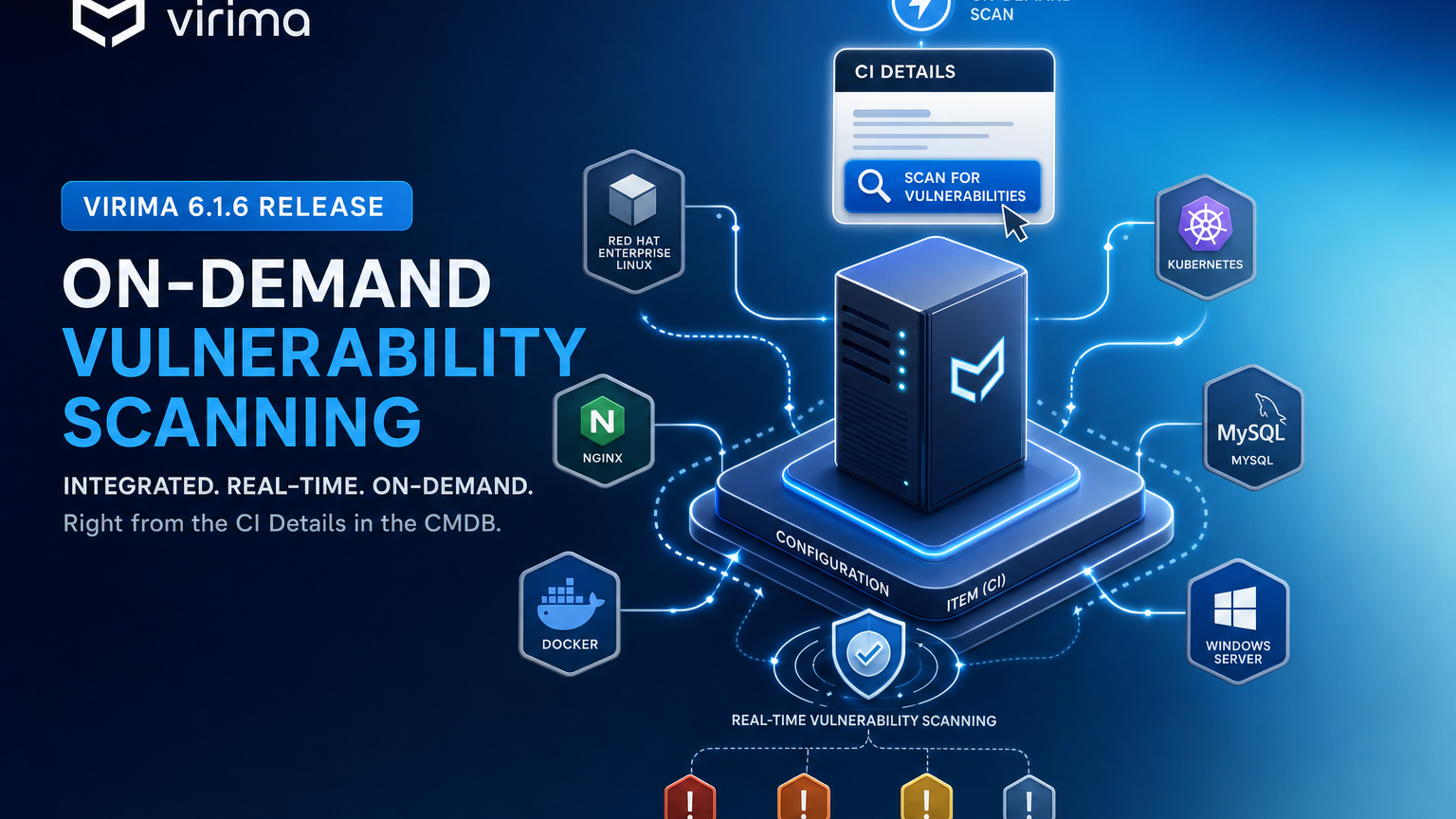
Virima 6.1.6, released September 30, 2026, adds on-demand vulnerability scanning directly from CI Details, plus a batch action for scanning several CIs from the CMDB list. Details are in the Virima 6.1.6 release notes.
What On-Demand Vulnerability Scanning Is and How It Works
In CMDB, open CI Details and select the Vulnerability tab. Click the Check Vulnerabilities refresh icon at the top right of that tab. The check runs against the software already recorded on the CI.
Results appear in the Vulnerability tab grid for that CI, and the page refreshes when the check completes. A confirmation message reports success or shows “No vulnerabilities found.”
Matching links Virima’s global vulnerability catalog to the software in the CMDB. The catalog holds Common Vulnerabilities and Exposures (CVE) and Common Platform Enumeration (CPE) data, based on public sources such as the National Vulnerability Database (NVD).
What Each Result Shows
Each row in the Vulnerability tab grid carries these fields:
- CVE ID: the identifier for the vulnerability.
- Description: a summary of the issue.
- Severity: Common Vulnerability Scoring System (CVSS) v2 and v3 ratings.
- EPSS Score: the Exploit Prediction Scoring System (EPSS) score.
- KEV: the Known Exploited Vulnerability (KEV) flag.
- CPE URI: the matched software or product, shown as a Uniform Resource Identifier (URI).
- Published Date and Last Modified Date: the dates attached to the catalog entry.
CVSS rates severity, EPSS estimates the likelihood of exploitation, and the KEV flag marks vulnerabilities with known exploitation. The CPE URI ties each finding to the software that triggered it, so an administrator can trace a result back to the installed title.
Which CIs Can Be Scanned
Scanning covers host and server blueprints, endpoints, and cloud and virtual machines:
- Servers and hosts: Windows Host, Windows Server, Linux Server, Unix Server, AIX Server, HP-UX Server, and Server / Unclassified Host.
- Endpoints: macOS and Desktop / Laptop / WorkStation.
- Cloud and virtualization: Amazon Web Services (AWS) EC2 Instance, Azure Virtual Machine, ESXi Host, HyperV, and Docker Host.
Blueprints in the same mapping pack also apply, including Software, Package, Database Server, Web Server, Application Server, network devices (Switch, Router, Firewall), storage, and appliances.
Scanning Several CIs With Process Vulnerabilities
The CMDB list carries a batch action for scanning more than one CI at a time:
- Go to the CMDB list.
- Check the CIs to scan.
- Open Select Actions.
- Click Process Vulnerabilities.
The job runs in the background for the selected CIs, and results appear later on each CI’s Vulnerability tab. The action prompts the user to select at least one CI before it runs.
Check Vulnerabilities serves a single CI from its own record. Process Vulnerabilities serves a selected set from the list.
How This Benefits Virima Users
Vulnerability findings sit in the same record as the CI’s relationships and lifecycle status. Administrators get these benefits from the CMDB itself:
- Findings on the CI record: results appear in the Vulnerability tab next to the CI’s other data.
- Exploit context in one grid: CVSS severity, the EPSS score, and the KEV flag appear together for each CVE.
- A check from the record: one click on the refresh icon starts a scan for the CI on screen.
- A batch from the list: Process Vulnerabilities scans a selected set of CIs in the background.
These results build on the CMDB feature page capabilities and the inventory that IT Discovery feature page capabilities keep current.
What a Scan Needs
A check runs when these conditions are met:
- The CI exists in the CMDB with inventory (OS, software, and packages), usually from prior discovery or import.
- The Vulnerability module is subscribed.
- Matching is enabled.
At click time, the check uses the inventory already in the CMDB, so a scan starts from the click.
Conclusion
Virima 6.1.6 puts vulnerability findings and CI context in the same record, with a one-click check for a single CI and a batch action for many. Request a free trial to run Check Vulnerabilities on your own CIs.
Frequently Asked Questions
Where does a user start a scan?
In CMDB, open CI Details, select the Vulnerability tab, and click the Check Vulnerabilities refresh icon at the top right.
Which CI types can be scanned?
Host and server blueprints, endpoints, and cloud and virtual machines, plus other blueprints in the same mapping pack.
Does a scan need a new discovery run or new credentials?
A check uses the inventory already in the CMDB, from earlier discovery or import.
Where do results appear?
In the Vulnerability tab grid for that CI. A confirmation message reports success or shows “No vulnerabilities found.”
What data source drives matching?
Virima’s global vulnerability catalog, which holds CVE and CPE data based on public sources such as NVD.
How does a user scan several CIs at once?
From the CMDB list, check the CIs, open Select Actions, and click Process Vulnerabilities. Results appear later on each CI’s Vulnerability tab.