Turbocharge Halo Software with Virima’s Visual Impact Display (ViVID™)

Halo Software is a powerful ITSM platform. But Halo ITSM has one limitation: it doesn’t show you how your infrastructure connects. You see tickets. You see assets. But you don’t see dependencies. Halo discovery gives you basic asset data. It doesn’t map the relationships between servers, apps, and services.
Virima solves this problem. Virima adds automated discovery, an always-accurate CMDB, and ViVID™ service mapping to your Halo Software environment. Now you see the full picture. You know what’s connected. You know what changed. You know what’s at risk.
What Is Halo Software?
Halo Software is an ITIL-aligned IT service management platform. Halo ITSM helps teams manage incidents, problems, changes, and service requests. The platform includes a knowledge base, service catalog, and asset management tools.
Many organizations choose Halo Software for its ease of use. Halo ITSM offers clean workflows and helpful automation. But like most ITSM platforms, Halo Software focuses on ticket management. It doesn’t provide deep infrastructure visibility.
That’s where Virima comes in.
Why Halo Discovery Needs Virima
Halo discovery provides basic asset tracking. It tells you what devices exist on your network. But Halo discovery doesn’t show you:
- Which servers support which applications
- How databases connect to web servers
- What happens downstream when a server goes down
- Which business services depend on which infrastructure
Virima fills these gaps. Virima’s IT discovery scans your environment deeply. It finds relationships between assets. It maps application dependencies. And it keeps your CMDB accurate through automated scans.
How Virima Improves Halo Software
Virima extends Halo Software with three key capabilities. Each one makes your Halo ITSM environment more powerful.
1. Service Mapping for Halo ITSM
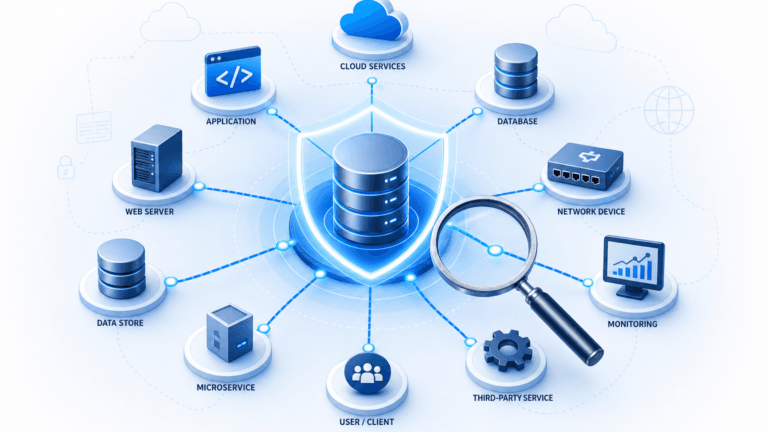
ViVID™ creates visual maps of your infrastructure. These maps show how everything connects. You see servers, databases, applications, and services. You see the relationships between them.
When you open a Halo ITSM ticket, you can see the affected asset on a map. You see what depends on it. You see what it depends on. This context helps you resolve issues faster.
2. Automated Discovery Beyond Halo Discovery
Halo discovery tracks assets. Virima discovery maps relationships. Here’s the difference:
| Capability | Halo Discovery | Virima Discovery |
| Asset inventory | ✅ | ✅ |
| Hardware details | ✅ | ✅ |
| Software inventory | ✅ | ✅ |
| Application dependencies | ❌ | ✅ |
| Service relationships | ❌ | ✅ |
| Communication paths | ❌ | ✅ |
| NIST NVD vulnerabilities | ❌ | ✅ |
Virima’s automated discovery runs on a schedule. Your CMDB stays current. Manual audits become unnecessary.
3. Incident Overlays for Halo ITSM Tickets
ViVID™ pulls data from your Halo ITSM instance. It overlays this data on your service maps:
- Open incidents: See which assets have active Halo ITSM tickets
- Recent changes: See what changed in Halo Software recently
- Pending changes: See what’s scheduled in Halo ITSM
- Vulnerabilities: See CVE data from NIST NVD mapped to assets
This overlay turns your Halo Software CMDB into a visual CMDB. You see status at a glance. You make faster decisions.
Halo Software Features Enhanced by Virima
Virima makes every part of Halo ITSM more effective. Here’s how.
Halo Software Incident Management + Virima
When a Halo ITSM incident comes in, you need context. What asset is affected? What depends on it? What changed recently?
ViVID™ answers these questions instantly. You see the affected asset on a service map. You see upstream and downstream dependencies. You see recent changes that might have caused the issue.
Result: Your Halo Software incidents resolve faster. MTTR drops.
Keywords: business processes, continuous improvement, itsm processes, team members, customer service, configuration management database cmdb, management strategies, enables organizations, saving time, machine learning, business objectives, itsm tools, root cause analysis
Halo Software Change Management + Virima
Before you approve a change in Halo ITSM, you need to understand the risk. What services depend on this asset? Who needs to know about planned downtime?
ViVID™ shows you the blast radius. You see every service that depends on the asset you’re changing. You identify stakeholders automatically. You reduce change-induced outages.
Result: Your Halo Software changes succeed more often. Fewer rollbacks. Fewer surprises.
Halo Software Problem Management + Virima
When you investigate a problem in Halo ITSM, you look for patterns. Are multiple incidents related? Do they share a common cause?
ViVID™ shows these patterns visually. Three Halo ITSM incidents might all trace back to one database server. You see this on the service map. You find the root cause faster.
Result: Your Halo Software problems get resolved at the source. Repeat incidents decrease.
Halo Software Asset Management + Virima
Halo discovery gives you an asset inventory. Virima gives you an asset inventory plus relationships. Your Halo ITSM CMDB becomes complete and accurate.
Virima’s discovery updates your data automatically. You don’t rely on manual audits. Your Halo Software CMDB stays current.
Result: You can trust your Halo ITSM data. Audits become easier.
Getting Started with Halo Software and Virima
Connecting Virima to Halo Software is simple. The integration uses a no-code approach. Here’s the process:
Step 1: Deploy Virima Discovery
Virima scans your environment. It finds assets, relationships, and dependencies. This goes far beyond native Halo discovery. Your CMDB populates automatically.
Step 2: Connect to HaloITSM
You link Virima to your Halo Software instance. This enables data sharing. Halo ITSM incidents and changes appear on your ViVID™ maps.
Step 3: Configure Service Maps
You define your business services in Virima. You point each service to a starting asset. Virima maps all the relationships automatically. Business services discovery does the heavy lifting.
Step 4: Start Using ViVID™
Your team opens ViVID™ alongside Halo ITSM. When incidents come in, they check the service map. When changes need approval, they check the blast radius. Decision-making gets faster.
For timeline estimates, contact Virima’s team.
Halo Software vs. Halo Software + Virima
Here’s what changes when you add Virima to Halo Software:
| Capability | Halo Software Alone | Halo Software + Virima |
| Ticket management | ✅ | ✅ |
| Service catalog | ✅ | ✅ |
| Knowledge base | ✅ | ✅ |
| Basic asset tracking | ✅ | ✅ |
| Application dependency mapping | ❌ | ✅ |
| Visual service maps | ❌ | ✅ |
| Incident overlays | ❌ | ✅ |
| Change impact visibility | ❌ | ✅ |
| Vulnerability mapping | ❌ | ✅ |
| Automated CMDB updates | ❌ | ✅ |
Virima doesn’t replace Halo ITSM. It extends Halo software with infrastructure visibility.
Does Virima Work with Other ITSM Platforms?
Yes. Virima integrates with multiple ITSM platforms beyond Halo Software:
The core ViVID™ capabilities work the same across platforms. If you use the knowledge management system Halo Software today but might switch later, Virima works either configuration management database way.
Why Choose Virima for Halo Software?
Virima is built for ITSM integration. It connects discovery, CMDB, and service mapping change impact analysis in one platform. For Halo Software users, Virima provides:
- Deeper discovery than Halo discovery alone
- Visual service maps for Halo ITSM tickets
- Incident and change overlays from Halo Software data
- Automated CMDB updates for Halo ITSM
- Vulnerability data mapped to your Halo Software assets
Virima turns your Halo ITSM environment into a visibility-enabled real – time incident data service catalogue platform.
Start Using Virima with Halo Software Today
Virima adds automated discovery, an always-accurate CMDB, and ViVID™ service mapping it service management capabilities to Halo Software. Your Halo ITSM tickets get infrastructure context. Your Halo discovery gets application dependency mapping. Your team makes faster, better decisions.
Ready to see Virima work with your Halo Software environment? Schedule a demo to see service mapping, incident overlays, and automated discovery in action.