Device42 Application Dependency Mapping vs Virima: Which Offers Better Value?

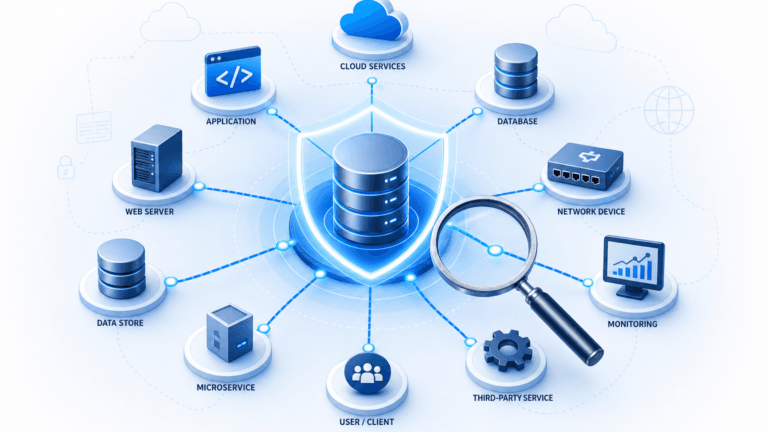
Application dependency mapping turns a tangle of servers, services, and network components into a clear picture of what connects to what. Device42 application dependency mapping discovers and visualizes service-to-service communication patterns across on-premises and cloud environments. It groups discovered assets into Application Groups for change impact analysis, incident diagnosis, and cloud migration planning. In contrast, Virima offers the same dependency maps with broader discovery scope, two-way ITSM sync, and vulnerability overlays. Hybrid IT teams get a single governed operational view.
The stakes are operational, not theoretical. Uptime Institute’s Annual Outage Analysis 2025 found that more than half of organizations (54%) said their most recent significant outage cost over $100,000. That figure is a reminder of how expensive thin visibility into system dependencies can be. (See Uptime Institute’s Annual Outage Analysis 2025.) The right ADM tool does not just show you what connects to what. It shows you what is failing, what is vulnerable, what is scheduled to change, and what could break if it does.
What is Application Dependency Mapping?
Application dependency mapping discovers and visualizes the relationships between applications, services, servers, and network components across your IT environment. It gives operations teams an accurate, up-to-date view of what connects to what. That means decisions about change, risk, and recovery rest on current data rather than tribal knowledge.
What is Device42 ADM?
Device42 ADM discovers service-to-service communication patterns across on-premises and cloud environments. It groups discovered assets into Application Groups using configurable Calculation Rules and Logic Templates. The resulting maps show which services communicate, on which ports, and which infrastructure components support each business application. Teams use these maps primarily for change impact assessment, incident root cause analysis, and cloud migration planning.
ADM vs service mapping
ADM identifies the technical relationships between software components and infrastructure. Service mapping, however, adds the business layer by connecting those dependencies to the business services they support, including ownership, SLAs, and operational metadata. Virima performs both and overlays them in a single ViVID™ view.
Why Application Dependency Mapping Matters for IT Operations
Identify single points of failure
ADM tools highlight critical dependencies between applications and infrastructure. Visual dependency maps pinpoint single points of failure, so your team can address risks before they cause outages.
Improve change management
When you can see how infrastructure components connect, you can anticipate the impact of changes before making them. Service maps show which services a proposed change touches, so your change management team can assess risk and avoid unintended consequences.
Speed up incident response
When an incident fires, dependency maps show which assets are affected and how they relate to each other. Your team can trace the chain of changes that led to the disruption instead of guessing. As a result, faster diagnosis leads to quicker incident response and recovery.
Reduce operational risk
High-frequency discovery cycles keep visibility into system interactions current. When you can see which assets changed and how those changes ripple across services, you catch issues earlier, before they escalate.
Known Limitations of Device42 ADM
- On-premise deployment only: Requires virtual appliance deployment for core functions, which adds infrastructure management overhead and extends initial time-to-value.
- Predominantly one-way ITSM integrations: Pushes dependency data into ITSM tools but does not pull ITSM records back into the maps, so active incidents and change requests do not enrich the dependency maps.
- No operational data overlay on service maps: Maps show functional dependencies but do not overlay live vulnerability data, ITSM incidents, or change records, so teams switch between tools for a clear operational picture.
- Steep learning curve: G2 users report meaningful ramp-up time. Configuring Application Groups and Logic Templates takes upfront effort before maps produce useful output.
In short, Device42 ADM requires on-premise virtual appliance deployment, which adds infrastructure management overhead and extends initial time-to-value. Its ITSM integrations are predominantly one-way, so ITSM data does not automatically enrich the dependency maps. Device42 does not overlay live vulnerability data (such as NIST NVD) or active incident and change records onto service maps. This limits its usefulness as an operational decision tool when current context matters.
Head-to-Head: Virima vs. Device42 Across Four Buyer Scenarios
Scenario 1: Incident triage
Device42: Maps show service communications and ports, but they do not show active ITSM incidents, open change requests, or vulnerability status. Triage means switching between Device42 and your ITSM platform.
ViVID™ (Virima Visual Impact Display) is a service map overlay that combines dependency data with three live operational data streams. These are: ITSM incidents and change requests, NIST NVD vulnerability records, and CMDB relationship data. A standard dependency map shows what connects to what. ViVID™ shows what is currently failing, what is vulnerable, and what is scheduled to change, all in one view, without switching between tools.
Verdict: For incident triage, Virima gives your team a single operational view. Device42 requires cross-referencing with your ITSM platform, which adds time to every triage cycle.
For a focused look at how Device42 application dependency mapping compares to Virima, see our dedicated ADM comparison. It covers incident triage, change impact assessment, and cloud migration planning.
Scenario 2: Change impact assessment
Device42: Discovery data is brought in through scheduled imports, so maps can lag behind actual infrastructure changes.
Virima: Dependency maps refresh as each discovery cycle completes.
Virima provides two-way CMDB synchronization with leading ITSM platforms, including ServiceNow, Jira Service Management, Ivanti, and Halo. CI data discovered by Virima populates the ITSM CMDB. In turn, ITSM records, including open incidents and pending changes, flow back into Virima’s service maps through ViVID™. Device42 offers ITSM integrations but does not provide two-way sync across its supported platforms.
Verdict: For change management, Virima refreshes maps on every discovery cycle and syncs two-ways with ITSM. This reduces the risk of approving changes based on outdated dependency data.
Dependency mapping tools vary significantly in how they connect discovery data to live operational context. See how Virima’s approach to application dependency mapping differs from Device42’s across four buyer scenarios.
Scenario 3: Cloud migration planning
Cloud migrations often fail because of dependencies that were not visible during planning. Virima addresses three categories of risk:
- Hidden API dependencies: Virima’s Periodic Sampling Jobs capture communication patterns over time, not just at the moment of discovery.
- Undetected shared services: Virima’s “start anywhere” mapping builds outward from any starting point and surfaces connected dependencies, including shared infrastructure.
- Overlooked legacy connections: Virima maps across on-premises systems, data centers, and multi-cloud environments including AWS and Azure, using both agentless and agent-based methods.
Verdict: For cloud migration planning, Virima’s cross-environment coverage and time-sampled discovery reduce the risk of undiscovered dependencies surfacing mid-migration.
Scenario 4: Compliance audit
Virima holds SOC 2 Type II certification and is PinkVERIFY ITIL 4 certified across six processes. Filterable, savable service map views let compliance teams create and share audit-specific views, and NIST NVD vulnerability data is overlaid on service maps at no additional charge.
Verdict: For compliance documentation, Virima’s SOC 2 Type II certification and filterable, shareable map views support an audit-ready workflow.
Deployment and Maintenance: SaaS vs. On-Premise
In practice, SaaS-based ADM tools eliminate the cost of virtual appliance provisioning, server maintenance, storage capacity planning, and backup infrastructure that on-premise deployments require. For teams already managing complex hybrid infrastructure, that maintenance overhead compounds operational burden and extends time-to-value. Virima deploys as cloud SaaS. There is no appliance to provision, no infrastructure to maintain, and no capacity to plan before first use.
Device42 is an on-premise solution that requires virtual appliances for core functions. Setup calls for internal IT resources for infrastructure management, maintenance, and data backups. These requirements increase total cost of ownership and extend time-to-value. Virima is a cloud-based SaaS solution. Virima handles all maintenance, so your team focuses on using the tool rather than managing it.
Feature Comparison: Virima vs. Device42
| Capability | Virima | Device42 |
| Relationship and dependency mapping | Yes | Yes |
| ViVID™ with ITSM and NIST NVD vulnerability overlays | Yes | No |
| NIST NVD vulnerability data on service maps (no extra charge) | Yes | No |
| Filterable, savable service map views | Yes | No |
| Two-way CMDB sync with leading ITSM platforms | Yes | No |
| “Start anywhere” service mapping | Yes | No |
| Cross-environment discovery (on-prem, data center, AWS, Azure) | Yes | Yes (limited cloud) |
| PinkVERIFY ITIL 4 certified (6 processes) | Yes | No |
| SOC 2 Type II | Yes | No |
| Cloud-based SaaS deployment | Yes | No |
Why Virima Delivers More Operational Value
For operations teams evaluating ADM tools, the comparison comes down to how well each solution fits existing workflows and how quickly it delivers accurate, actionable dependency data.
Virima gives you high-frequency discovery cycles with maps that refresh on every discovery cycle. It also provides two-way CMDB updates on major ITSM platforms and ViVID™ overlays connecting dependency data to active incidents, changes, and vulnerabilities. It deploys as SaaS, so your team spends time using the tool rather than managing it. Device42 covers core ADM capabilities. However, it requires on-premise infrastructure, offers one-way ITSM integrations, and lacks the overlay capabilities that make dependency data operationally useful beyond basic change impact reviews. (For a fuller side-by-side, see Virima vs Device42 vs ServiceNow.)
| Ready to turn dependency maps into decisions? Request a demo → |
Application Dependency Mapping in the Agentic IT Era
AI agents are being deployed to automate IT operations tasks: change approvals, incident triage, capacity adjustments, and configuration remediation. Each of those actions depends on the agent having accurate, current, and policy-aware knowledge of the infrastructure it acts on.
Dependency maps are the foundation that makes agentic IT safe. An AI agent that approves a change, without knowing which upstream services depend on the target CI, risks cascading failures. An agent that remediates a vulnerability without knowing which business-critical services sit in that dependency chain can take down production.
Virima provides the governed runtime truth layer that agentic IT requires. Discovery-driven dependency data is refreshed on every discovery cycle and enriched with ITSM context, vulnerability status, and ownership metadata. This gives AI agents the explainable, policy-aware foundation they need to act safely.
Device42 produces dependency maps, but maps alone do not provide enough context for safe agentic IT operations. The difference between a topology view and governed runtime truth comes down to the governance layer. That means maps that are current, connected to ITSM records, enriched with vulnerability data, and attributed to owners and policies.
Turn Dependency Maps into Decisions Your Team Can Act On
Dependency maps that only show topology leave your team guessing in the moments that matter most. Application dependency mapping earns its keep when it connects what-connects-to-what to what-is-failing, what-is-vulnerable, and what-is-about-to-change. That is the line between Device42’s topology view and the governed operational view Virima delivers through ViVID™ service mapping, two-way ITSM sync, and discovery-driven data. Both your AI agents and your people can trust it.
Frequently asked questions
How does ViVID™ help with change management and incident response?
ViVID™ shows your change advisory board exactly which services sit upstream and downstream of a proposed change. It also surfaces any open incidents or vulnerabilities on those CIs. When an incident fires, the same maps show which configuration items are affected, without switching between your ITSM tool and a separate ADM tool.
What ITSM platforms does Virima integrate with?
Virima integrates with leading ITSM platforms: ServiceNow, Jira Service Management, Ivanti, Halo, and Xurrent. Two-way CMDB sync is confirmed across ServiceNow, Jira Service Management, Ivanti, and Halo.
How long does it take to deploy Virima compared to Device42?
Virima’s SaaS model removes the need for virtual appliance provisioning, server infrastructure maintenance, and complex network configuration. Device42’s on-premise model requires provisioning virtual appliances, configuring network access, and maintaining the infrastructure over the long term.
What compliance frameworks does dependency mapping support?
Dependency mapping supports compliance with regulations that require accurate documentation of data flows, access paths, and system interconnectivity. These include SOC 2, ISO 27001, and HIPAA. Virima’s service maps can be filtered by asset type, saved, and shared across teams for audit-specific views. NIST NVD vulnerability data overlaid on those maps supports security-focused audit requirements at no additional charge.
How does application dependency mapping support cloud migration planning?
Dependency maps reveal the components and services connected to an application before migration begins. They identify three categories of risk. These are: hidden API dependencies that appear only under load, shared infrastructure components supporting multiple applications, and legacy on-premises connections to cloud-hosted services.
| See how Virima maps your environment. Request a demo → |