ITSM Consolidation Takes Years, but Your CI Record Can’t Wait for It

An IT service management consolidation can stall when the retiring platform holds records the surviving desk still needs. During the ITSM consolidation CI record transition, the service desk continues handling incidents and changes across both environments. Each team needs reliable information about the assets and services it supports.
In ServiceNow Community merger guidance, contributor Jeff Benedict discusses the challenge of combining instances after an acquisition. He recommends choosing a primary instance rather than maintaining duplicate systems indefinitely. That guidance addresses the destination. The IT Director also needs a plan for the period before the old desk retires.
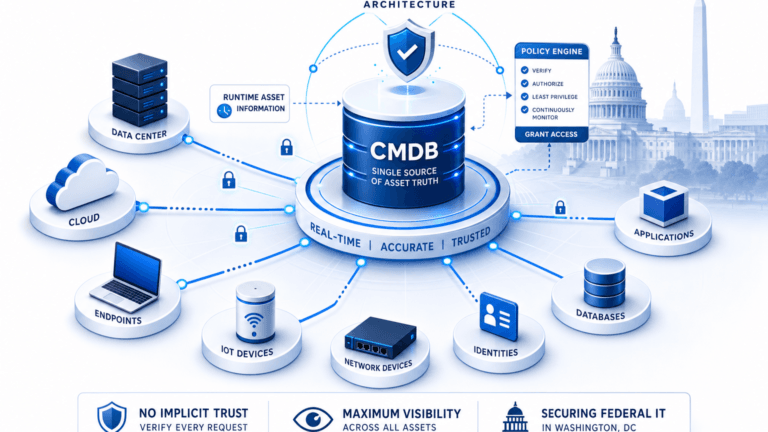
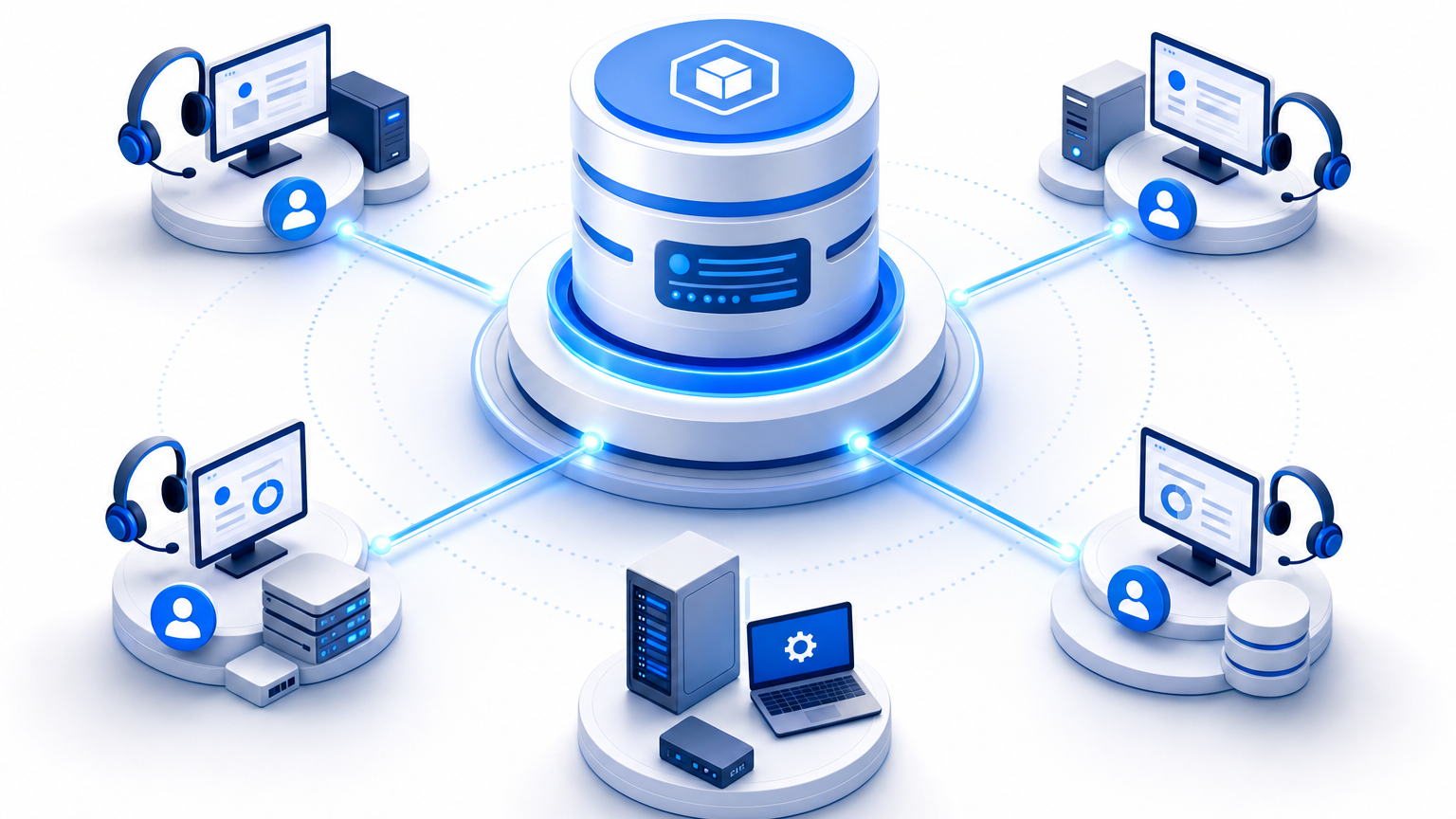
A discovery-sourced configuration management database (CMDB) can hold configuration items (CIs) independently of a service desk. During an overlap, teams can evaluate how supported integrations deliver relevant CI data to their existing workflows. The transition plan must also account for ticket history, ownership, matching, and retirement approvals.
What a shared CI record does while two platforms run
A shared CI record gives the consolidation team a reference for the infrastructure each service desk supports. It can hold asset details and relationships gathered through scheduled discovery cycles. People still confirm information that discovery cannot determine, such as business ownership and the correct retirement date.
Each service management platform continues to manage its own tickets, workflows, service catalog, and service-level commitments. A shared CMDB does not combine these records automatically. The consolidation team decides which workflows to retain and how to keep historical tickets accessible.
| Layer | Responsibility | Decision owner |
|---|---|---|
| Service desks | Run incidents, requests, changes, and local workflows | Service desk leads |
| Shared CI record | Hold asset information and relevant CI relationships | CMDB owner and contributing teams |
| Consolidation plan | Choose the surviving platform and retirement criteria | IT Director and program sponsors |
Consider an illustrative acquisition where two support teams handle different parts of the same application estate. A server may support users served by both desks, even though each desk records it differently. Before changing either platform, the CMDB owner can compare those records with available discovery data and confirm their relationship to the application.
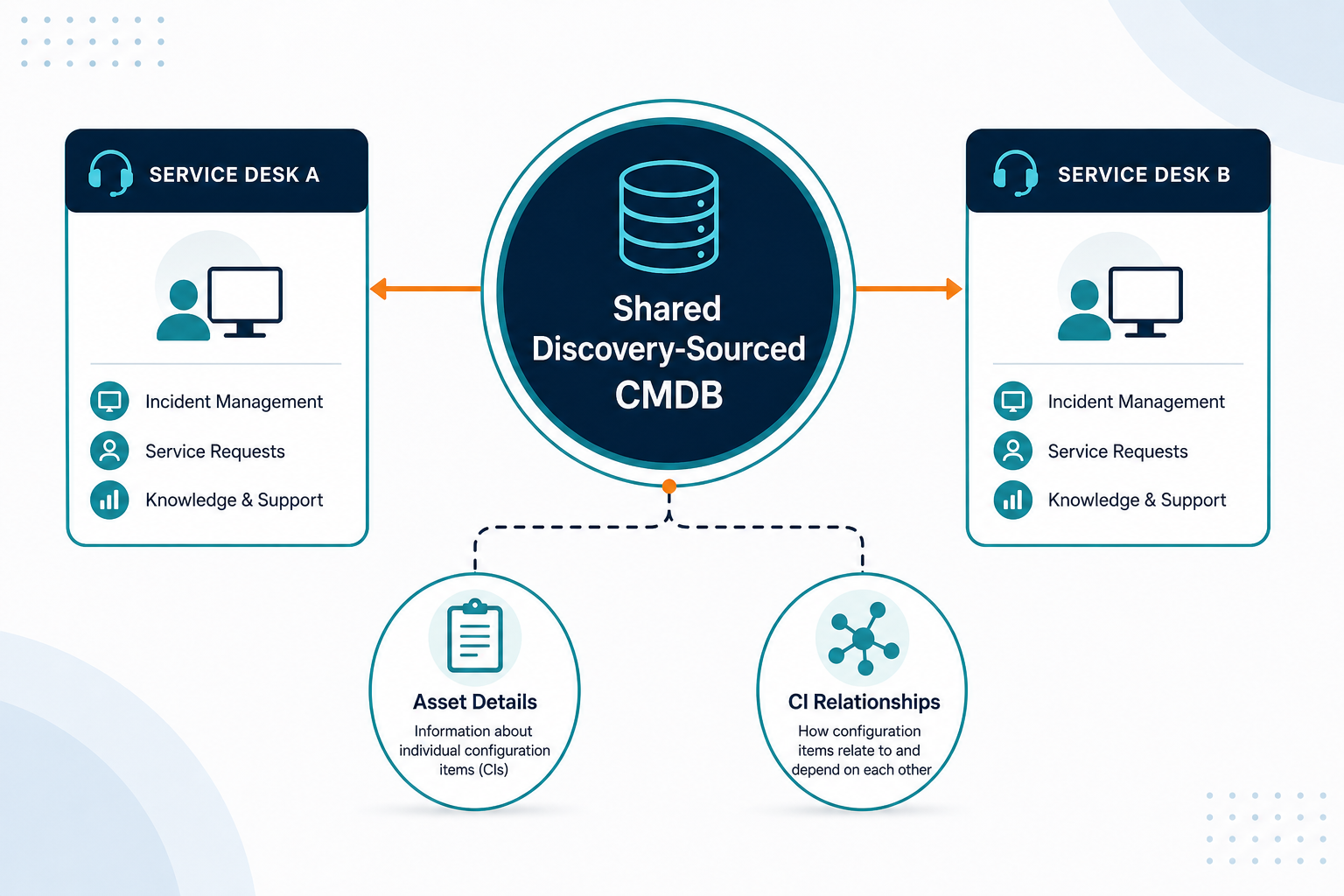
The goal is an agreed reference for operational decisions. Its usefulness depends on discovery coverage, field ownership, and the way each integration is configured. Teams should check these conditions before treating either desk’s local copy as current.
Why duplicate records appear during the transition
The overlap introduces choices about imports, discovery sources, support boundaries, and retirement timing. Each choice can create additional reconciliation work when the program leaves it undocumented.
A 2025 ITSM.tools industry poll asked 229 respondents about their primary service management tool. Seven percent selected a multiple-service-desk rationalization project as the primary reason for changing tools. The author noted possible sample bias, so the result should not be treated as a market-wide estimate.
Four decisions that can create competing records
Importing an entire CI table. A team may import the departing platform’s table before comparing existing records. The destination can then contain two entries for one component, with unresolved differences in ownership or status.
Running separate discovery without matching rules. Two tools may report the same server using different attributes. Without agreed matching, the CMDB owner must investigate whether those entries describe one asset or two.
Splitting support by business unit alone. A business application can rely on infrastructure shared across organizational boundaries. If each team assigns ownership independently, its local record may point to a different person.
Setting retirement solely by contract date. The contract may expire before the receiving team has checked the required records. The program then faces a decision between extending access and accepting a data gap.
These risks depend on the existing estate and migration design. Teams can reduce ambiguity by documenting source rules and exceptions before the first large import. The practical consequences of conflicting records are described in this guide to CMDB data conflicts.
What the overlap asks of each team
For the IT Director, the retirement date needs a named owner for data readiness. A program plan that tracks only contract milestones can miss unresolved records until late in the transition.
Service desk leads need a dependable route to the asset information used for incidents and changes. They also need to know which desk owns a request when the same service spans both support teams.
Platform administrators need to compare field definitions before changing either schema. A priority field, service name, or status label can carry different meanings across the two systems.
Procurement and finance need the expected overlap documented alongside renewal dates. If data or workflow migration slips, they can assess the contract options before access ends.
Audit teams need an explanation of which inventory supported a particular decision. Retaining the relevant record, source, and review date gives them a clearer starting point for evidence requests.
A useful handoff identifies the person responsible for each unresolved exception. It also sets a date for review and a decision path if the teams disagree. This keeps a disputed CI from becoming an unassigned obstacle to retirement.
Three rules for serving two desks from one record
Agree how teams identify a CI
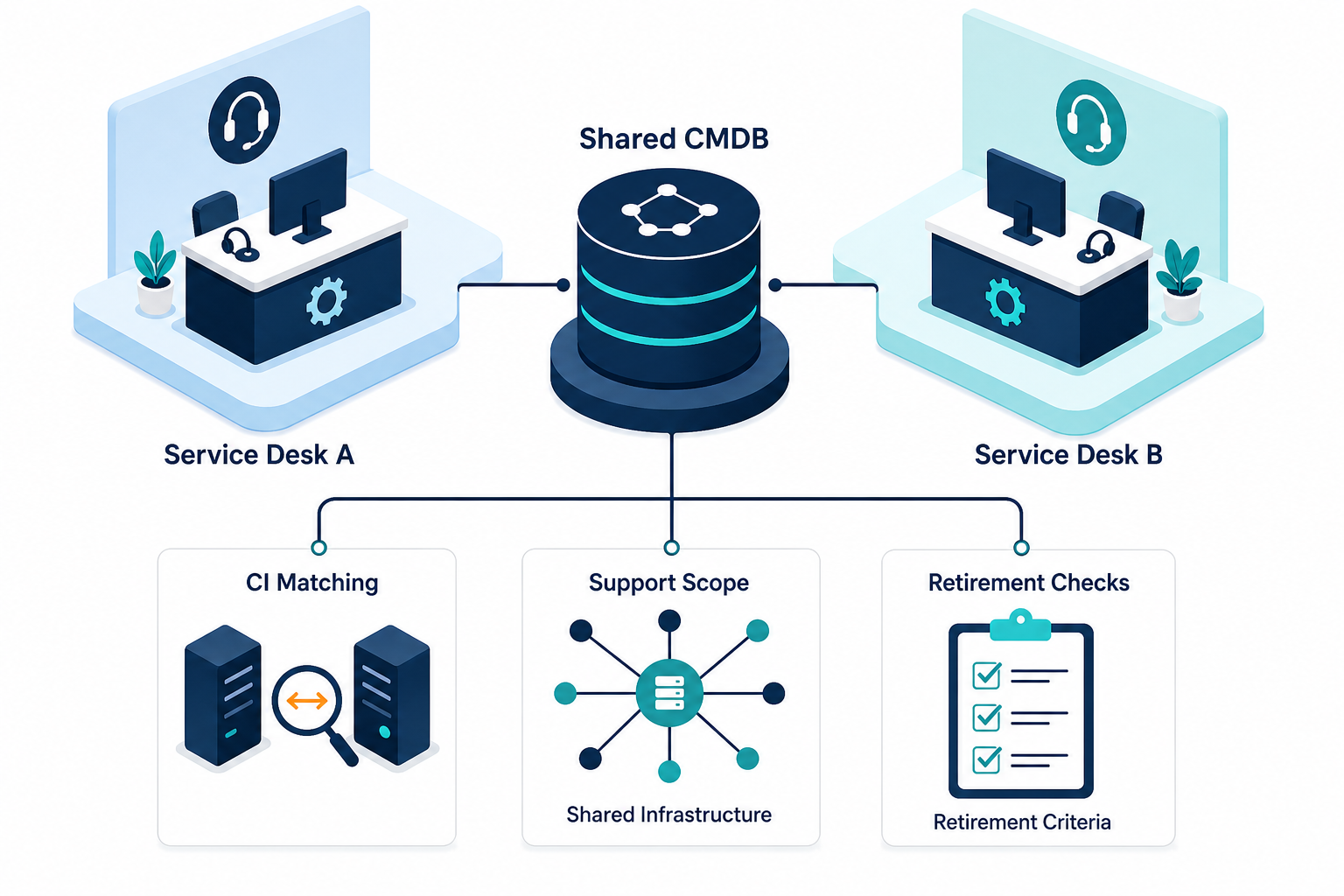
Select matching evidence appropriate to each asset class before comparing the two inventories. A hardware serial number can support a physical-device match, while a cloud instance ID can identify a cloud workload. Hostnames may change or be reused, so they should not be the sole durable join key.
Record the source and last review date for each disputed match. Where identifiers are missing, assign a person to investigate before merging records. The teams should preserve the original identifiers long enough to trace affected tickets and reports.
Scheduled discovery can contribute observed asset attributes to this process. Discovery coverage depends on network access, credentials, and the methods configured for the estate. The CMDB owner should document those limits before using discovery results to resolve an exception.
Define what each desk needs
List the services and CI classes each support team uses during the overlap. Include shared infrastructure, such as a database used by applications supported by both desks. Capture required fields, correction owners, and the dates when responsibilities change.
Treat routing and filtering as design requirements to validate with the relevant integration team. Confirm the supported scope, mapping, synchronization direction, and schedule for each connection. Those details may differ across integrations and deployments.
The consolidation plan should also say what happens when a record appears incomplete. For example, the service desk can route a disputed application owner to the CMDB owner for review. People resolve the exception and document the correction path.
Keep retirement work separate from CI ownership
The team can plan for a CMDB to remain the designated source while a service desk changes. That decision still requires integration testing, reconciliation, and an agreed handling plan for existing records. It does not guarantee that no migration or cleanup will be necessary.
A direct migration can be appropriate when one platform holds the necessary records and the destination supports them. Review the data, relationships, and ticket references before selecting that route. The ServiceNow Community contributor’s merger guidance also describes the importance of planning the destination instance.
| Decision | CI table migration | Shared CMDB during overlap |
|---|---|---|
| Primary work | Map and move required records into the destination | Establish the shared record and validate each connection |
| Ownership | Confirm who maintains destination fields | Confirm the designated source and correction owners |
| Retirement test | Verify records and ticket references after migration | Verify the surviving desk’s connection and required records |
| Risk to investigate | Duplicate or incomplete migrated records | Unsupported mappings or inconsistent local copies |
Explore Trusted Runtime Truth for discovery-sourced information about what exists, how components connect, what changed, what could break, and who owns it.
Four consolidation starting points
These illustrative situations can lead to different retirement plans. Each needs a review of the current records and the people responsible for them.
An acquisition: A newly acquired business brings a separate service desk and its own CI records. The first task is to identify shared services and decide how the two inventories will be compared.
A split estate: One business unit uses Jira Service Management, while another uses ServiceNow. The director needs to define which team handles shared applications until the selected platform takes over.
A regional desk: A site uses a different service desk from headquarters. Its local administrators can identify regional workflows and CI fields that the destination must support.
A contract renewal: A service desk contract approaches its renewal date during a consolidation. Procurement needs the readiness status early enough to evaluate renewal and exit options.
Virima keeps the CI record accessible during platform change
Virima provides discovery and a CMDB that can support an independent configuration record. Scheduled discovery cycles collect available asset information, and the CMDB can store relationships and reconciled records. The teams responsible for business ownership and retirement decisions supply and confirm those details.
One Virima instance can send feeds to more than one ITSM tool during an overlap. The supported integrations and configuration should be checked for the specific platforms and version in use. Review field mappings, identifiers, schedules, and access requirements before relying on the resulting records.
For the desk that will remain, administrators can test the information required for incident and change workflows. For the desk scheduled to retire, the program can identify the historical records and dependencies that need separate handling. During the overlap, both teams should agree on how to report missing or conflicting CI information.
Virima’s supported integration options include connections for service management platforms. Confirm the specific integration behavior with the team before committing to a cutover plan.
A readiness check before you set the retirement date
- Identify the teams and services. List each desk, its support groups, and the services they currently handle. Mark services that depend on components managed by another team.
- Compare the CI populations. Identify records that appear in both platforms and note the evidence used for matching. Investigate missing identifiers and unresolved ownership before merging entries.
- Document the information each desk needs. Record required CI classes and fields for the overlap period. Validate whether the proposed integration configuration supports those requirements.
- Assign a decision owner. Name the person who can resolve exceptions for each CI class. Record the escalation path for disputed relationships and business ownership.
- Define the retirement evidence. Test the surviving desk’s access to required records and workflows. Review historical ticket access, unresolved exceptions, and rollback arrangements before approving retirement.
The IT Director can take the results to program sponsors with a specific recommendation. Record any remaining gaps, their owners, and the consequences of retiring the old desk before they are resolved.
Plan the CI handoff around your transition
A consolidation plan needs a clear record owner and a tested path for the surviving desk. Review your existing platforms, discovery coverage, and open questions with the Virima team. Request a tailored demo to discuss how the CMDB and supported integrations could fit your transition.
Frequently Asked Questions
What happens to a CMDB during ITSM consolidation?
The consolidation team decides which system will maintain configuration records after the transition. It should compare identifiers, ownership, relationships, and historical references before retiring the old service desk or importing its CI table.
Why do duplicate CI records appear during an ITSM migration?
Duplicate records can appear when imports or discovery sources describe the same component differently. Missing identifiers and unresolved matching rules can make a single server look like separate entries in the receiving system.
What information should a service desk receive during an overlap?
Start with the configuration items and relationships needed for that desk’s supported services. The team should also agree on required fields, record correction owners, and access to shared infrastructure throughout the transition.
Can one Virima instance feed two ITSM tools at once?
One Virima instance can send feeds to multiple ITSM tools during a transition. Confirm the supported integrations, data scope, mapping, direction, and schedules for your deployment before designing the handoff.
Does Virima replace either service management platform?
Virima can provide discovery-sourced configuration information alongside existing service management platforms. The consolidation team chooses which service desk remains and separately plans the treatment of its tickets, workflows, and catalogs.