ServiceNow CMDB Best Practices: Complete 2026 Guide

Change windows fail for a familiar reason. The ServiceNow ticket is correct, the CAB packet looks complete, and the CI record still shows last week’s owner, missing edges, or a relationship that never survived the last import. ServiceNow remains the system of engagement. The practices below keep that CMDB trusted after go-live: model design, high-frequency discovery for correctness, IRE hygiene, CI health, named stewards, and ITSM workflows that actually consume configuration data.
| When ServiceNow is the desk of record but CI currency and blast radius still lag the estate, start with discovery-backed accuracy under that desk. Explore Trusted Runtime Truth. |
What are ServiceNow CMDB best practices?
ServiceNow CMDB best practices are the governance, data quality, and maintenance habits that keep configuration items accurate and trusted in change and incident work. Core areas include CSDM-aligned modeling, high-frequency discovery for correctness, IRE to limit duplicates, CI health monitoring, named stewards, and ITSM workflows that actually consume CMDB data.
Does Virima replace ServiceNow CMDB?
No. ServiceNow remains the system of engagement and CMDB of record for tickets and change. Virima supplies multi-method discovery and multi-source inventory on high-frequency scheduled cycles, then syncs that context into ServiceNow so CI attributes, owners, and maps stay usable under the desk you already run.
Three paths for ServiceNow CMDB programs. Stay on ServiceNow CMDB alone when ITOM Discovery (or equivalent) already keeps CIs current, health dashboards drive remediation SLAs, and identification time on majors is already acceptable. Pair ServiceNow with discovery-sourced inventory when the desk is correct as the system of engagement, but responders still lose time on stale owners, missing CIs, and edges that never entered the last import. Choose a multi-desk discovery layer when ServiceNow sits beside Jira Service Management, Ivanti, HaloITSM, Xurrent, or another desk and you need the same CI and map context across systems of engagement. Virima does not replace ServiceNow. Confirm desk coverage on the integrations hub.
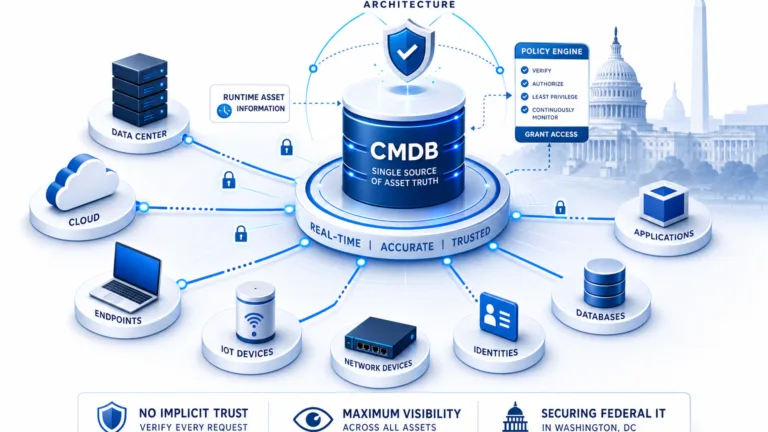
Federal asset-visibility guidance, including CISA Binding Operational Directive 23-01, treats complete asset visibility as a prerequisite for vulnerability and operations programs. That is the same bar ServiceNow CMDB programs face when discovery and stewardship lag hybrid change.
| ServiceNow CMDB best practices , what they cover: ServiceNow CMDB best practices are the governance, data quality, and maintenance disciplines that keep CI records accurate, relationship-mapped, and operationally trusted. They span six areas: CSDM-aligned data model design, high-frequency discovery cycles for correctness, IRE configuration to prevent duplicates, ongoing CI health monitoring, clear data stewardship ownership, and ITSM integration so CMDB data flows into incident, change, and problem workflows. |
ServiceNow CMDB Governance Best Practices 2026
Effective ServiceNow CMDB governance in 2026 comes down to six practices:
- Assign a named data steward, not a team title, to every CI class
- Define SLAs for remediating CI health violations flagged by monitoring
- Build a formal CI retirement process tied to asset lifecycle events
- Run quarterly governance reviews comparing CMDB health KPIs against prior periods
- Tag every CI attribute with its discovery source and scan timestamp
- Embed policy attributes directly on CI records so agents and workflows enforce them without a separate lookup
Each of these is covered in detail in the sections below.
Step-by-step ServiceNow CMDB implementation
Here is how to put these ServiceNow CMDB best practices into practice, one stage at a time. For a platform-agnostic overview of how to build a CMDB from scratch, see Virima’s use case guide.
Define clear objectives before you start
Before touching ServiceNow, identify what you want your CMDB to achieve. Are you trying to reduce MTTR? Improve change success rates? Support compliance audits? Each goal shapes which CI classes, attributes, and relationships matter most.
Start small. Focus on a specific service or business-critical area rather than trying to model every CI in your environment on day one.
Populate with accurate configuration data
Accurate configuration data is the heart of your CMDB. Without it, every downstream process , from incident management to change impact analysis , runs on guesswork.
Use high-frequency discovery cycles as the primary method for collecting CI data. Recurring scheduled scans reduce manual entry errors and keep records current across on-premises, cloud (AWS and Azure), and hybrid environments. Validate every data source before ingestion.
Virima’s IT Discovery uses both agentless IP-based scans and agent-based scanning for roaming devices, with added coverage through API integrations across hypervisor, cloud, network, storage, and monitoring platforms. The result is a CMDB that reflects the actual infrastructure state rather than a point-in-time snapshot that starts decaying the moment it enters the system.
If the source data has not been cleaned and validated before import, those inaccuracies spread across every ITSM process that depends on the CMDB.
Identification and reconciliation (IRE) in practice
ServiceNow’s Identification and Reconciliation Engine (IRE) prevents duplicate CI records when multiple data sources feed the CMDB. When a CI is discovered by Virima and also reported by an SCCM integration, IRE matches them using configured identifier entries (hostname, serial number, IP address) rather than creating two separate records.
Configuring IRE identification rules correctly is one of the most impactful technical steps in any CMDB implementation. For each CI class in scope, review the out-of-the-box identifier entries and adjust them for the unique attributes your data sources provide. For CI classes fed by multiple sources, define reconciliation rules that set attribute-level priority, so a less trusted source does not overwrite data from a more trusted one.
Virima’s multi-source data reconciliation assigns attribute-level source authority across agent-based scanning, agentless IP scanning, and API integrations. Each CI attribute carries a source stamp through later reconciliation cycles, giving IT teams and AI agents a clear view of which discovery method governs each CI value.
CMDB data model design: the step competitors skip
A data model defines which CI classes you track, which attributes matter for each class, and how CIs relate to each other. Most CMDB implementation guides jump straight to data population without addressing data model design, which is why so many organizations end up with hundreds of CI classes nobody maintains, custom attributes that break on ServiceNow upgrades, and service maps that cannot scale.
Data model decisions made in week one are expensive to undo in year two. Getting the model right before population begins saves months of remediation work later. For a broader look at CMDB best practices beyond the ServiceNow platform, see our general CMDB guide.
Start with core CI classes
For most organizations, the minimum viable CMDB model covers five CI class categories: servers and virtual machines, databases, applications and application services, business services, and core network devices. Resist adding CI classes just because the data is available. Add them only when they directly support a documented ITSM or business outcome.
Use ServiceNow’s out-of-the-box CI classes and relationship types before customizing. Standard relationship types (“runs on,” “depends on,” “connects to,” “hosted on”) give you consistent impact analysis across the CMDB without custom engineering work. Custom relationship types create technical debt that ServiceNow upgrades surface as conflicts.
Build a layered service model
Structure service data in three layers aligned to the Common Service Data Model (CSDM). Business services represent what end users and the business see (Online Banking, Payroll, Order Management). Application services represent the specific applications and components that deliver those business services. Infrastructure CIs represent the servers, databases, network devices, and middleware that host the applications.
This layered approach makes change impact analysis and incident triage far faster. Every outage or proposed change can be traced up or down the stack. A change manager reviewing a ViVID™ service map before a change window can see the full impact: which business services sit above the CI being changed, and which infrastructure assets sit below it.
Separate asset records from CI records
Asset records in IT asset management carry financial and lifecycle data: purchase date, cost center, vendor, warranty, depreciation schedule, and disposal timeline. CI records in the CMDB carry technical data: hostname, OS version, installed software, relationships, and environment tags. Each deployed asset of interest should link to a corresponding CI, but the two record types serve different consumers and should be kept clean and distinct.
Mixing financial fields into CI records and technical fields into asset records is one of the most common CMDB data model mistakes. It creates reporting inconsistencies and makes both ITAM and CMDB health dashboards harder to interpret.
Align with CSDM from day one
CSDM is ServiceNow’s standard framework for structuring service, application, and infrastructure data consistently and at scale. Aligning with it from day one prevents the structural inconsistencies that make governance progressively harder as the CMDB grows.
If you have already deployed without CSDM, plan a phased migration starting with business-critical service models. CSDM does not require a complete redesign. Start by mapping your existing CI classes to CSDM equivalents and normalizing naming conventions. Virima’s pre-built blueprints map directly to ServiceNow CSDM table structures, which reduces the alignment work required when syncing discovery data into ServiceNow.
Map CI relationships and dependencies
Relationships between CIs reveal the bigger picture. A server is just a row in a database until you understand that it hosts three applications, connects to two databases, and supports a revenue-generating business service.
Follow CSDM for consistency. It standardizes terms and definitions while guiding how you model data in ServiceNow. Aligning with CSDM from day one is one of the biggest factors in long-term CMDB scalability.
Without mapped dependencies, change management becomes a guessing game and incident response slows down.
Virima’s discovery identifies hardware, software, and their interdependencies across multi-protocol environments, then surfaces those relationships through ViVID™ service maps that overlay ITSM incidents, pending changes, and NIST NVD vulnerability data for faster root-cause and impact analysis. For more on how dependency data feeds these maps, see our guide to application dependency mapping.
| Why it matters: Mapping CI relationships in a ServiceNow CMDB turns isolated inventory records into an operational dependency model. Every relationship mapped, from “runs on” to “depends on,” lets change managers calculate blast radius before a change window and lets incident responders trace root cause across service layers. Organizations without mapped dependencies make change decisions on an incomplete picture of their infrastructure. |
Establish governance early
Governance is what keeps the CMDB reliable over time. It is the set of processes and policies that control how the CMDB is managed, maintained, and used, giving business and technical teams access to accurate data on IT assets and their relationships.
Assign data stewards and process owners for each CI class to keep accountability clear. Create documented policies for adding, updating, and retiring CIs. Include escalation paths for data disputes. Teams that invest in governance structures early consistently avoid the slow CMDB decay that forces costly remediation projects within 18 months of go-live.
Integrate with ITSM, ITOM, and ITAM
The real value of your CMDB comes from integration. A standalone CMDB is an expensive inventory list. A connected CMDB is the operational backbone of IT service delivery.
Connect the ServiceNow CMDB to ITSM, ITOM, and ITAM systems for a single source of truth. Virima’s two-way CMDB sync with ServiceNow is no-code. Pre-built blueprints map to ServiceNow tables (including custom objects), so your team gets from deployment to accurate CMDB data faster than building custom integrations or relying on manual population.
If CMDB data does not flow into incident, change, and problem management workflows, teams will ignore it.
Asset-CI synchronization
Keep the CMDB and the asset repository in sync. The CI lifecycle status and shared data fields (owner, location, environment, lifecycle state) must stay consistent for every device tracked as both an asset and a CI. ServiceNow’s Asset-CI synchronization rules handle this when configured correctly during implementation.
When the sync breaks , typically because a lifecycle change updates an asset record but not the corresponding CI , the CMDB reflects an incorrect operational state while the asset record reflects a correct financial one. That gap is a common compliance audit finding and a source of incorrect incident routing. Assign responsibility for monitoring this sync to the relevant data stewards, and make Asset-CI sync verification an explicit line item in quarterly governance audits.
Set up an ongoing maintenance cadence
Ongoing maintenance is where ServiceNow CMDB best practices either hold up or fall apart. CMDB data decay is not a risk, it is a certainty. Gartner’s June 2025 research found that over 40% of agentic AI projects will be canceled by end of 2027, with poor data foundations as the primary cause, and a poorly maintained CMDB is exactly that foundation. Without regular health checks, CI records go stale, relationships break, and teams stop trusting the data.
Schedule regular health checks and update stale records. Follow CSDM to support scalability, integration readiness, and consistent reporting.
The downstream effects of neglected audits add up fast: change decisions rely on wrong dependency maps, incident responders waste time chasing outdated service topologies, and compliance audits flag gaps that should have been caught months earlier.
Track accuracy rate, CI completeness, relationship coverage, and audit pass rates as ongoing KPIs.
| How to measure CMDB data quality in ServiceNow , three dimensions: ServiceNow CMDB data quality is measured across three dimensions: correctness (CI attribute values match actual infrastructure state, verified by discovery), completeness (mandatory fields populated per CI class definition), and compliance (records follow naming conventions and lifecycle standards). Business-critical CI classes should target composite data quality scores of 90 percent or above. High-frequency discovery cycles address correctness at the source, closing the lag between infrastructure changes and CMDB updates that manual entry cannot. |
CMDB data quality scoring: what matters most
A CMDB without a data quality framework is a database without accountability. Data quality scoring gives teams a quantifiable way to track whether CI records are trustworthy and whether governance efforts are actually working.
The three pillars of CMDB data quality
ServiceNow’s CMDB Health framework evaluates data quality across three dimensions, and every organization managing a ServiceNow CMDB should track these consistently.
Correctness measures whether CI attribute values match the actual state of the infrastructure. A server record listing 16 GB of RAM when the physical machine has 32 GB is a correctness failure. High-frequency discovery cycles are the most reliable mechanism for correctness because they close the lag between infrastructure changes and CMDB updates.
Completeness measures whether required attributes are populated. A CI record with a hostname but no owner, no environment tag, and no business service assignment is technically present but operationally useless. Define mandatory attributes per CI class and measure the fill rate.
Compliance measures whether CI records follow organizational standards: naming conventions, classification hierarchies, lifecycle status values. Non-compliant records create reporting inconsistencies and break automation rules that depend on standardized values.
Build a data quality scorecard
Assign each CI class a composite score across these three dimensions, weighted by organizational priorities. For most teams, correctness carries the most weight because incorrect data actively misleads decision-makers, while incomplete data is at least visibly incomplete.
A practical approach: calculate the percentage of CIs meeting correctness thresholds (validated by discovery scan results), multiply by the percentage meeting completeness thresholds (mandatory fields populated), and factor in the compliance rate (naming conventions, valid lifecycle states, proper classification). The composite gives you a single number per CI class that you can trend over time.
Set tier-based targets. Business-critical CI classes should target 90 percent or above. Supporting CI classes can operate at 75 percent or above while you focus governance resources on the high-impact areas first.
Where Virima strengthens data quality
Virima’s CMDB discovery feeds accurate, regularly refreshed CI data into ServiceNow, addressing the correctness pillar at its source. Because Virima uses agentless IP-based scans and API integrations across on-premises, AWS, and Azure environments, the CMDB reflects the actual infrastructure state rather than a snapshot that starts decaying immediately. That accuracy is what regulated financial services teams rely on for audit readiness.
ViVID™ service maps make data quality gaps visible. When a CI appears in a dependency map but lacks critical attributes or shows stale relationships, the gap shows up immediately in operational context, not buried in a spreadsheet audit.
CI health monitoring: how to keep CMDB data current
Loading the CMDB is the easy part. Keeping it accurate over months and years is where most organizations struggle. CI health monitoring is the ongoing discipline of detecting and fixing data degradation before it affects ITSM processes.
Key CI health metrics to track
Stale CI rate measures the percentage of CIs not updated within a defined threshold (typically 30, 60, or 90 days depending on CI class volatility). A server CI not refreshed in 90 days has almost certainly drifted from reality. High stale rates point to discovery gaps or governance failures.
How often should you audit a ServiceNow CMDB?
Business-critical CI classes usually need weekly health checks on stale, orphan, duplicate, and relationship rates. Supporting classes can run monthly. A quarterly deep audit that compares CMDB rows to discovery results catches drift that day-to-day monitoring misses before audits or major incidents do.
Orphan CI rate tracks CIs with no relationships to other CIs or business services. An orphaned CI signals either incomplete relationship mapping or a decommissioned asset whose CMDB record was never retired.
Duplicate CI rate identifies records that represent the same physical or virtual asset. Duplicates typically emerge when multiple data sources feed the CMDB without proper reconciliation rules. IRE helps, but only with properly configured identification rules.
Relationship accuracy measures whether mapped CI relationships reflect actual infrastructure dependencies. When a change to Server A triggers an incident on Application B but the CMDB shows no relationship between them, the relationship mapping has a gap.
| CMDB audit frequency for ServiceNow , recommended cadence: Business-critical CI classes in a ServiceNow CMDB should have weekly health checks monitoring stale CI rate, orphan CI rate, duplicate rate, and relationship accuracy. Supporting CI classes can follow a monthly cadence. A quarterly deep audit cross-referencing CMDB records against discovery scan results catches drift that weekly monitoring misses, particularly for attributes that change infrequently but significantly, such as OS versions after patching cycles or ownership after team restructuring. |
Monitoring cadence
Business-critical CI classes deserve weekly health checks. Monitor stale and orphan rates through dashboards and route exceptions to data stewards for remediation. Teams that prefer ServiceNow-native tooling can track these metrics in the CMDB Workspace, a dedicated console for monitoring CI health and routing remediation work. Supporting CI classes can follow a monthly cadence.
Run a quarterly deep audit that cross-references CMDB records against discovery scan results. This catches drift that incremental monitoring misses, particularly for CI attributes that change infrequently but significantly, such as OS versions after patching cycles.
How Virima supports CI health
Virima’s recurring scheduled scans identify new, changed, and removed assets across the infrastructure on a configurable cadence. When an asset changes, from an OS upgrade to a network reconfiguration, the discovery data flags the delta against what the CMDB currently records. That turns CI health monitoring from a manual audit exercise into a discovery-driven feedback loop.
ViVID™ service maps add another layer. When ITSM incidents or pending changes map onto service dependency views, stale or inaccurate CI data becomes visible in the operational context where it matters most. A change manager reviewing a ViVID™ map before approving a change can spot missing relationships or outdated attributes in the impact zone before the change window opens.
CMDB governance: where operational meets accountable
The governance accountability layer
A governance framework without named owners is a policy document nobody reads. Every CI class in scope needs an assigned data steward accountable for completeness and accuracy within their domain, and a process owner who defines the standards that steward enforces.
Governance accountability is what separates organizations whose CMDBs stay accurate over three years from those that decay by month six.
Five non-negotiables for a defensible governance program
- Documented CI class ownership with named individuals, not team titles.
- Defined SLAs for remediation of CI health violations flagged by monitoring.
- A formal CI retirement process tied to asset lifecycle events.
- Quarterly governance reviews comparing CMDB health KPIs against prior periods.
- Escalation paths for disputed CI ownership or conflicting data sources.
How Virima supports governance operationally
Virima’s source-attributed CI data gives governance teams an audit-ready record of where every CI value originated: agent-based scan, agentless IP scan, or API integration. When a data dispute arises, the source attribution resolves it without a manual investigation.
Know where every record came from
AI agents and governance teams both need to know not just what a CI record says but where the value came from and when it was last verified. A CI record showing an OS version from an agent-based scan three days ago is more trustworthy than the same value from a manual import six months ago.
Virima tags every CI attribute with its discovery source and scan timestamp, giving agents and auditors a clear confidence signal for each value.
Policy-embedding in CMDB records
Policy attributes on CI records define what actions are permissible on that asset: change windows, approval requirements, regulatory constraints. Embedding these directly on the CI record lets agents and workflows enforce policy without a separate policy lookup.
Ownership accountability before agent action
Named ownership on every CI is a governance requirement, but it is also an agentic safety control. When an AI agent needs to execute a change on a CI and the confidence score falls below threshold, it routes the decision to the named owner rather than proceeding on stale data. For a broader picture of how agentic AI operations depend on CMDB data quality, see Virima’s agentic AI in IT operations statistics and trends.
Freshness validation: not just last updated, but last verified
“Last updated” timestamps on CI records are often artifacts of a bulk import or administrative edit, not evidence of a verified infrastructure scan. Freshness validation tracks the last time a discovery scan confirmed a CI’s attributes against the actual device or system. That distinction is what separates a trusted runtime truth record from a stale CMDB entry.
How do you keep ServiceNow CMDB data accurate over time?
Treat accuracy as an operating cadence, not a go-live project. Use high-frequency discovery as the primary correctness mechanism, configure IRE so imports do not create duplicates, monitor CI health with remediation SLAs, and assign a named steward per CI class so flagged gaps have an owner.
How Virima strengthens your ServiceNow CMDB
Discovery across hybrid environments
Virima covers on-premises, cloud (AWS and Azure), virtual, and network infrastructure using agentless IP-based scans, agent-based scanning for roaming devices, and API integrations with hypervisor, cloud, monitoring, and storage platforms. Discovery results feed directly into ServiceNow via pre-built blueprints mapped to CSDM table structures.
No-code ServiceNow integration
Virima’s two-way CMDB sync with ServiceNow is no-code. Pre-built blueprints map to ServiceNow tables, including custom objects, so your team can move from deployment to accurate CMDB data without building custom integrations or relying on manual population.
ViVID™ service maps with operational context
ViVID™ service maps visualize CI relationships and overlay ITSM incidents, pending changes, and Windows Server NIST NVD vulnerability data. Service definitions are provided by the team or imported via integrations; Virima then builds and maintains the dependency map from discovery data. Change managers use ViVID™ maps to assess blast radius before change windows.
NVD vulnerability context
Virima overlays Windows Server NIST NVD vulnerability data on CI records and service maps, so vulnerability exposure is visible in the same operational context as incident and change data. Security teams can see which CIs carry active CVEs and which business services sit above them in the dependency chain.
| Virima and ServiceNow CMDB , how they work together: Virima delivers trusted runtime truth for the ServiceNow CMDB through high-frequency discovery across on-premises, AWS, and Azure environments, a no-code bidirectional sync via pre-built CSDM-aligned blueprints, and ViVID™ service maps that overlay incidents, changes, and Windows Server NIST NVD vulnerability data. The result is a CMDB where every CI attribute carries a source stamp, a scan timestamp, and a named owner, giving both IT teams and AI agents the confidence signals they need to act on CMDB data. |
Walk one of your own ServiceNow change or incident paths with discovery-sourced CI context under the desk you already run. Leave with a clearer picture of how much identification time and missing-CI risk your CMDB program can still reclaim.
Keep ServiceNow as the desk. Keep the CMDB current enough to trust
ServiceNow CMDB best practices succeed when governance, IRE, health SLAs, and discovery cadence stay owned after go-live. Virima does not replace ServiceNow. It supplies Trusted Runtime Truth under the tickets and change windows where ownership, dependency, and blast radius decide whether a routine change stays routine.
Disclaimer: Product capabilities, packaging, and ServiceNow module names change over time. Confirm current ServiceNow and Virima features on vendor documentation. Outcomes vary by estate, discovery scope, credentials, and CMDB configuration.
Frequently Asked Questions
What are the ServiceNow CMDB governance best practices for 2026?
Focus on five areas: named data stewards per CI class (not only team titles), remediation SLAs for CI health violations, formal CI retirement tied to asset lifecycle events, quarterly governance reviews against health KPIs, and source attribution with scan timestamps on attributes so operators and automation can trust what they act on.
How often should you audit your ServiceNow CMDB?
Business-critical CI classes should have weekly health checks on stale, orphan, duplicate, and relationship rates. Supporting classes can run monthly. A quarterly deep audit that cross-references CMDB records against discovery results catches drift incremental monitoring misses, ideally before compliance reviews or major-incident post-mortems.
Does Virima replace ServiceNow?
No. ServiceNow is the ITSM desk and CMDB of record for service management workflows. Virima discovers and maps the estate on high-frequency scheduled cycles, then supplies multi-source inventory and ViVID™ context into ServiceNow. Used together, they cover engagement and discovery-sourced truth without replacing either product.
How do you keep a ServiceNow CMDB accurate over time?
Use high-frequency discovery as the primary correctness mechanism, configure IRE to prevent duplicate CIs, monitor CI health with owned remediation SLAs, and treat accuracy as an operating cadence rather than a one-time project. Manual spreadsheets alone cannot keep hybrid estates current.
How does Virima support ServiceNow CMDB best practices?
Virima supplies multi-method discovery across on-premises, AWS, and Azure, syncs results into ServiceNow with mapped blueprints, and builds ViVID™ maps after service definitions exist so change and incident teams see dependency and Windows Server NVD context under the desk they already run.