IT asset discovery vs. service mapping debate: Which one is right for your business?

To run a successful IT environment, you need to manage your assets. This includes everything from computers and hardware to software licenses and network peripherals. Here comes IT asset discovery and service mapping.
You may already be familiar with service mapping tools, which help you keep track of IT assets. But if you want to go beyond just identifying what’s out there, asset discovery is the way to go.
Here we’ll explore the differences between these two approaches and show how they work together in an organization’s overall end-to-end solution for managing its technology infrastructure.
A Friday change window fails for a different reason than missing software inventory. The change hits an unknown dependency, and the team spends the next hour reconstructing what depended on the CI they just touched. That gap is why IT asset discovery and service mapping are different jobs, and why treating them as substitutes leaves blast radius work incomplete.
What is the difference between IT asset discovery and service mapping?
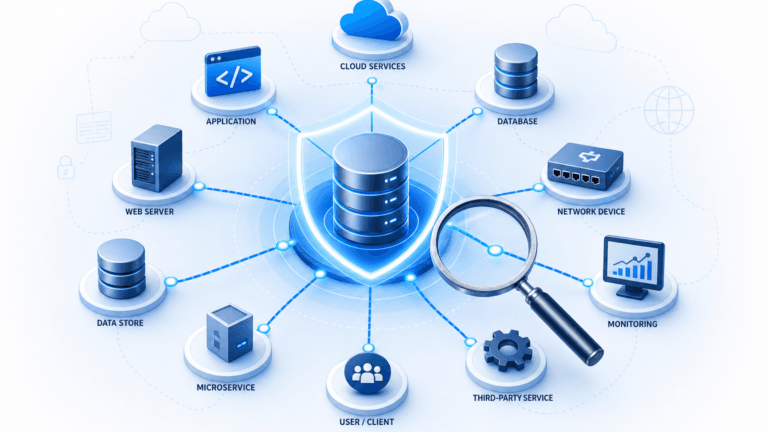
IT asset discovery catalogs hardware, software, and configuration items so teams know what exists in the estate. Service mapping builds dependency maps from that CI data so teams can see what a service runs on and what breaks if a CI fails. Discovery answers inventory. Mapping answers impact. Most change and incident workflows need both layers in sequence.
| See how discovery-sourced CI accuracy and dependency context become Trusted Runtime Truth operators and agents can act on. Explore Trusted Runtime Truth. |
What is IT asset discovery?
IT asset discovery is a software tool that helps you find the hardware and software that your organization has in use. Also, it can run as a standalone tool or as part of a larger solution. It is a process of cataloging your hardware and software assets.
This is important because when you know what’s in your IT environment, you’ll be able to better manage it. If you have a problem, it’s easier to troubleshoot when you know exactly what you’re dealing with.
You can also use the data from your discovery process in reports and other internal documents to help with budgeting, compliance, and other management tasks.
Read: Is agent-based discovery helpful for your business?
What is service mapping?
IT service mapping is an approach to IT management that uses information about assets, services and relationships between them to enable better decision making about how best to plan for change within your network.
You can use service maps to depict the relationships between various business services. They can also identify redundant or outdated technology in your organization. This understanding illuminates how your technology is configured, what changes you need to make, and who manages each system part.
Why is asset discovery important?
IT asset discovery is a key component of IT asset management. It’s important for several reasons, including:
- You can’t manage what you don’t know. If your organization doesn’t have a clear picture of its IT assets, it’s impossible to know which ones are in use and which ones are sitting around gathering dust. This means that there will likely be gaps in security coverage and compliance efforts as well as wasted money spent on unnecessary services or products.
- Asset discovery identifies the location of your assets to manage them effectively throughout their lifecycle—from procurement to retirement—and ensures that they meet all standards, such as data security requirements, during this process.
How does asset discovery work?
Asset discovery is the process of identifying what assets are present in your environment. Asset discovery software collects data from a variety of sources, including network devices, operating systems, and databases. The software analyzes the collected data to determine each asset’s location, age, configuration, and other characteristics.
You can perform asset discovery either manually or automatically using an automated tool, with or without agents.
Manual methods involve reviewing documentation or interviewing employees who regularly work with specific applications or systems. These employees share their knowledge about how end-users use these applications. However, this approach is time-consuming as it relies on human input which may not always be accurate. People often forget details about how things work over time. This is particularly true when significant changes have been made to these systems or applications since they last worked with them.
How to prevent data breaches with IT discovery?
Why is service mapping important?
Mapping your IT services can be a big undertaking, but it’s worth it. The purpose of IT service mapping is to identify relationships between services, the components that make up those services, and how they interact with each other. It also helps to point out where outages occur and the impact of those outages.
When a service fails to work, IT professionals need to know which other services rely on it in order to fix the problem quickly.
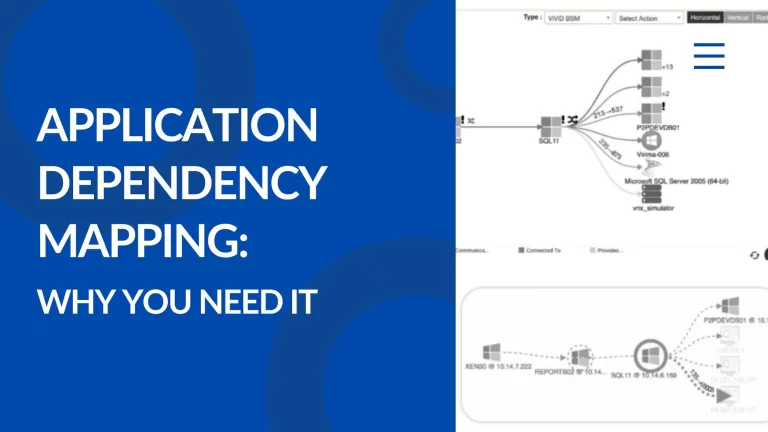
The IT service mapping tool automates this process by scanning your network and identifying all the devices that contain services. It then lists them in a tree structure so that you can see how each service is connected.
The tool also makes it easy for you to add or remove services from your map without having to manually update any records. This saves time because you won’t have to manually enter information about every service into multiple databases.
Read: Why service mapping matters for your change management plan
How does service mapping work?
Service mapping is a process that helps you understand and manage the services that your IT infrastructure provides. It uses a variety of methods to gather information about your application’s endpoints, including the network ports they use to communicate with other applications or systems.
Service mapping deploys various methods for creating application services.The primary method of service mapping is to use patterns. You create a pattern once, and then apply (or map) it to other devices or applications. After mapping a device or application, you can monitor and manage it just like any other device or application in your network.
IT discovery vs service mapping
You should collaborate with your technical staff to develop a plan for their use within your environment. This plan must include an understanding of which assets you need to map and the mapping process. Your team may need to customize some aspects to ensure accurate results, but they can easily accomplish this.
Substituting one for the other is not an option.
The differences between IT discovery and service mapping include:
| Aspect | IT asset discovery | Service mapping |
|---|---|---|
| Primary question | What exists in the estate? | What does this support, and what breaks if it fails? |
| Primary output | Hardware, software, and CI records for the CMDB | Dependency maps tied to defined business services |
| Prerequisite | Credentials, methods, and coverage across the estate | Accurate discovery-sourced CIs plus service definitions |
| Used by | ITAM, CMDB, and inventory-led security workflows | Change, incident, architecture, and blast radius reviews |
| Alone risk | No reliable blast radius for planned changes | Maps built on incomplete or stale inventory |
Why isn’t just service mapping enough?
Service mapping is a good way to visualize the relationships between services, but it doesn’t show you what the services are. If you’re looking for an inventory of your IT assets, service mapping won’t help you much.
If you want to know what assets are being used by which users and teams within your organization, then asset discovery tools will be more appropriate than just service mapping software.
Find out: What type of service mapping works best for your organization?
Can you use service mapping without asset discovery?
Maps can be drawn from imported CI data, but maps built on incomplete or stale inventory fail change planning and incident triage. Asset discovery establishes what exists. Service mapping explains what that inventory supports. Teams that skip discovery-sourced accuracy spend more time repairing maps than using them.
What does a full-featured solution for asset discovery look like?
A full-featured solution for asset discovery should have the following features:
- Automated discovery and inventory of all software assets, including hardware and network devices.
- Automated discovery and inventory of all hardware assets (servers, desktops, laptops).
With so many options, it can be difficult to choose the right software for your organization’s needs.
One of the most important parts of any IT project is making sure you have the right tool for the job. When it comes to asset discovery and service mapping, there are many options available. This can make it difficult for organizations to choose the right software for their needs.
When choosing an IT asset discovery or service mapping software solution, consider:
- Cost – How much does it cost? Will your company be able to afford it?
- Scalability – Is this solution scalable enough for future growth in your organization’s size and complexity? Does this solution have enough flexibility so that as business conditions change over time, this tool will still be able to adapt easily without requiring major changes or upgrades?
- Integration – Will the solution integrate with your existing systems or other systems you might add in future?
Choose your path: inventory-only, maps with trusted CIs, or both
Stay on discovery and inventory-only workflows if: change volume is low, blast radius analysis is rare, and CMDB consumers mainly need hardware and software truth for ITAM, license, and patch work.
Run discovery and service mapping in parallel if: CAB and incident teams need dependency views, but service definitions are still being completed while discovery coverage expands.
Operate on discovery-sourced CMDB records plus ViVID™ maps if: service definitions are provided and change, incident, and agentic workflows need inventory accuracy and impact context in one operating picture.
For the ServiceNow module path that pairs Discovery with Service Mapping inside ITOM, see ServiceNow Discovery vs Service Mapping.
When do teams need both IT asset discovery and service mapping?
Teams need both when change approval, incident triage, or agentic actions require current CI records and known downstream impact. Discovery alone cannot show blast radius. Mapping alone cannot prove the underlying assets are complete. Sequence matters: inventory first, then maps after service definitions are provided.
When discovery and service mapping belong in one platform
The bottom line is that you need to be able to discover your IT assets, and then use that information to better manage them. You can do this with service mapping or asset discovery software, but it’s more important that you choose the right tool for your organization’s needs than whether it’s one or the other.
What would it be like to know exactly what your IT assets are, where they sit, what they do, and how they connect to each other, with discovery-sourced CI accuracy feeding dependency maps after service definitions are provided?
With Virima’s IT Discovery and ViVID™ Service Mapping, teams get both layers in one platform.
Virima multi-method discovery catalogs hardware, software, and configuration items across on-premises, AWS, and Azure estates. Once service definitions are provided, manually, by spreadsheet import, or through an enterprise architecture integration, ViVID™ service mapping builds and maintains dependency maps from that input. ViVID™ does not invent service composition on its own. After definitions are in place, maps stay current as infrastructure changes, and teams can work from discovery-sourced CI accuracy plus dependency context for change and incident work.
See discovery-sourced inventory and dependency context work together as Trusted Runtime Truth before you schedule a deeper walkthrough.
See how multi-method discovery and ViVID™ maps after service definitions give change and incident teams inventory accuracy plus dependency context without treating the two layers as substitutes.
Frequently asked questions
What is the difference between IT asset discovery and service mapping?
IT asset discovery catalogs hardware, software, and configuration items so the CMDB holds current inventory. Service mapping builds dependency maps from that CI data so teams can see what a business service runs on and what fails if a CI changes. Discovery answers what exists. Mapping answers what it supports.
Can you do service mapping without asset discovery?
Technically yes if CI data comes from imports or another source. In practice, maps built on incomplete or stale inventory are weak for change planning and incident triage. Most teams treat discovery-sourced CI accuracy as the foundation, then map services after definitions are provided.
Is asset discovery enough without service mapping?
Discovery is enough when the primary jobs are inventory, license, and patch visibility. It is not enough when CAB, major incident, or agentic workflows need blast radius. Inventory without dependency context leaves impact analysis to tribal knowledge.
What does ViVID™ add after service definitions are provided?
Once service definitions are provided, ViVID™ service mapping builds and maintains dependency maps from that input. ViVID™ does not invent which applications form a service. After definitions are set, maps track how infrastructure relationships evolve so change and incident teams can work from current dependency context.
Does Virima provide both IT asset discovery and service mapping?
Yes. Virima multi-method discovery populates CMDB records, and ViVID™ service mapping maintains dependency maps after service definitions are provided. Teams that need both layers can run them in one platform instead of treating discovery tools and mapping tools as unrelated purchases.